System Logs
Module: Settings | Platform: Web
System Logs is a delivery audit trail for notifications and device-token events — every push, SMS, and in-app notification the system attempted to send, plus every mobile device token registration, update, deactivation, and invalidation. Use it to confirm whether a specific notification went out, and if not, why.
Navigation
Sidebar → Settings → System Logs
System Logs opens inside the same Settings overlay as every other Settings tab. It has no dedicated URL of its own — there is nothing to bookmark or deep-link beyond the app's base page with the Settings panel open.
What it's for
System Logs answers "did this notification actually go out, and if not, why not." It is not a general change-history / audit-trail feature — see Audit trail below for where field-level record history lives instead.
Overview
The Log Type filter is a single dropdown, not a set of separate tab controls — choosing an option swaps both the table's columns and its contents. The five options are documented below as the sub-tabs.
All Log Types
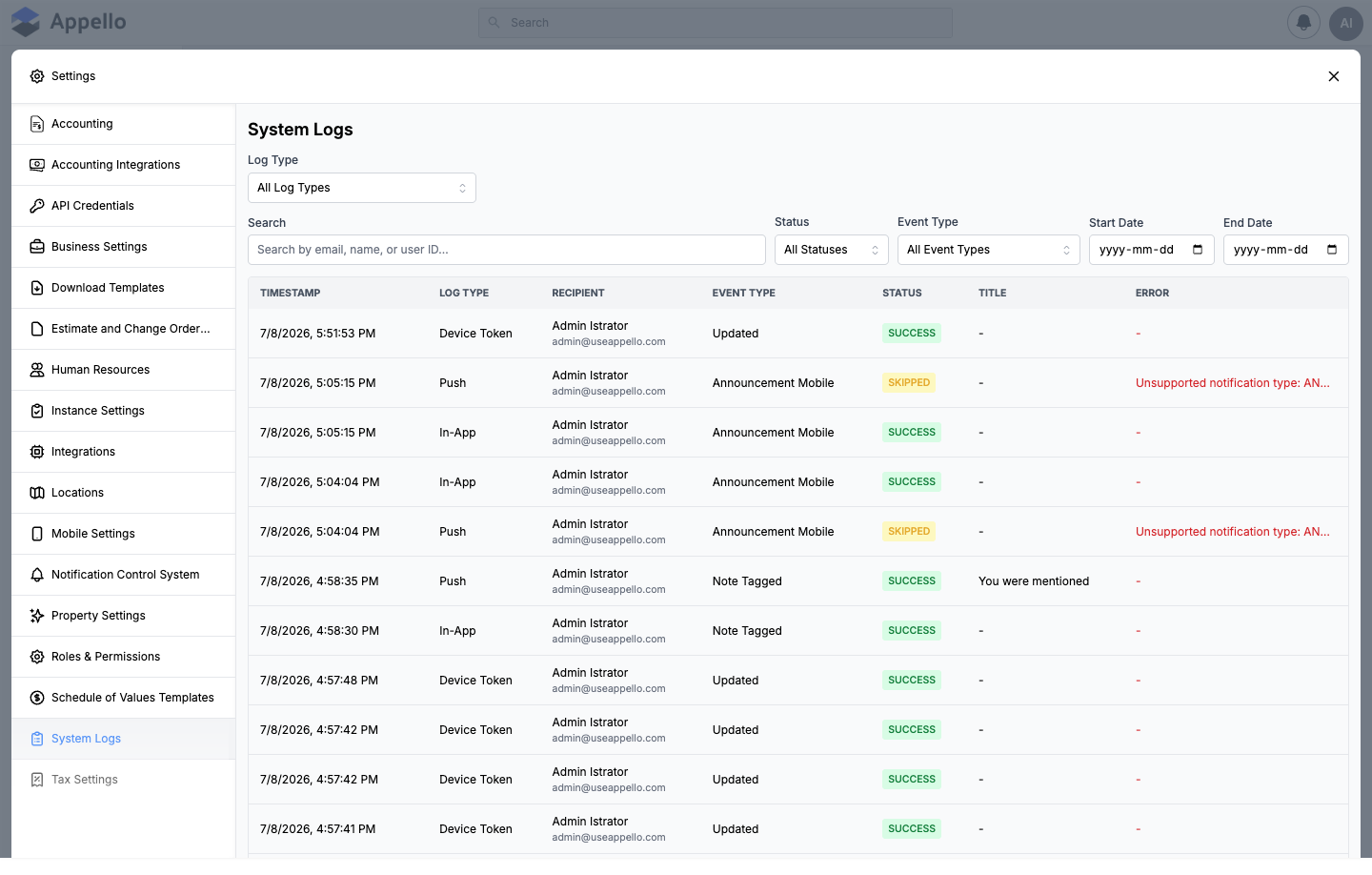
The All Log Types view is the default. It shows every log type interleaved, newest first, with an extra Log Type column so you can tell them apart.
Push Notifications
SMS Notifications
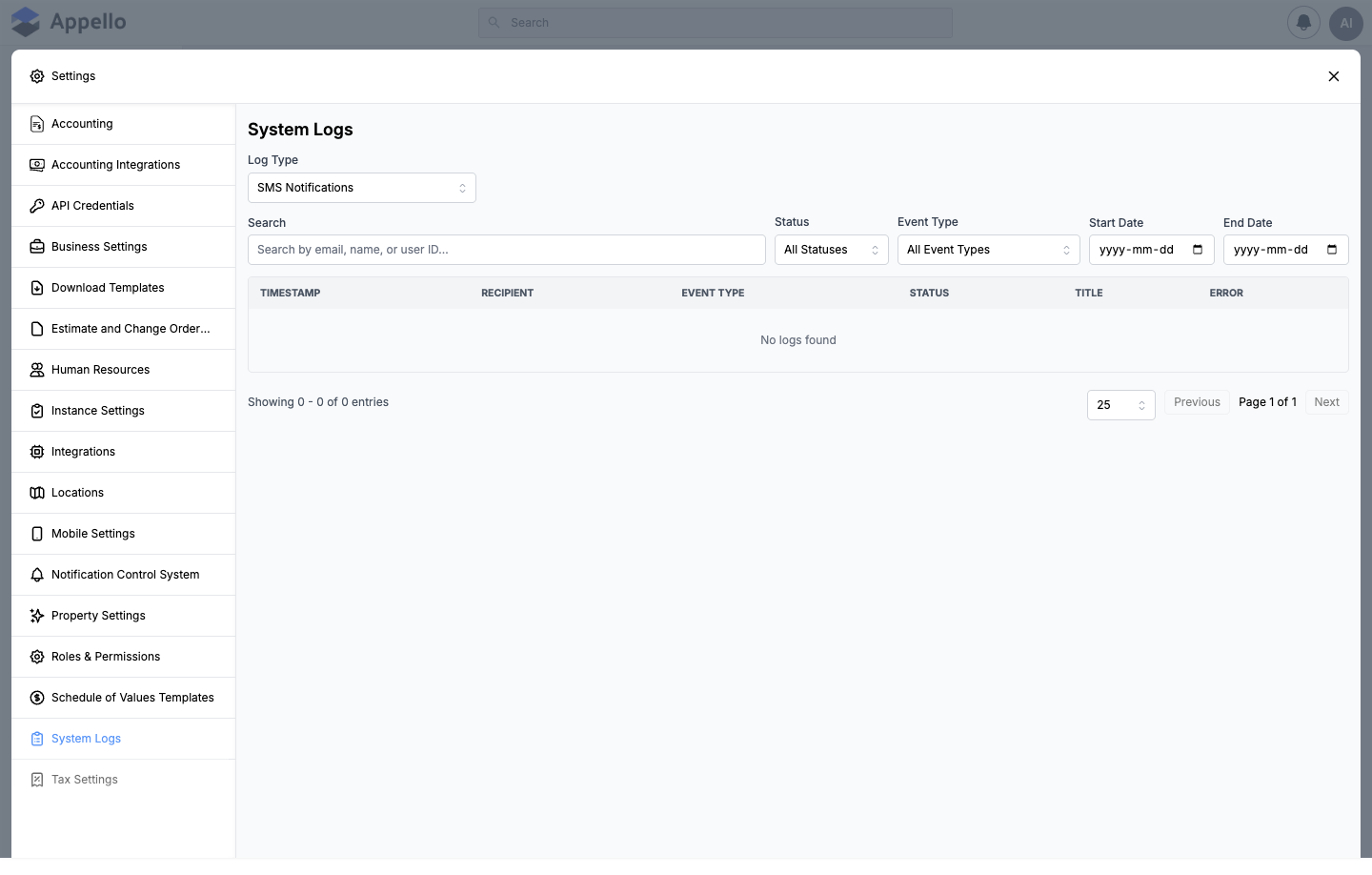
The demo instance has no SMS log entries because it has no Twilio integration configured (see Integrations) — every SMS send is logged as Skipped with "Twilio is not configured" when that's the case, so an empty SMS log here usually means exactly that, not that SMS was never attempted.
In-App Notifications
Device Tokens
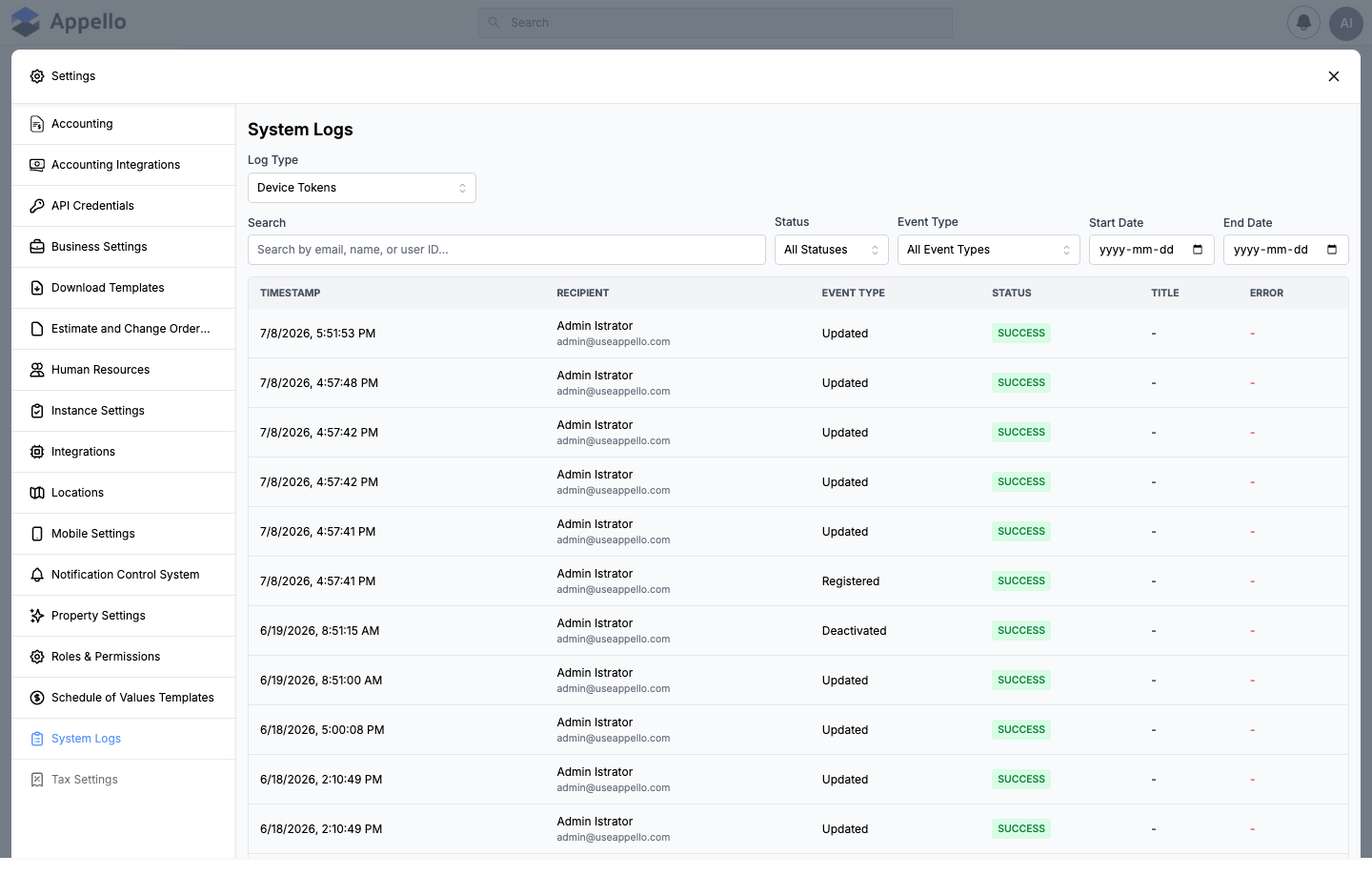
The Device Tokens view is an event log (registrations, updates, deactivations, invalidations) — it is not a live list of a user's current device tokens with an active/inactive status. There is no separate live device-token registry anywhere in Settings; the closest thing to "is this token still good" is reading the sequence of events here (see the missed-push walkthrough below).
Filters
| Filter | Applies to | Description |
|---|---|---|
| Log Type | All views | All Log Types, Push Notifications, SMS Notifications, In-App Notifications, or Device Tokens. Changing this also changes the visible columns and resets the page to 1. |
| Search | All views | Free-text match against the recipient's email address, full name, or user ID -- a match on any one of the three is enough. Press Enter to run the search — it does not search as you type. |
| Status | All views | All Statuses, Success, Failure, or Skipped. |
| Event Type | All views | A fixed dropdown of every event the log can record (see Event types below) — not free text, and not scoped to the current Log Type (all options show regardless of which Log Type is selected). |
| Start Date | All views | Beginning of the date range, inclusive, based on the entry's timestamp. |
| End Date | All views | End of the date range, inclusive, based on the entry's timestamp. |
There is no column-header sort control anywhere in this view — results are always ordered newest first by timestamp, and that cannot be changed from the UI.
Event types
The Event Type dropdown lists a fixed set of values pulled from the notification and device-token type enums, not free text:
Acknowledge Feedback, Timesheet Approved, Timesheet Rejected, Expense Approved, Expense Rejected, Leave Approved, Leave Rejected, Note Tagged, Note Commented, Document Comment Mention, Sign Document, Note Created, Leave Submitted, Expense Submitted, AP Expense Approved, AP Expense Rejected, AP Expense Submitted, Announcement All, Announcement Desktop, Announcement Mobile, User Left Job Site, User Entered Job Site, User Clocked In Outside Geofence, Intuit Timesheet Export Completed, Intuit Timesheet Export Failed, Onboarding Completed, Token Registered, Token Updated, Token Deactivated, Token Invalidated.
The last four (Token Registered/Updated/Deactivated/Invalidated) only produce results under the Device Tokens Log Type; the rest are notification event types and only produce results under Push, SMS, or In-App.
Table columns
| Column | Shown on | Description |
|---|---|---|
| Timestamp | All views | Date and time the log entry was created, in the browser's local time. |
| Log Type | All Log Types only | Push, SMS, In-App, or Device Token. Hidden on the other four views since the Log Type is already fixed by the filter. |
| Recipient | All views | The target user's full name and email address, resolved live from the User record (not a snapshot — if the user is later renamed, older log rows show the new name). |
| Event Type | All views | The event that triggered the entry, shown as a readable name (for example, "Note Tagged"). |
| Status | All views | Success, Failure, or Skipped (see Status meanings below). |
| Title | All views | The push notification's title, when the log entry has one. Blank ("-") for SMS, in-app, and device-token entries. |
| Error | All views | The skip reason or exception message, when the entry failed or was skipped. Blank ("-") on success. |
Results are paginated (25, 50, or 100 rows per page) with Previous / Next controls and a "Showing X - Y of Z entries" count.
Status meanings
- Success — the notification was sent (push: at least one device token accepted it; SMS: Twilio accepted the message; in-app: a notification record was created for the user).
- Failure — an unhandled exception was thrown while sending (a push send call, an SMS send call, or writing the in-app notification record all failed). The Error column holds the exception's message text.
- Skipped — sending was never attempted, by design, for a specific documented reason:
no phone number on file, Twilio not configured, no active device tokens for the user, no
device tokens for the notification's target platform, or the notification type wasn't
recognized by the content builder ("Unsupported notification type:
X").
Row detail
Click a row to expand it in place (click again to collapse). Every entry shows its Log
ID, User ID, Reference Model, and Reference ID (the record the notification
was about, e.g. Note / HkvbsuodX...). Beyond that, the fields shown depend on the log
type:
- Push notifications — a Push Content block with Title, Body, and Deeplink, plus a Token Delivery Results table (one row per device token the push was sent to: Token and Installation ID truncated, Platform, Provider, Status, Error) whenever the push targeted more than one recorded result.
- SMS notifications — the recipient's phone number.
- Device Token events — Installation ID, Platform, Provider, a truncated Token, and a Reason field (populated for Deactivated/Invalidated events, e.g. "FCM rejected token: unregistered").
- Any entry with a Failure or Skipped status repeats its Error Message in full below the other fields.
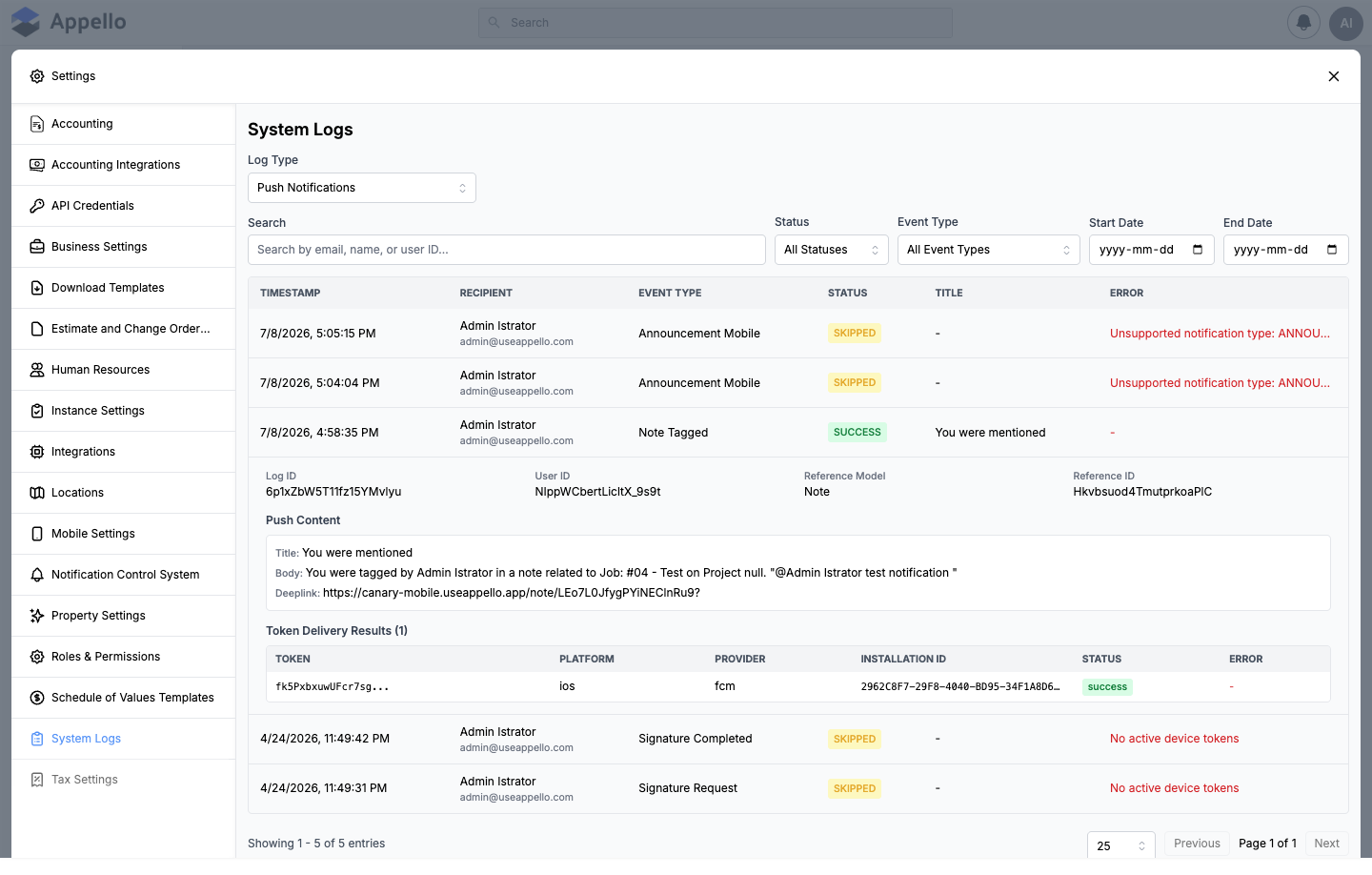
Device tokens and their installation IDs are truncated by the app itself in this view (e.g.
fk5Pxbxuw...) — this is not a redaction added for this doc, it's how Appello displays them.
How to use it
Diagnose a missed push notification
- Go to Settings → System Logs, set Log Type to Push Notifications, and Search for the user by name or email.
- Read the Status and Error columns for the entry around the time the push should
have arrived:
- Skipped / "No active device tokens" — the user has no
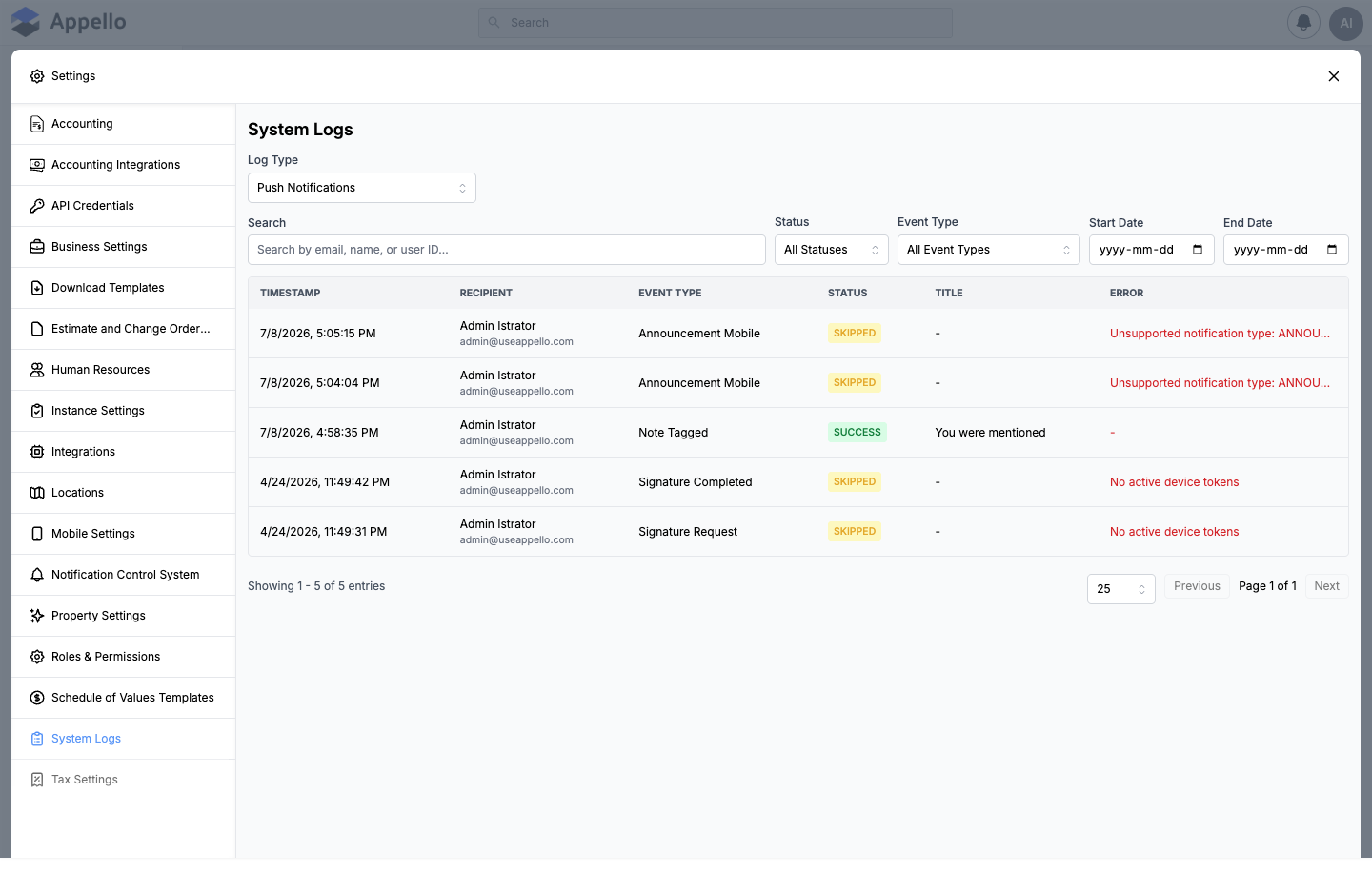
DeviceTokenrow withisActive: true. Switch Log Type to Device Tokens, search the same user, and check the most recent event: if the last event is Deactivated or Invalidated (rather than Registered or Updated), that's why — the token was retired, most often because a prior push attempt got an FCM/APNs "unregistered" response and the system marked it inactive. - Skipped / "No device tokens for target platform" — the notification is a mobile- or desktop-only announcement type and the user's registered device is the wrong platform for it.
- Skipped / "Unsupported notification type:
X" — the notification type isn't one the push-content builder recognizes; this is a product/config issue, not a device issue. - Failure — expand the row and read the Error / Token Delivery Results table; a per-token error there (e.g. "unregistered") means that specific token is stale, and a following Device Tokens log entry for the same token, action Invalidated, is the system reacting to it.
- Success — the send succeeded server-side. If the user still says they never saw it, the token was live and accepted the push — the issue is downstream of Appello (device notification permissions, OS-level delivery, Do Not Disturb, app being force-quit, etc.).
- Skipped / "No active device tokens" — the user has no
Diagnose a failed SMS
- Set Log Type to SMS Notifications and search for the user or filter Status to Failure or Skipped.
- Read the Error column (or expand the row):
- "Twilio is not configured" (Skipped) — no Twilio credentials are saved on the instance at all. Fix in Settings → Integrations.
- "No phone number on file" (Skipped) — the recipient's Employee Data record has no phone number.
- Any other Skipped reason (for example, a missing source record) is written out in the message itself.
- Failure — the message is the Twilio SDK exception's text. Appello does not store a separate Twilio message SID, delivery-status callback, or numeric error code alongside the log entry — whatever text the Twilio client's exception carried (which commonly includes Twilio's own error description, e.g. an invalid or unreachable "To" number) is the entire Error value. There is no follow-up "delivered" confirmation logged here even on Success — success only means Twilio's API accepted the send request.
Appello does not record Twilio delivery-status callbacks or Twilio's numeric error code as a separate field — only the error message text, whatever it contains, is stored in Error.
Diagnose an in-app notification that was sent but never read
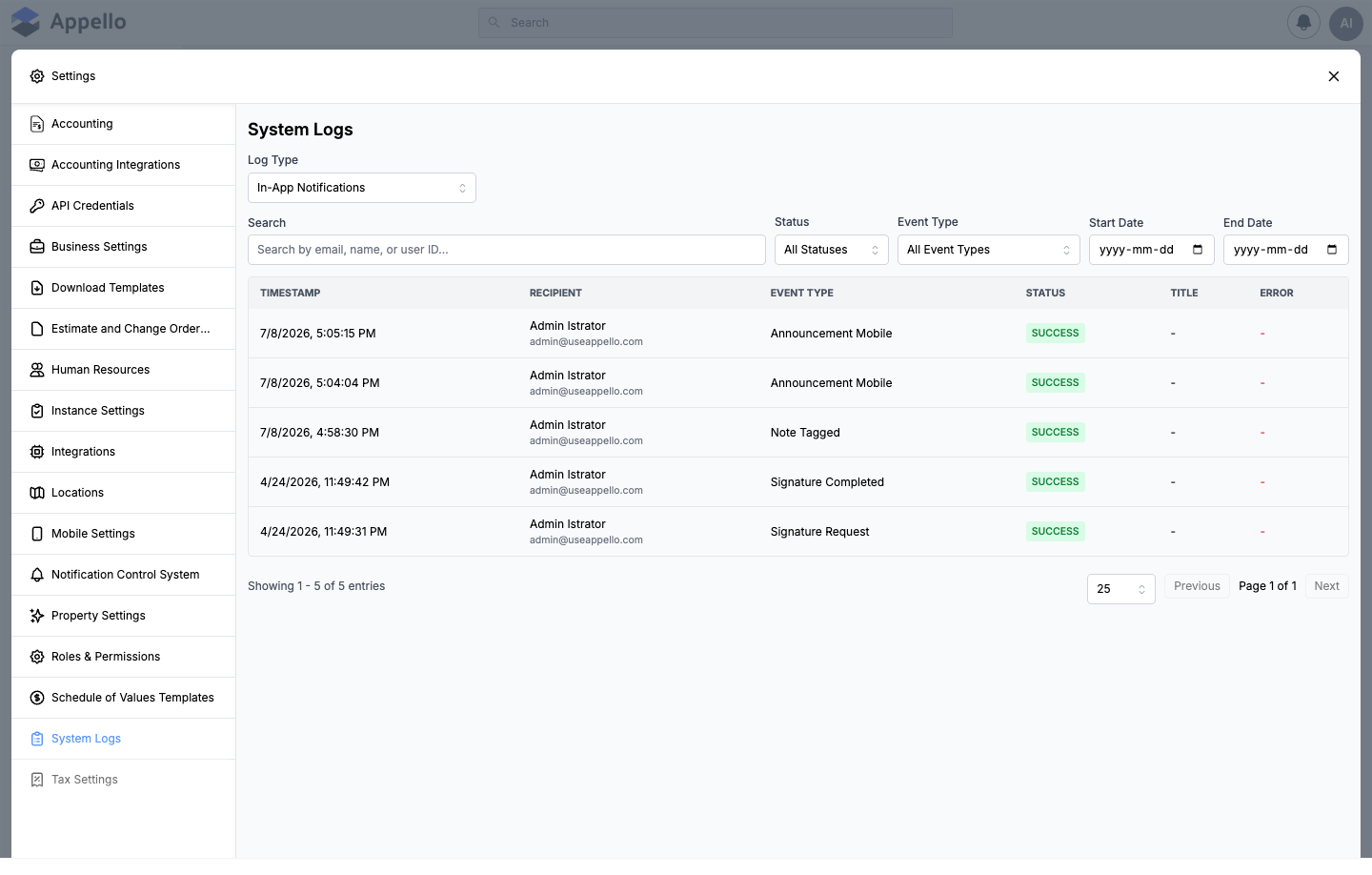
- Set Log Type to In-App Notifications and search for the user. A Success row here only confirms a notification record was created for that user — it does not tell you whether they've opened or dismissed it, because System Logs has no read/seen field.
- To check read state, you have to leave System Logs: read/unread status lives on the in-app notification itself, surfaced through the notification bell (see In-app notifications), not in this audit trail.
- If the System Logs row is Skipped or Failure instead of Success, the notification was never created for that user in the first place — that's a delivery problem this page can answer directly, distinct from a read-status question it can't.
Audit trail vs. System Logs
System Logs does not show field-level record history (who changed what value on a job, user, contact, and so on). Appello records that change history separately, but this System Logs Settings tab does not surface it in any of its five views.
No Settings page in this build exposes that record-change history as a browsable list. If you need it, contact Appello support.
Permissions
The System Logs tab only appears in the Settings sidebar, and only loads data, for a role with:
| Permission | Required to |
|---|---|
| System Settings: View | See the System Logs tab at all and load any of its five views. |
There is no separate edit permission for System Logs — the whole view is read-only (there is nothing to create, edit, or delete here).
System Logs has no fixed retention period, no export or download option, and no column-level sort control.
Related pages
- Notification Control — sets the global default in-app / SMS notification preferences that determine whether a notification is attempted at all.
- Integrations — where Twilio is configured; an unconfigured Twilio integration is the most common cause of an empty SMS log.
- Native app sign-in — where a mobile device registers the token that later shows up here as a Device Tokens log entry.
- In-app notifications — where a user actually sees and reads/dismisses an in-app notification; read/unread state is tracked there, not in System Logs.