Projects list
Module: Operations | Platform: Web
Browse, search, and open all projects from a single table.
Navigation
Sidebar → Operations → Projects
URL: /projects
Gate: Projects → View. When this permission is scoped to Project Based, the list itself is limited to projects where you are the project lead -- see Project Detail Page for how the same scoping applies once a project is open.
Overview
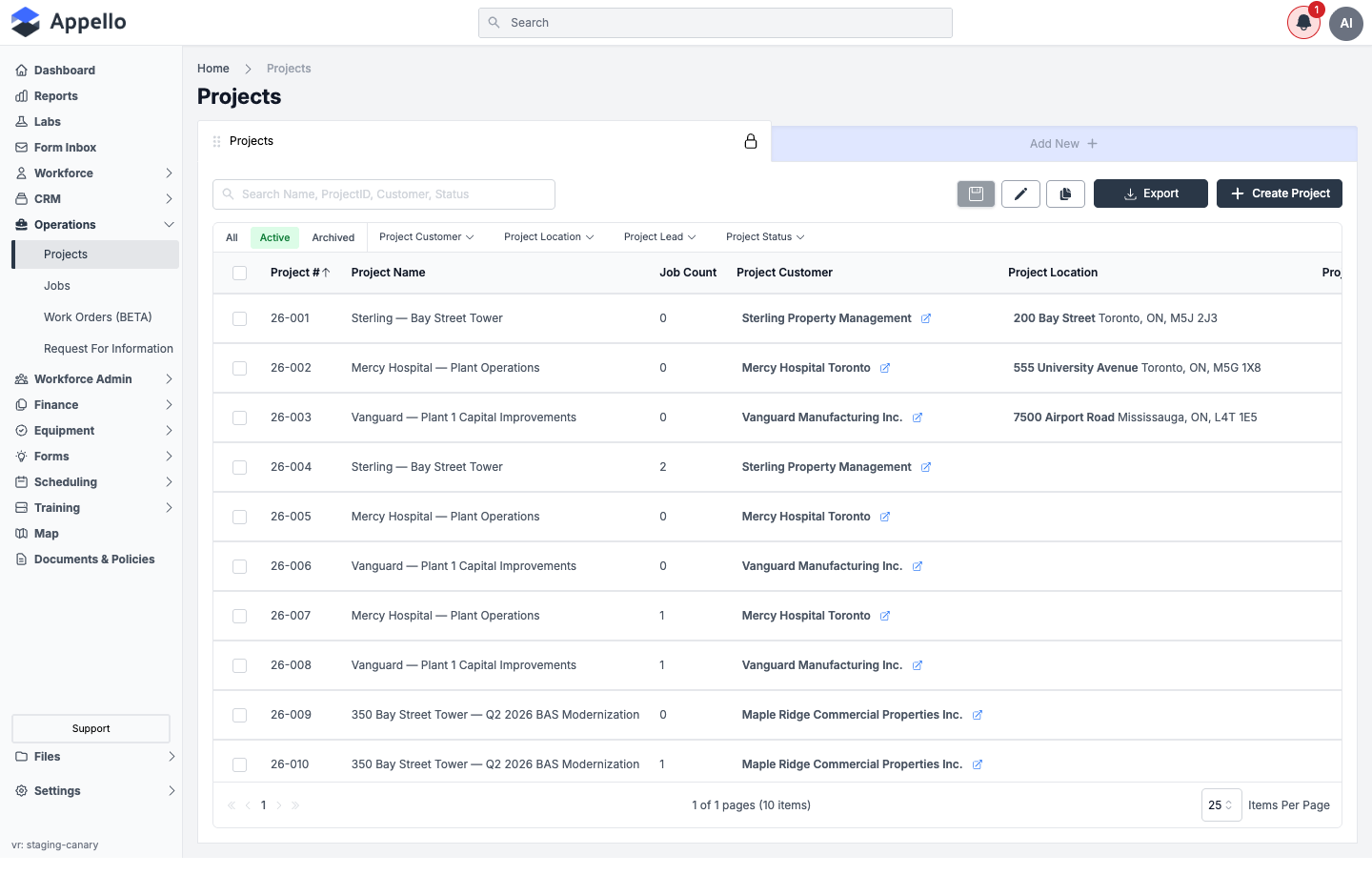
The Projects list is the central hub for finding and opening any project. Each row is a project and shows its number, name, job count, customer, location, lead, value, and status. Click any row to open the project's detail view.
Table columns
| Column | Description |
|---|---|
| Project # | Auto-generated project number. Sortable. |
| Project Name | The name assigned to the project. Sortable. Click to open the project detail view. |
| Job Count | Number of jobs created under the project. Sortable. |
| Project Customer | The customer (company) associated with the project, with a link to open its record. |
| Project Location | The project's address, if one is set. |
| Project Lead | The team member responsible for overseeing the project. |
| Project Value | Total contract/sales value for the project. |
| Project Status | Current status, shown as a coloured badge (for example Open). |
Project statuses are a configurable list per instance, so the values available on your company's instance may differ from the example above. The Project Value header also responds to a click on the demo instance, but the list cannot actually be sorted by project value -- clicking it did not change the row order, unlike Project #.
Search, filters, and sort
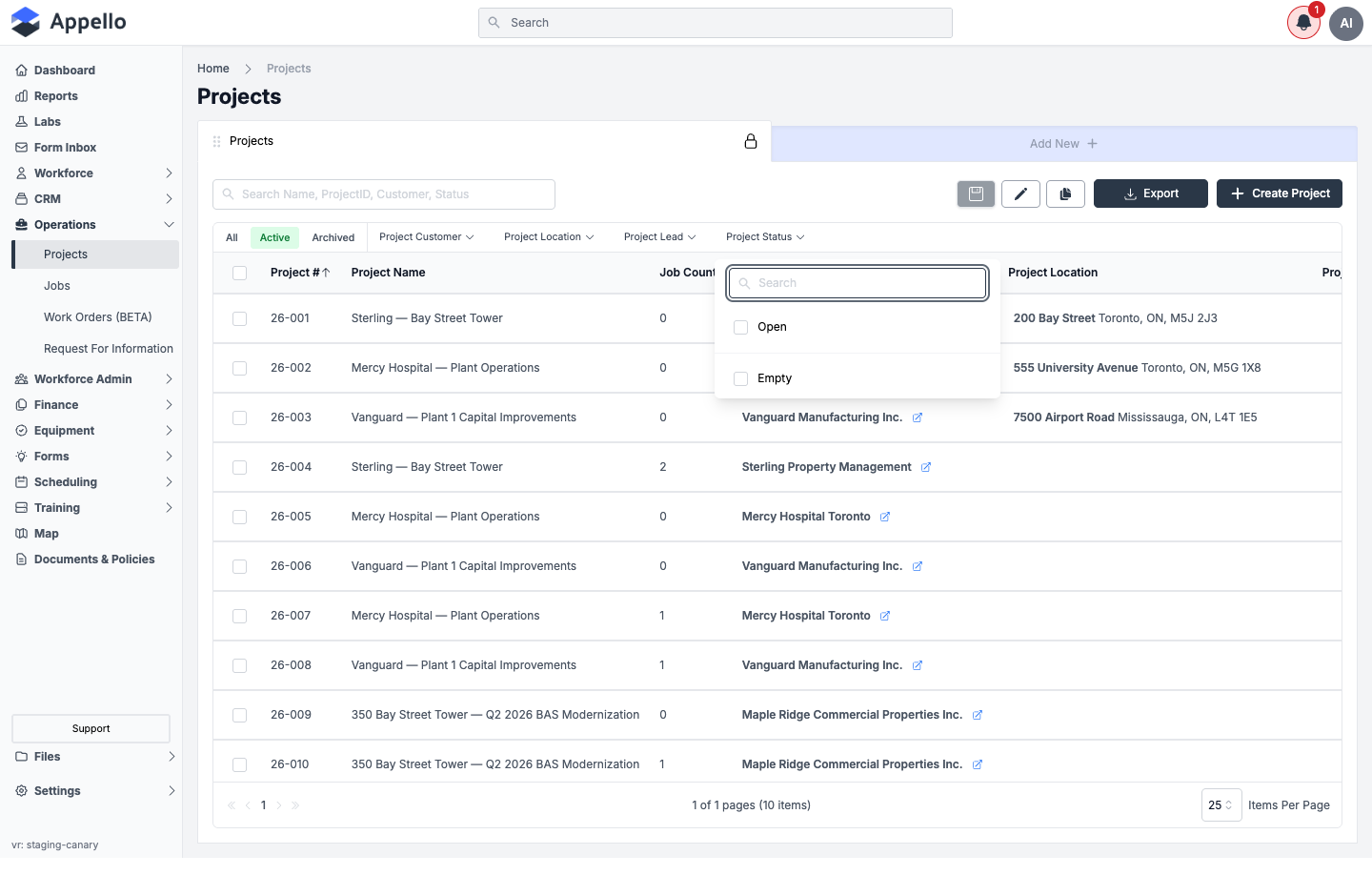
| Filter | Description |
|---|---|
| Search | Free-text search across project name, project number, customer, and status. |
| All / Active / Archived | Quick-filter tabs above the table. Active is the default view. |
| Project Customer | Searchable multi-select checklist of customers with at least one project. |
| Project Location | Searchable multi-select checklist of project locations. |
| Project Lead | Searchable multi-select checklist of users assigned as a project lead. |
| Project Status | Searchable multi-select checklist of the statuses configured for your instance. |
| Sort | Click the Project #, Project Name, or Job Count header to sort by it; click again to reverse direction. |
Projects can be filtered by project type elsewhere in Appello, but no Project Type filter chip is offered on this list.
Key actions
| Action | How |
|---|---|
| Create a project | Click Create Project at the top of the list. See Create a project. |
| Open a project | Click any project row to open the detail view. |
| Export | Click Export to download the current filtered view as CSV. The export includes several fields not shown as table columns (description, dates, daily hours, contact details, project type, and the external URLs), but does not include Project Value. |
Bulk actions
Select the checkbox on one or more rows to reveal a bulk-action bar above the table. Which action appears depends on the active tab:
| Tab | Action | What it does | Who can do it |
|---|---|---|---|
| Active | Archive | Removes the selected projects from the Active view. Data is preserved and the project can be restored later. | Requires Projects → Archive. |
| Archived | Restore | Moves the selected projects back to the Active view. | Requires Projects → Restore. |
| Archived | Delete | Permanently deletes the selected projects. Disabled for a project that is still in use (e.g. has related jobs). | Requires Projects → Delete. |
Row checkboxes and the bulk-action bar are not shown on the All tab -- only on Active and Archived. The row checkboxes have no label of their own, so no screenshot of the bulk-action bar itself is included here.
Project-level settings reached from here
Two project-level settings are configured from forms that no other page fully documents yet. Both are reached from a project's own Settings tab, not from the list itself.
External URL Settings
Where it is: open a project, then Settings tab (/projects/[id]?tab=settings) →
External URL Settings card → Set Links And Access.
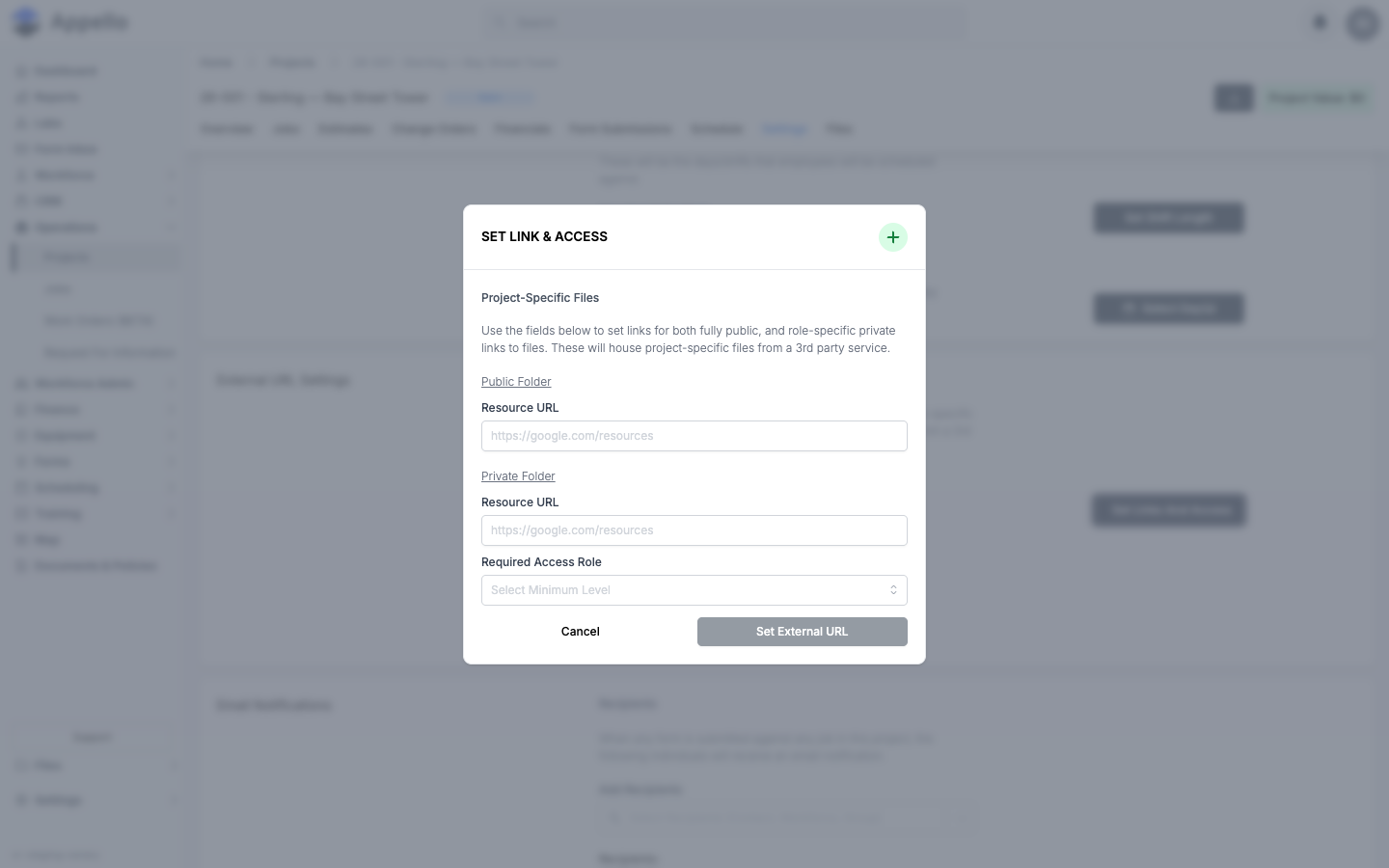
What it's for: stores links to project-specific files hosted by a third-party service -- one link anyone with access to the project can open, and one link restricted to a minimum role.
| Field | Required | Type | Effect |
|---|---|---|---|
| Public Folder → Resource URL | No | Link | Saved as the project's Public External URL. Anyone who can open the project can use Test Public URL on the Settings tab to open it. |
| Private Folder → Resource URL | No | Link | Saved as the project's Private Folder link. Only visible in this form to users with Role View permission -- others see a message instead of the field. |
| Required Access Role | No | Select (existing role) | The minimum role required to access the Private Folder link. Only shown alongside the Private Folder field, for the same permission reason. |
Workflow:
- From a project's Settings tab, click Set Links And Access on the External URL Settings card.
- Enter a Public Folder resource URL, a Private Folder resource URL, or both.
- If you have Role View permission, also choose a Required Access Role.
- Click Set External URL to save, or Cancel to close without changes.
Once saved, Test Public URL / Test Private URL on the Settings tab open the stored links -- see Project Detail Page → Settings.
This guide opened the form and clicked Cancel without saving.
Set Shift Length
The Settings tab's Calendar Settings card also has a Set Shift Length control for the project's standard daily work hours. It's fully documented on Project Detail Page → Settings and not repeated here.
Attaching a project from another record
Some other records let you attach an existing or newly created project to them -- for example a company's Projects tab, or the Job step of the Estimate wizard. The entry point and fields belong to those other records, so they aren't documented on this page.
Project detail tabs
Opening a project shows tabs for Overview, Jobs, Estimates, Change Orders, Financials, Form Submissions, Schedule, Settings, and Files. Which tabs you see depends on your permissions and on whether the project is marked Internal. See Project Detail Page for the full tab-by-tab breakdown.
How projects connect to other features
| Feature | Relationship |
|---|---|
| Jobs | Every job belongs to a project. Creating a job requires selecting a parent project. |
| Scheduling | Scheduled jobs and workers roll up to the project's Schedule tab. |
| Estimates | Estimates can be linked to a project and are listed on its Estimates tab. |
| Change Orders | Change orders adjust the project's contract value and appear on its Change Orders tab. |
| Financials | Budget and actual costs across all of a project's jobs roll up to its Financials tab. |
| Files | Files uploaded at the job level and the project level share the same folder tree. |
| Forms | Safety and inspection form submissions tied to the project's jobs appear on its Form Submissions tab. |