Policy documents
Module: Documents & Policies | Platform: Web
Publish HR and safety policies as read-and-acknowledge documents, and track which workers have signed off.
Navigation
Sidebar → Documents & Policies
URL: /policy-documents
Overview
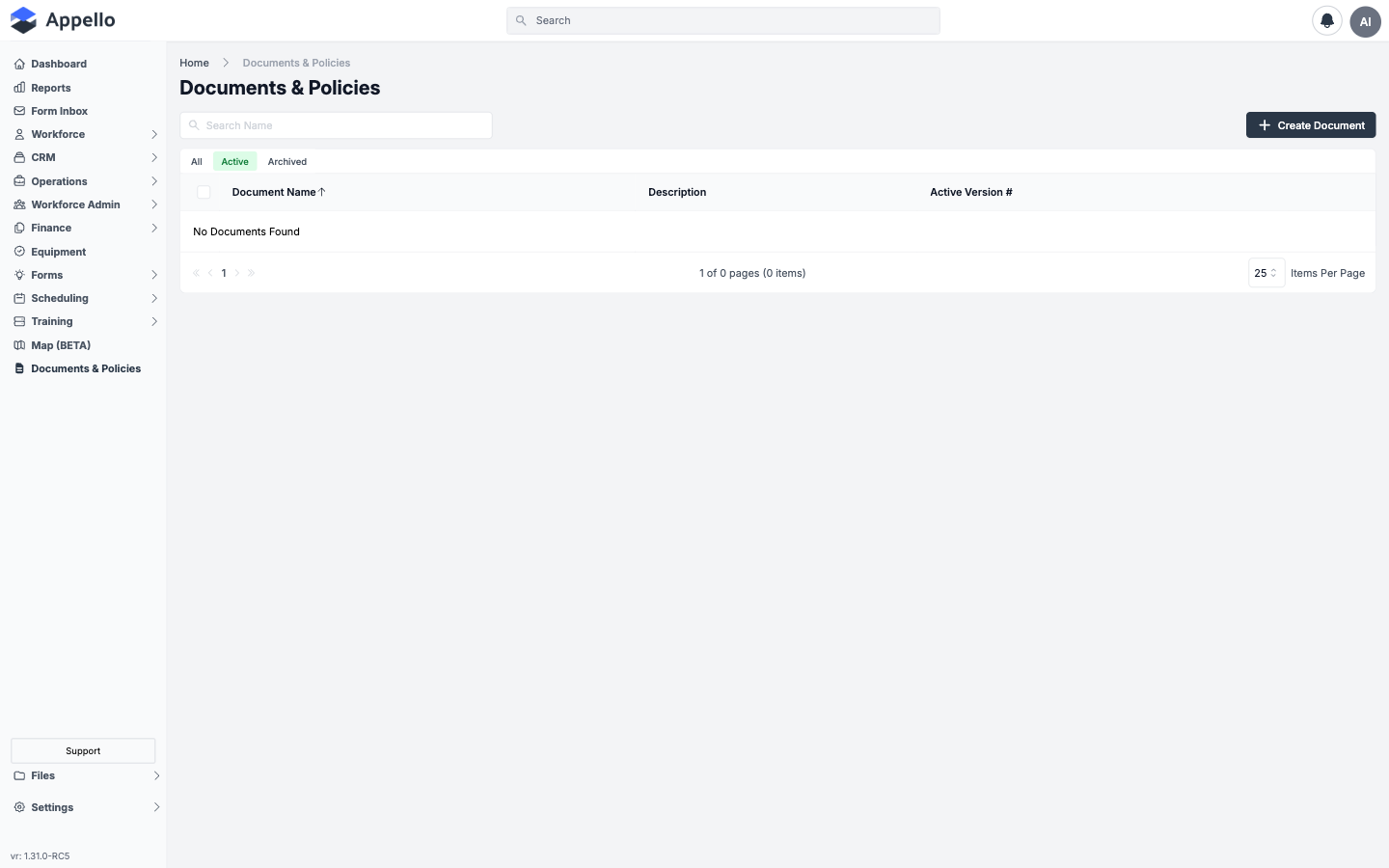
Create rich-text or PDF policy documents, publish them, and choose which workers must acknowledge each one. Each policy document is a wrapper that can hold multiple versions over time -- publishing a new version supersedes the old one and can require everyone to re-acknowledge.
Table columns
| Column | Description |
|---|---|
| Document Name | Name of the policy document wrapper. Click to open its Document Versions list. Sortable -- the only sortable column, sorted ascending by default. |
| Description | Optional rich-text description entered when the document was created. |
| Active Version # | The version number currently marked active for this document. |
The list has no document-category field. Documents are organized only by name and description -- there is no built-in Safety / HR / Operations classification.
Search, quick tabs, sort, and bulk actions
| Control | Description |
|---|---|
| Search Name | Free-text box above the table; matches on Document Name only. |
| All / Active / Archived | Quick tabs above the table filter to all document wrappers, active (non-archived) wrappers, or archived wrappers. |
| Sort | Click the Document Name column header to sort by it; click again to reverse direction. |
| Row checkboxes + bulk bar | Select one or more rows to reveal Archive (Active tab), Restore (Archived tab), and Delete (Archived tab) above the table. Deleting a wrapper checks for related versions/signatures first and warns how many additional records will be removed. |
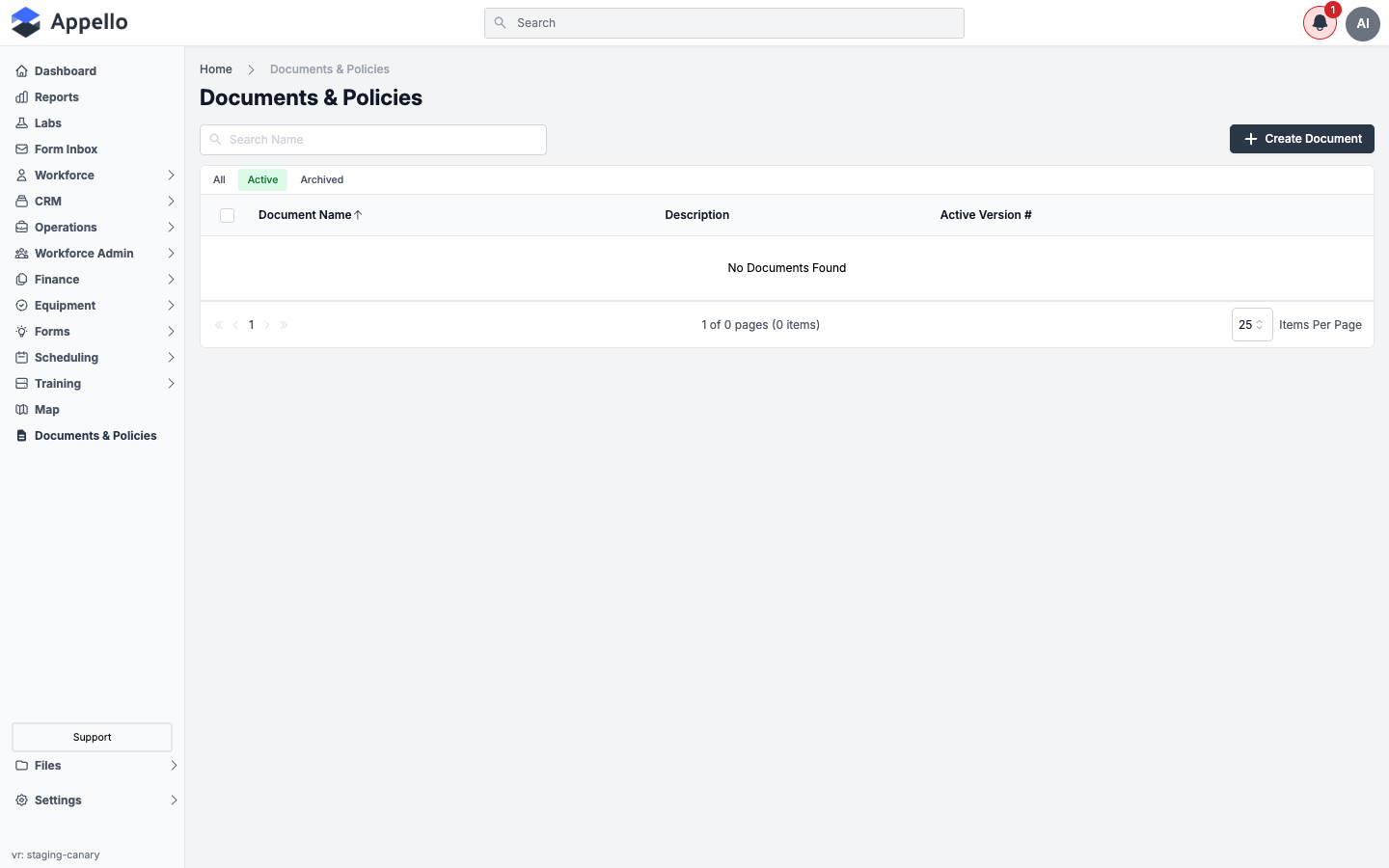
This list has no Export control and no filter chips beyond the quick tabs -- as the empty-list screenshot below shows, it offers only Search, the three tabs, and Create Document.
Creating a document
-
Click Create Document in the top-right corner of the list.
-
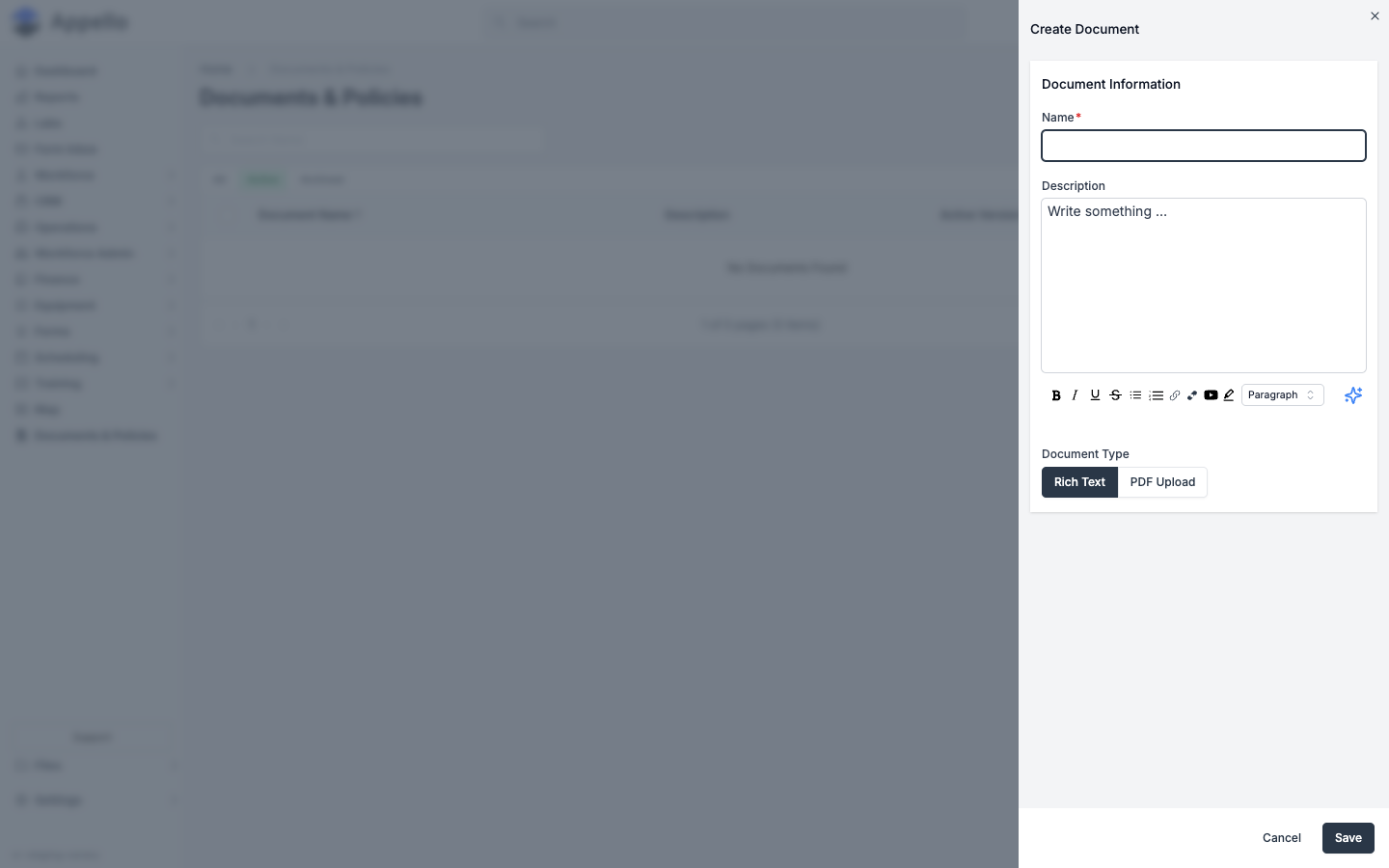
In the Create Document panel, fill in:
- Name -- required.
- Description -- optional, with a rich-text formatting toolbar.
- Document Type -- Rich Text (write the policy in Appello's editor) or PDF Upload (upload an existing PDF file). This choice cannot be changed after the document is created.
-
Click Save, or click Cancel to close the panel without creating anything.
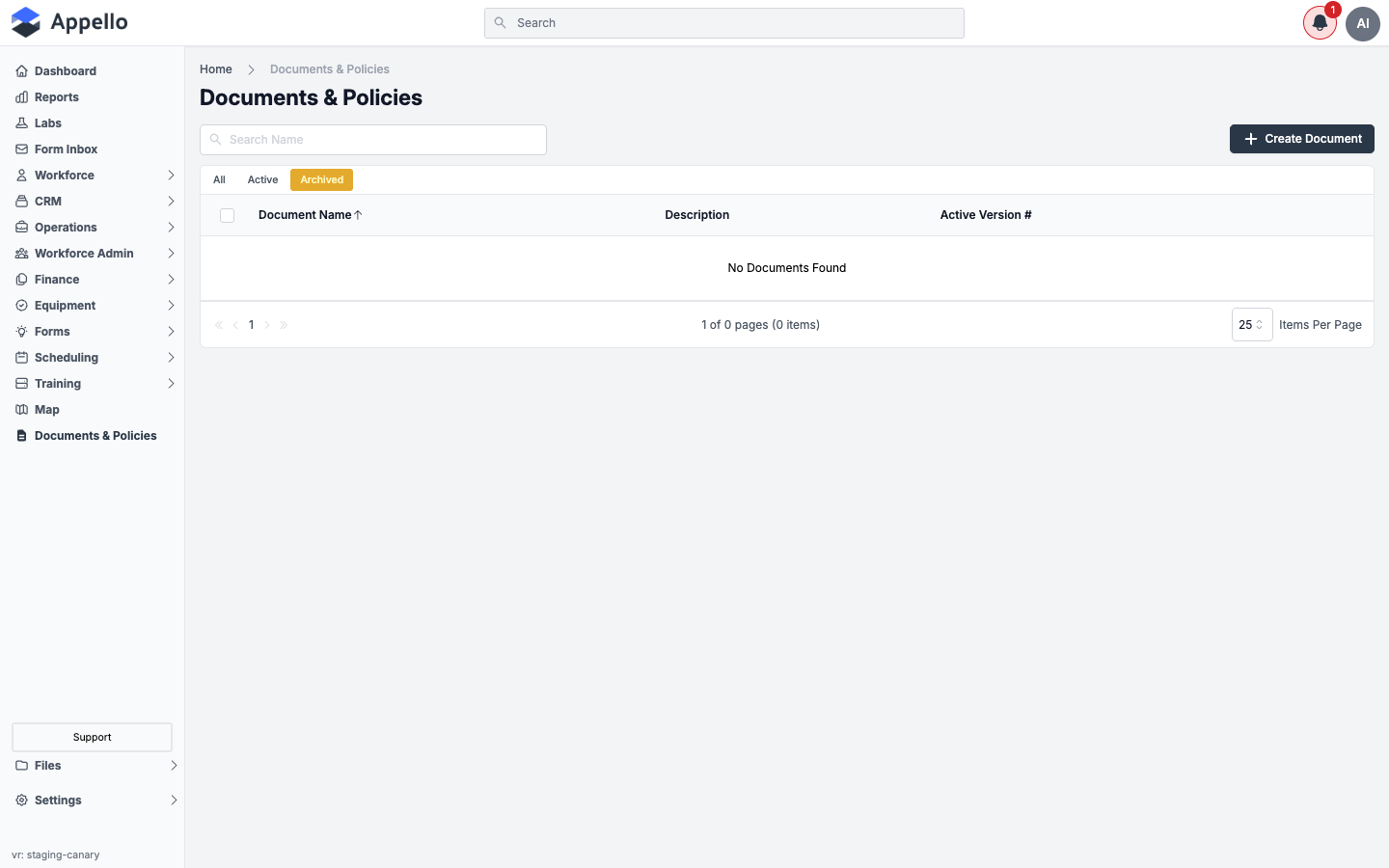
Saving creates Version 1 of the document (unpublished) and opens its Document Preview tab in edit mode, where you write the document body (Rich Text) or upload the PDF file, and set an Effective Date. The document is not visible to workers, and cannot be acknowledged, until it is published.
This page's screenshots come from a demo instance with no policy documents yet published, so a filled-in Document Preview / edit screen could not be captured. The fields above are described from Appello 1.33.
Publishing a document and requiring acknowledgment
From a document version's Document Preview tab, an unpublished version shows a Publish button (requires edit permission on Policy Documents). Publishing is where you decide whether the document needs sign-off:
- Click Publish. The Publish Document dialog asks: "Does this document require acknowledgement?"
- Choose Yes or No.
- If Yes, use the multiselect field to choose which users must acknowledge the document (an All option selects everyone). This field is disabled -- locked to the existing list -- once at least one person has already been asked to sign a prior version of the document.
- Click Publish.
| Behaviour | Description |
|---|---|
| Notification | Each assigned user gets a "Sign & Acknowledge Document" in-app notification reading "Your signature has been requested on [document] - Version [n]." -- that links directly to the document's Document Preview tab. The mobile push variant reads "Signature Requested" / "You have a document to sign: [document]" and opens the mobile Resources tab. |
| Sign-Off | The worker reviews the document, then confirms with their Employee PIN (the same 5-digit PIN used for mobile sign-in). See How a worker acknowledges a document below. |
| Tracking | Admins see a live signed-vs-assigned count for the version, and a per-user table of who has and hasn't signed. |
| Reminders | Outstanding (unsigned) users can be resent the notification from the tracking table. |
| Adding people later | Additional users can be added to the acknowledgment list after publishing, without creating a new version. |
How an admin sees who has and hasn't acknowledged
Open a document from the list to reach its Document Versions tab -- every version ever created, each with a Publish / Unpublish button, effective date, published date, published-by user, and a Signed Count badge (green when everyone assigned has signed, red otherwise, e.g. 3 / 8).
Click a version to reach its own two tabs:
-
Document Preview -- the document content. If you are one of the assigned signers and haven't signed yet, this is also where you would acknowledge it (see below). With edit permission, the header also shows:
- New Version -- opens the NewDocumentVersionModal to create the next version.
- Download PDF (PDF-type documents) or an Export button that generates a PDF (Rich Text documents) of the current version.
- Publish (unpublished versions only) -- opens the same Publish Document dialog described above.
- Update Document -- edits the version directly if nobody has signed it yet; otherwise it opens the same New Version confirmation dialog, since a signed version is locked.
-
Document Signatures -- a table of every user assigned to acknowledge this version, with:
Column Description User The assigned user's name, linking to their profile. Signed Date Date they signed, or blank if outstanding. Notified Count How many times they've been notified. Last Notified Date of the most recent notification. Signed A green check for signed, or a red X with a delete (trash) icon to remove an outstanding signatory. Above the table: Add Signatories (assign more users), Select All Unsigned / Clear Selection, and Resend Notification for the selected outstanding users.
This admin view (Document Versions and Document Signatures tabs) is described from Appello 1.33. It could not be screenshotted because the demo instance used for this page has no published policy documents.
New Document Version dialog
Clicking New Version (or Update Document on a locked, already-signed version) opens a confirmation dialog rather than creating the version silently:
- It explains that the current version is locked because users have already read and signed it, and names the next version number (e.g. "Version 3").
- It notes that the current active version stays active until the new version is published.
- Click Yes, Create Version [n] to confirm, or Cancel to back out.
- Confirming creates the new version and opens it straight into the edit form, with a blank PDF upload field (PDF documents) or the rich-text editor (Rich Text documents) and an Effective Date field, then takes you to that version's Document Preview tab.
How a worker acknowledges a document
Desktop
- The worker gets an in-app notification when a document they must sign is published (or reopened for signature). Clicking the notification opens that version's Document Preview tab directly.
- If they are assigned to acknowledge the document and haven't yet, an acknowledgment card appears below the document content.
- Clicking it opens the Add Signature dialog, which reads "I, [name], have reviewed and understood this document" and asks them to Enter Employee Pin # (their 5-digit mobile PIN).
- Entering the PIN and clicking Sign & Save records the signature with a timestamp.
Mobile
Workers open the Resources tab (one of the four bottom tabs, alongside Schedule, Timesheets, and My Forms) to see every published policy document, each with a status pill (Require Signature, Signed, or Pending sync for an offline signature not yet synced), searchable by document name. Tapping a document opens it (rich-text or embedded PDF viewer) and, if it requires the current worker's signature, shows an acknowledger card with a Sign button that opens a PIN-entry modal -- the same PIN-based sign-off as desktop. Viewing the tab requires the Policy Documents → View permission.
See Resources, Files and Job Info on Mobile for the full walkthrough, including the offline-signature and location-tagging behaviour.
Version control
| Action | Description |
|---|---|
| Editing a version | A version with nobody signed yet can be edited directly from Update Document. Once one or more users have signed it, the version is locked -- editing instead prompts you to create the next version. |
| New Version | Creates the next version number, pre-populated as a fresh draft. The previous version stays active (and acknowledgeable) until the new version is published. |
| Re-Acknowledgment | Publishing a new version runs through the same Publish Document dialog -- assign the same or a different set of users to sign the new version. |
| Archive | Both the document wrapper (from the Policy Documents list) and an individual version (from the Document Versions tab) can be archived, restored, or deleted using the row-selection checkboxes and the bulk action buttons above the table. |
Statuses
Policy documents don't use a single status field -- each of the following is tracked independently:
| Status | Where it shows | Meaning |
|---|---|---|
| Published / Unpublished | Document Versions list, Document Preview header | Whether this version is visible to and acknowledgeable by workers. |
| Active version | Policy Documents list ("Active Version #"), version badge | Which single published version is currently the one workers see and must sign. |
| Archived | All / Active / Archived tabs (wrapper and version level) | Soft-deleted; hidden from the active list, restorable. |
| Signed / outstanding | Signed Count badge, Document Signatures "Signed" column | Per-user acknowledgement state for the current version. |
Permissions
Policy Documents sits under the Communications permission group in Roles & Permissions:
| Permission | Gates |
|---|---|
| Policy Documents → View | Seeing the Policy Documents list at all, and the Document Signatures tab. |
| Policy Documents → Create | The Create Document button. |
| Policy Documents → Edit | Update Document, New Version, Publish/Unpublish, and editing content. |
| Policy Documents → Delete | The bulk Archive / Restore / Delete actions on both the wrapper and version lists. |
The Document Preview tab itself has no permission gate -- it's intentionally open to any signed-in user so that a worker who has been asked to acknowledge a document, but has no other Policy Document permission, can still open and sign it.
How policy documents connect to other features
| Feature | Relationship |
|---|---|
| Onboarding | New-hire onboarding routinely includes required policy acknowledgments as part of getting a worker set up. See How HR documents fit together. |
| Notifications | Publish requests and resent reminders both flow through the same in-app notification that links straight to the document. |
| Mobile App | Workers review and sign documents from the mobile app's Resources section, using the same PIN-based sign-off. |
Full workflow: publish a new policy version and track acknowledgements
Putting the sections above together, publishing a new revision of an existing policy and getting everyone signed off is:
- Open the document from the Policy Documents list and go to its Document Versions tab.
- Click New Version (from the Document Preview header) or Update Document on a locked, signed version -- confirm in the New Document Version dialog.
- In the new version's Document Preview (edit mode), write the Rich Text body or upload the replacement PDF (PolicyDocumentPDF), and set the Effective Date. Click Save. Status: the new version is created unpublished; the previous version stays active and acknowledgeable.
- Click Publish. Answer Yes to "Does this document require acknowledgement?" and pick who must sign (or All). Click Publish again to confirm. Status: the new version becomes published and the active version for the wrapper; the previous version is superseded.
- Notification: every assigned user gets a Sign & Acknowledge Document in-app notification and, on mobile, a push notification, both linking straight to the document.
- Each worker opens the document (desktop Document Preview or mobile Resources tab), reviews it, and enters their Employee PIN to sign. Status: their row in Document Signatures flips from outstanding (red X) to signed (green check) with a timestamp.
- Track progress from the Document Versions list (Signed Count badge, e.g. 3 / 8) or the version's Document Signatures tab.
- For anyone still outstanding, select their row(s) and click Resend Notification -- this re-sends the same notification and increments their Notified Count.
- If someone was missed, use Add Signatories to assign them without creating another version.
- If the document needs a correction after publishing, click Unpublish, or repeat from step 2 to create the next version -- re-acknowledgement runs through the same Publish Document dialog.
Related
- Onboarding overview -- see "How HR documents fit together" for how policy acknowledgments compare to onboarding documents, forms, and employee agreements.
- Onboarding Documents -- contrast: onboarding packages route new-hire paperwork through Dropbox Sign for legal e-signature, while Policy Documents uses Appello's own PIN-based acknowledgement and has no e-signature integration.
- Resources, Files and Job Info on Mobile -- the mobile Resources tab where workers read and sign policy documents.
- Project Files tab -- Appello's separate file manager for project/job attachments; policy documents are a distinct library, not stored in these folders.
- Property Settings -- Documents -- the Manage Layout and Custom Properties panels for Policy Documents.
- Roles & Permissions -- the Communications permission group that includes Policy Documents.
- In-app notifications
- Reports hub