Training Providers
Training providers are the outside organizations that deliver certifications and training to your workforce -- safety associations, trade schools, equipment manufacturers, and similar companies. Appello keeps a directory of these providers so you can record who issued a worker's certification, and so a certification type can list every provider qualified to deliver it.
Navigation
Sidebar → Training → Training Providers
URL: /training-providers
Both the list and a provider's detail page are gated on a single permission: Training Providers → View.
Overview
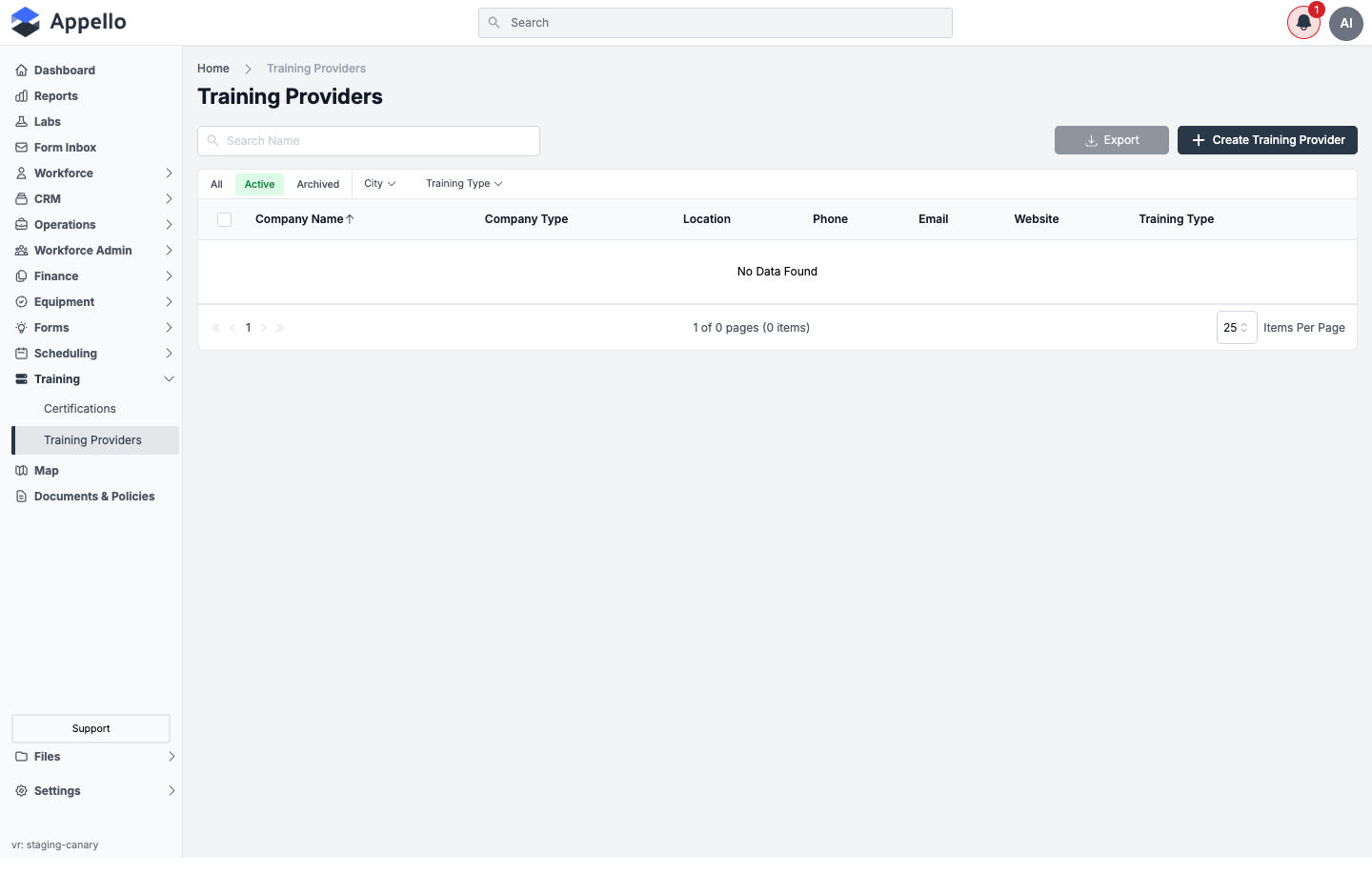
The list shows every training provider in your instance, one row per company.
Columns
| Column | Description |
|---|---|
| Company Name | The provider's name. Click it to open the provider's detail page. |
| Company Type | Always Training Provider -- set automatically and not editable. |
| Location | City and province/state, if an address was entered. |
| Phone | Click-to-call link. |
| Click-to-email link. | |
| Website | "Visit Website" link, opens the provider's site in a new tab. |
| Training Type | The category of training this provider delivers (e.g. Safety, WHMIS). |
All columns are sortable except Company Type and Website; the list defaults to Company Name ascending.
Controls
| Control | Type | Effect |
|---|---|---|
| Search Name | Text search | Filters the list by Company Name only. |
| All / Active / Archived | Quick tabs | Scope the list to every provider, non-archived providers, or archived providers only. |
| City | Dropdown filter, searchable | Narrows the list to providers in a specific city. Options are built from the cities already on providers in the current scope. |
| Training Type | Dropdown filter, searchable | Narrows the list to providers offering a specific training type. Same "no data" behavior as City when nothing is configured yet. |
| Export | Button | Downloads the current list (respecting active filters and search) as a CSV. |
| Create Training Provider | Button | Opens the create panel (see Creating a Training Provider). |
| Row checkboxes + header checkbox | Selection | Reveals the Archive, Delete, and Restore bulk actions described in Archiving a Training Provider. |
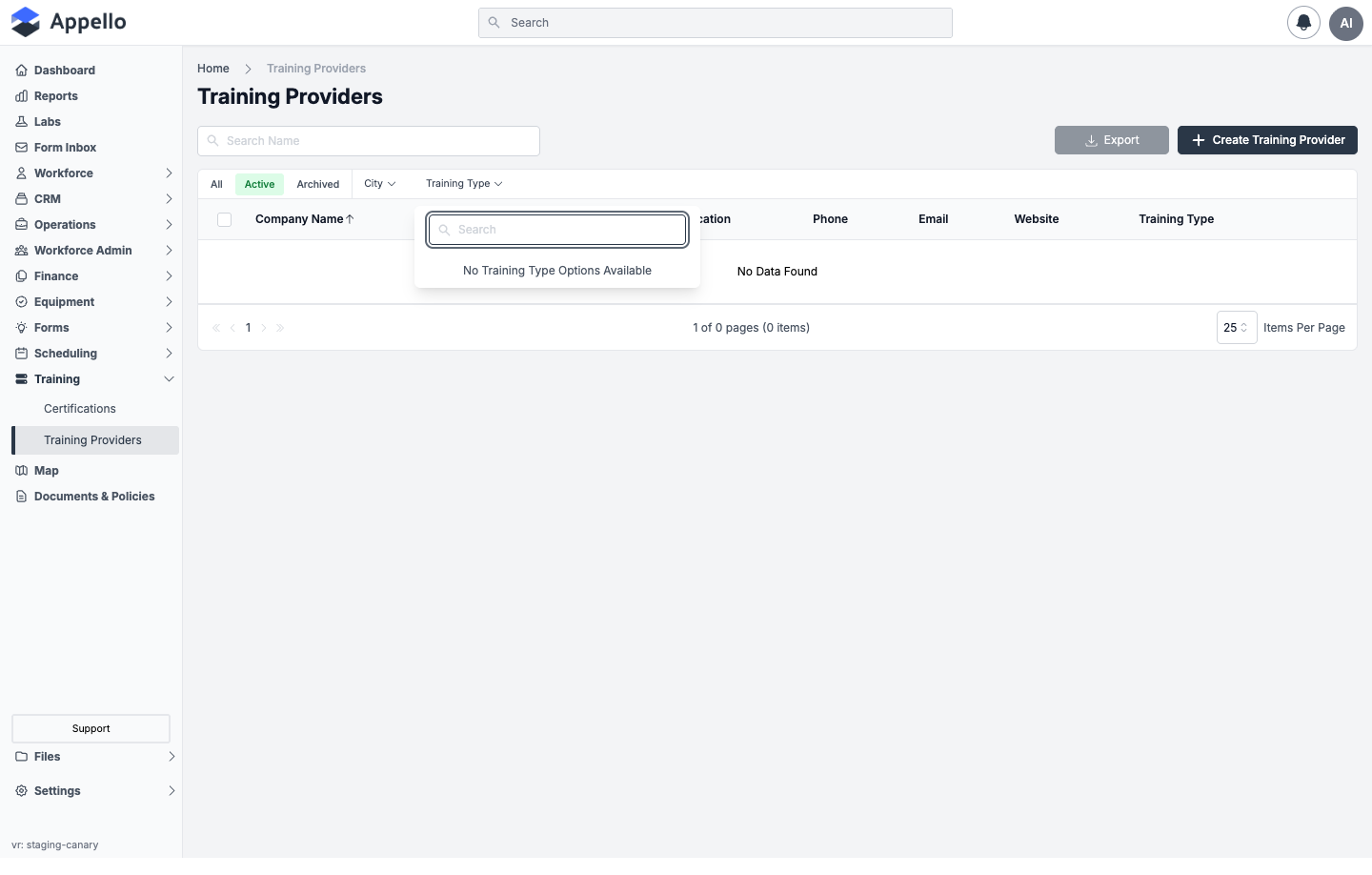
This demo instance has no training providers configured, so the list, the filter dropdowns, and the screenshots below show the empty state. The columns, fields, and workflow described here are from Appello 1.33.
Creating a Training Provider
- Click Create Training Provider to open the creation panel.
- Fill in Contact Information, Provider Contact Information, and Provider Location (field tables below).
- Click Save to create the provider, or Cancel to discard the panel and return to the list unchanged.
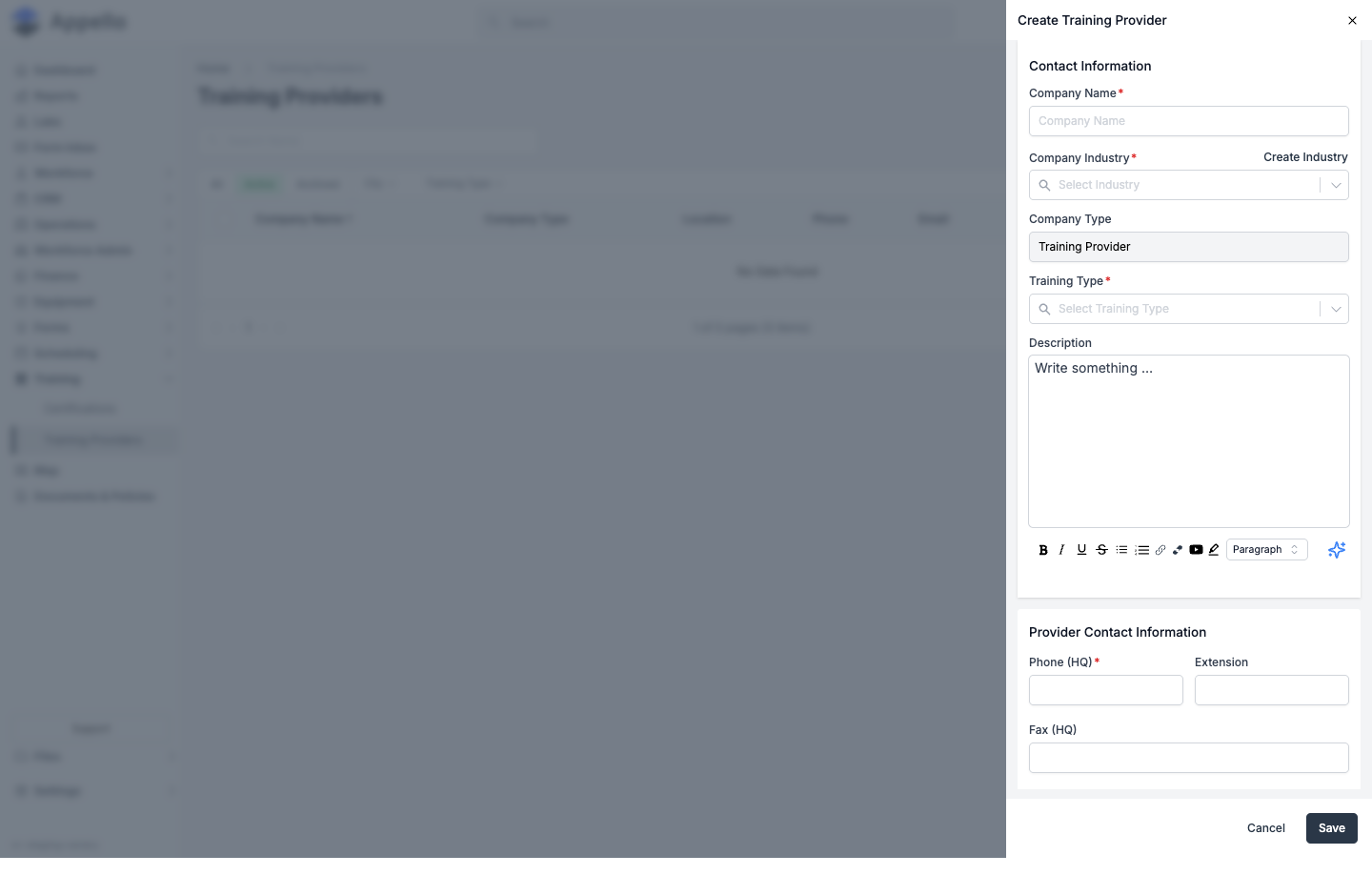
The panel's fields, in the order they appear:
Contact Information
| Field | Required | Type | Effect |
|---|---|---|---|
| Company Name | Yes | Text | The provider's business name. |
| Company Industry | Yes | Searchable single-select combobox | Which industry the provider belongs to. Has an inline Create Industry action. |
| Company Type | No | Text, disabled | Always shows Training Provider; on save the record is filed under the shared Training Provider company type. |
| Training Type | Yes | Searchable single-select combobox | The category of training/certification this provider offers. |
| Description | No | Rich text (WYSIWYG) | Free-text notes about the provider. |
The form has no separate "certifications offered" picker and no dedicated "Notes" field -- general notes belong in Description. Which certifications a provider is qualified to deliver is tracked the other way around, from the certification's own Training Providers tab (see Linking a Training Provider to Certifications).
Create Industry
Click Create Industry next to Company Industry to add a new industry option without leaving the form:
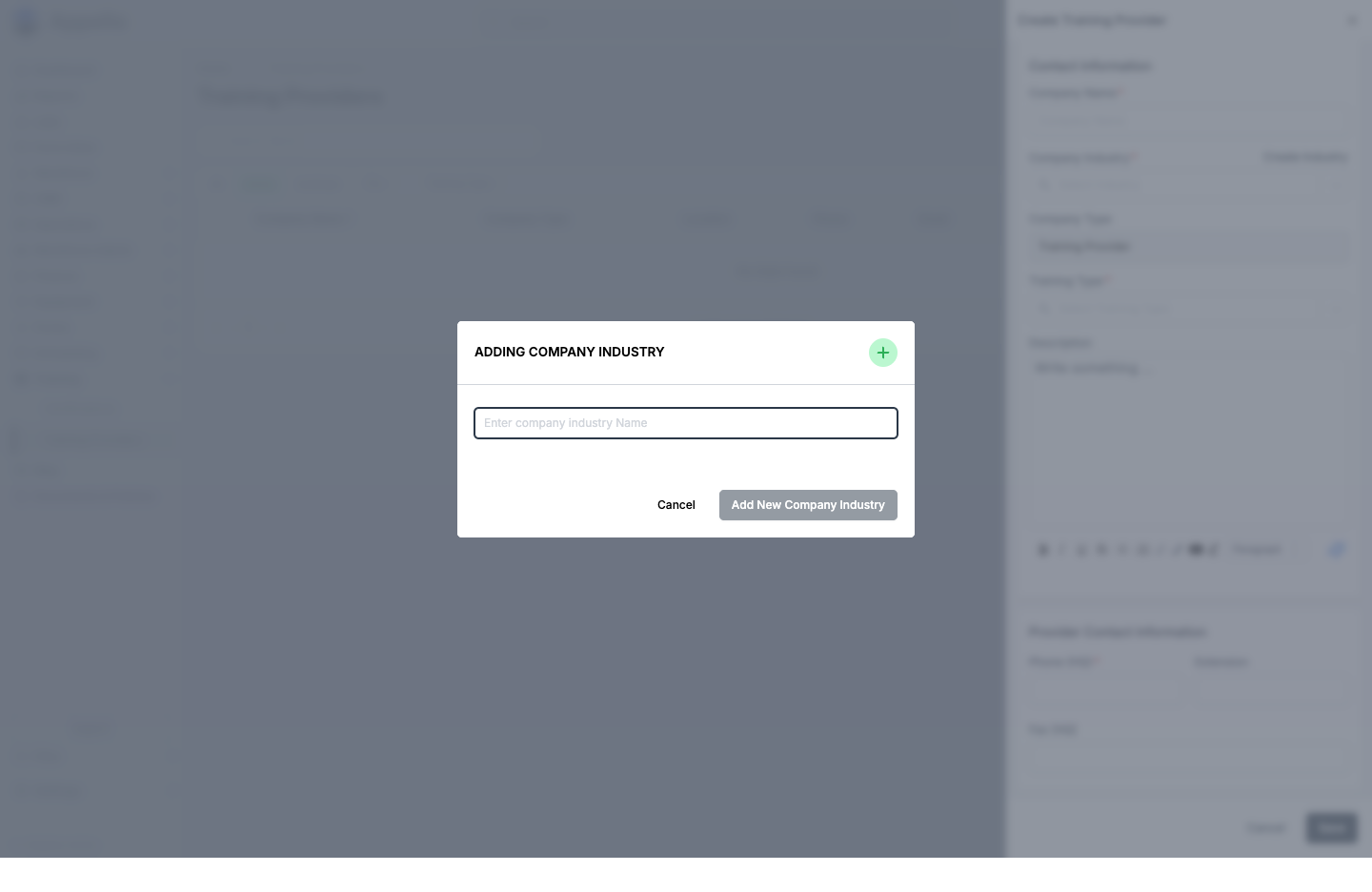
This is the same inline "create new option" pattern used by other searchable comboboxes across Appello.
| Field | Required | Effect |
|---|---|---|
| Name | Yes | The new industry's label. Rejected with "This company industry already exists." if the name is already in use. |
Click Add New Company Industry to create it and automatically select it in the Company Industry field, or Cancel to close the modal without creating anything.
Provider Contact Information
| Field | Required | Type | Effect |
|---|---|---|---|
| Phone (HQ) | Yes | Phone | Main phone number. |
| Extension | No | Text | Phone extension. |
| Fax (HQ) | No | Phone | Fax number. |
| Email Address | No | Contact email. | |
| Company Website URL | No | Link | Link to the provider's website. |
| Company LinkedIn URL | No | Link | Link to the provider's LinkedIn page. Validated as a URL if entered. |
Provider Location
| Field | Required | Type | Effect |
|---|---|---|---|
| Training Provider Location | No | Address search box (geocoding) | Selecting a suggestion auto-fills Address Line 1, Address Line 2, City, Province/State, and Postal/Zip Code. |
| Address Line 1 | No | Text, disabled | Auto-filled from the location search; not manually editable. |
| Address Line 2 | No | Text | Suite/unit number -- manually editable. |
| City, Province / State, Postal / Zip Code | No | Text, disabled | Auto-filled from the location search; not manually editable. |
| Map Preview | No | Interactive map | Drag the pin to fine-tune the exact coordinates (reverse-geocodes back into the address fields). Click Expand for a larger map. |
If required fields are left blank, Save is refused and a confirmation dialog lists which fields still need values rather than saving a partial record.
Editing a Training Provider
Click a provider's name in the list, or use the row's edit action, to reopen the same create panel pre-filled with the provider's current details. The provider's detail page also has an Overview tab showing all of the fields above (grouped as Provider Information, Contact Information, and Training Provider Location) with an Edit pencil on each card that reopens the same flyout.
The Training Provider Detail Page
Click a provider's name to open their detail page. It has two tabs, each gated by its own view permission (see Permissions).
This demo instance has no training providers configured, so no detail page is reachable here to screenshot. The cards, fields, and columns below are from Appello 1.33.
Overview tab
Shows every field from the create/edit form, grouped into cards. Each card has its own Edit pencil (gated on Training Providers → Edit) that opens the same panel pre-filled, so editing one card actually re-opens the whole panel.
| Card | Fields shown | Shown when |
|---|---|---|
| Provider Information | Provider Name, Industry, Company Type, Training Type, Description | Always |
| Contact Information | Phone (HQ) with extension, Fax (HQ), Email Address, Website, LinkedIn | Always |
| Training Provider Location | A map centered on the provider's saved coordinates | Only if the provider has both a latitude and a longitude saved |
Certified Users tab
Lists every worker certification record that names this provider in its Training Provider field -- i.e. the reverse of Linking a Training Provider to a User's Certification Record. It is gated by User Certifications → View, independent of the Training Providers → View permission that gates the rest of the page.
| Column | Description |
|---|---|
| Employee Name | Worker's name and avatar; links to their user certification record. |
| Trade Classification | The worker's trade level, if set. |
| Date Certified | The record's issue date. |
| Expires On | The record's expiry date, or "Never" for a never-expiring certification type. |
| Certification | The certification type's name. |
| Status | A colored badge: red for Expired, green for Active, amber for anything else (e.g. Expiring). |
Above the table: Search User Name, All / Active / Archived quick tabs, and Trade Classification / Certification filters. Export here offers both CSV and PDF. Row checkboxes reveal the same Archive / Delete / Restore bulk actions as elsewhere, scoped to individual worker certification records. See Certified Users tab on the Certifications page for what each status badge means and for the certification-scoped version of this same table.
Linking a Training Provider to Certifications
A certification can list every training provider qualified to deliver it. On a certification's detail page, open the Training Providers tab:
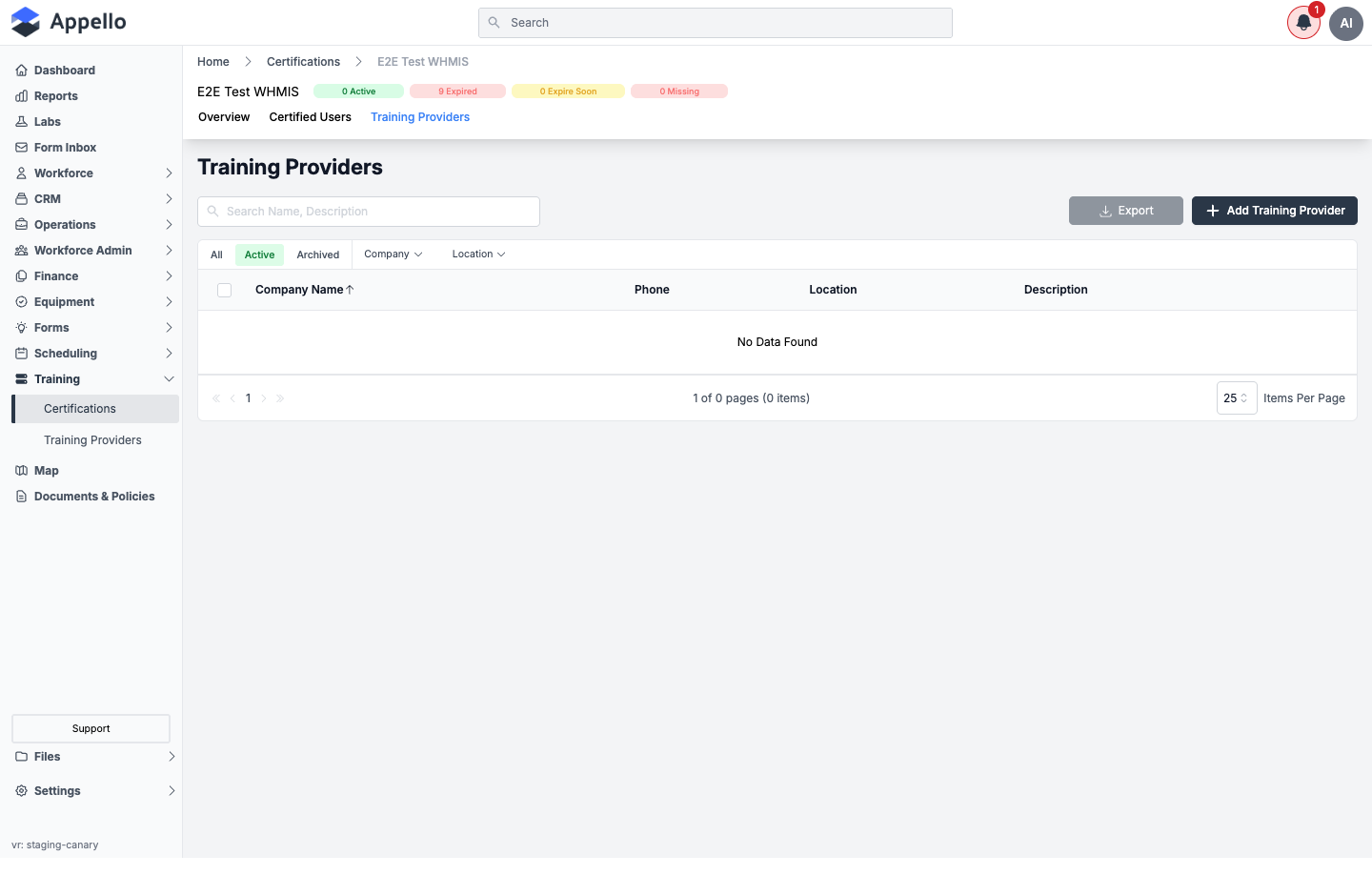
Click Add Training Provider to open a flyout with two tabs:
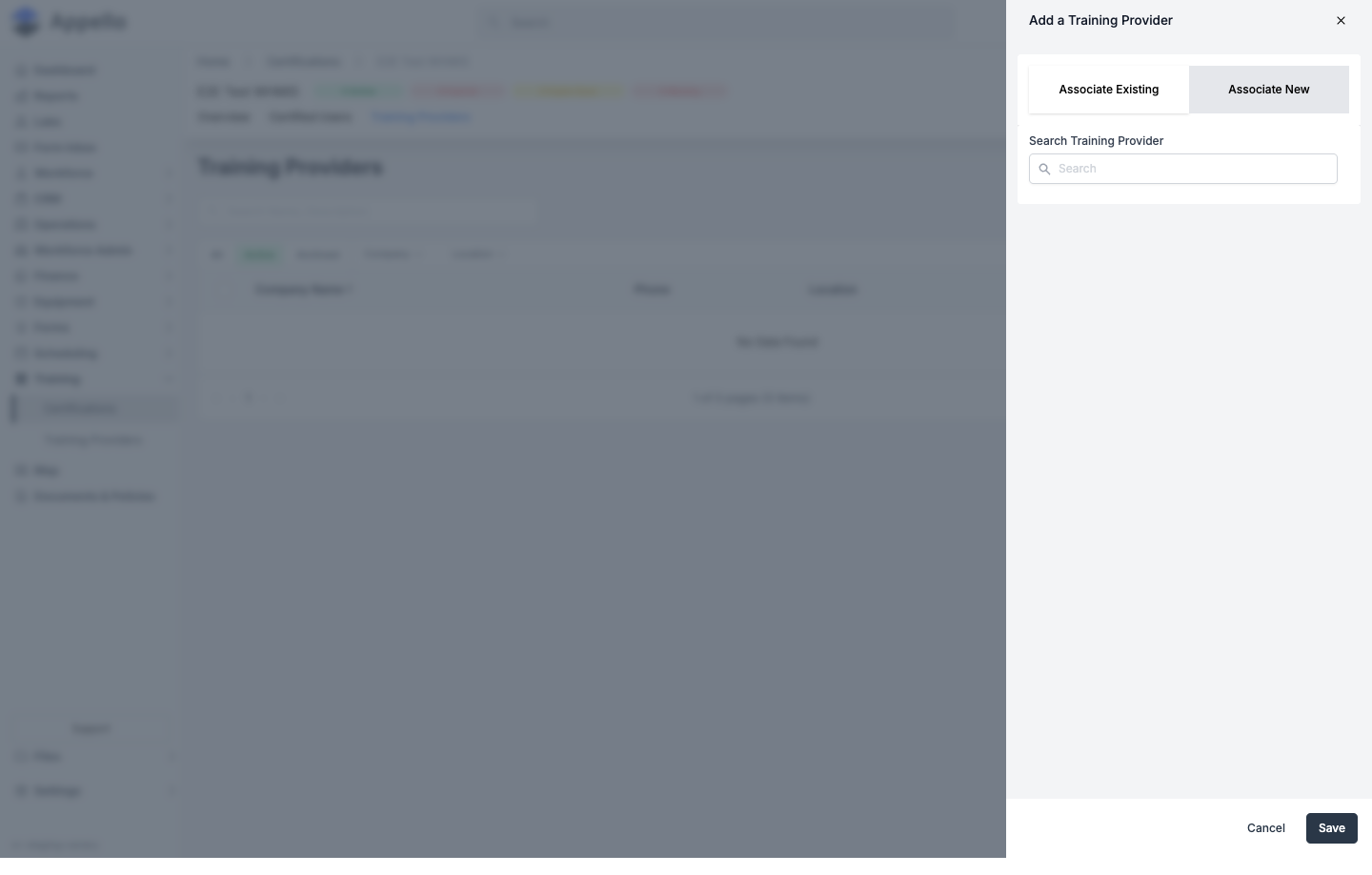
| Tab | Effect |
|---|---|
| Associate Existing | Search-and-select box; find one or more existing providers by name and link them to this certification in one Save. |
| Associate New | Embeds the full create panel (the same fields as Creating a Training Provider) so you can create a brand-new provider and link it to this certification in a single Save, without leaving the certification's page. |
Select a linked provider's row and use the archive action to detach it from the certification -- this only removes the link, it does not archive or delete the provider record itself.
Linking a Training Provider to a User's Certification Record
When adding or editing a worker's certification record (from a certification's Certified Users tab, or from the worker's own certifications -- see Individual Assignment), the form includes a Training Provider field. This is a searchable, optional, single-select combobox that records which provider actually issued that specific certification to that worker -- distinct from the list of providers linked to the certification type in general. Clearing the field disconnects the provider from that certification record.
Archiving and Deleting a Training Provider
Select one or more providers in the list using the row checkboxes, then use the Archive, Delete, or Restore action.
- Archive -- Archived providers no longer appear under the Active filter, but remain visible under Archived or All. They stay linked to any certifications or user certification records that already reference them, and their name still resolves normally wherever it's displayed. Restore them from the Archived view.
- Delete -- Unlike some other Appello list pages, deleting a training provider is never blocked by a "this has N related records" warning. Deleting a provider disconnects it from every certification type and every worker certification record that referenced it (those records are kept, they just lose the training-provider association) and detaches its Company Type, Industry, and Training Type values, before the provider record itself is permanently removed.
The delete behavior above is described from Appello 1.33, not from testing a delete on this demo instance (the demo instance is read-only for this documentation pass).
Permissions
| Permission | Gates |
|---|---|
| Training Providers → View | The Training Providers list, a provider's detail page, and the detail page's Overview tab. |
| Training Providers → Create | The Create Training Provider button and panel, and Associate New on a certification's Add Training Provider flyout. |
| Training Providers → Edit | Row edit actions, and the Edit pencil on each Overview-tab card. |
| Training Providers → Archive | The Archive bulk action on the Training Providers list. |
| Training Providers → Delete | The Delete bulk action on the Training Providers list. |
| User Certifications → View | The provider detail page's Certified Users tab. |
| User Certifications → Archive / Delete | The bulk actions on the provider detail page's Certified Users tab. |
Related Pages
- Certifications -- Track worker certifications, expiry dates, and which training providers are qualified to deliver each one.
- Certified Users tab -- The certification-scoped version of the Certified Users table, plus what each status badge means.
- Individual Assignment -- The Add User Certification panel, including the per-record Training Provider field.
- Training and Safety Reports -- The Certification Status Report, Employee Training Records, and Employee Training Matrix all surface the Training Provider on their rows and can filter by it.