Departments
Departments represent the organizational divisions within your company. Each department can have its own head, its own color for quick identification on lists and the org chart, and its own set of workers. Departments are commonly used to group workers by trade or function -- for example the demo instance used for this page has departments named "Field — Mechanical," "Office," "Service," "Sheet Metal," and "Shop."
Where it is
- List: Sidebar → Workforce → Departments --
/departments - Detail: click a department's name from the list --
/departments/[id]
The Department → View permission controls both the list and the detail page, and whether Departments appears in the Workforce sidebar menu at all.
The Departments list
The list shows every configured department with its head, description, color, parent department, and current user count.
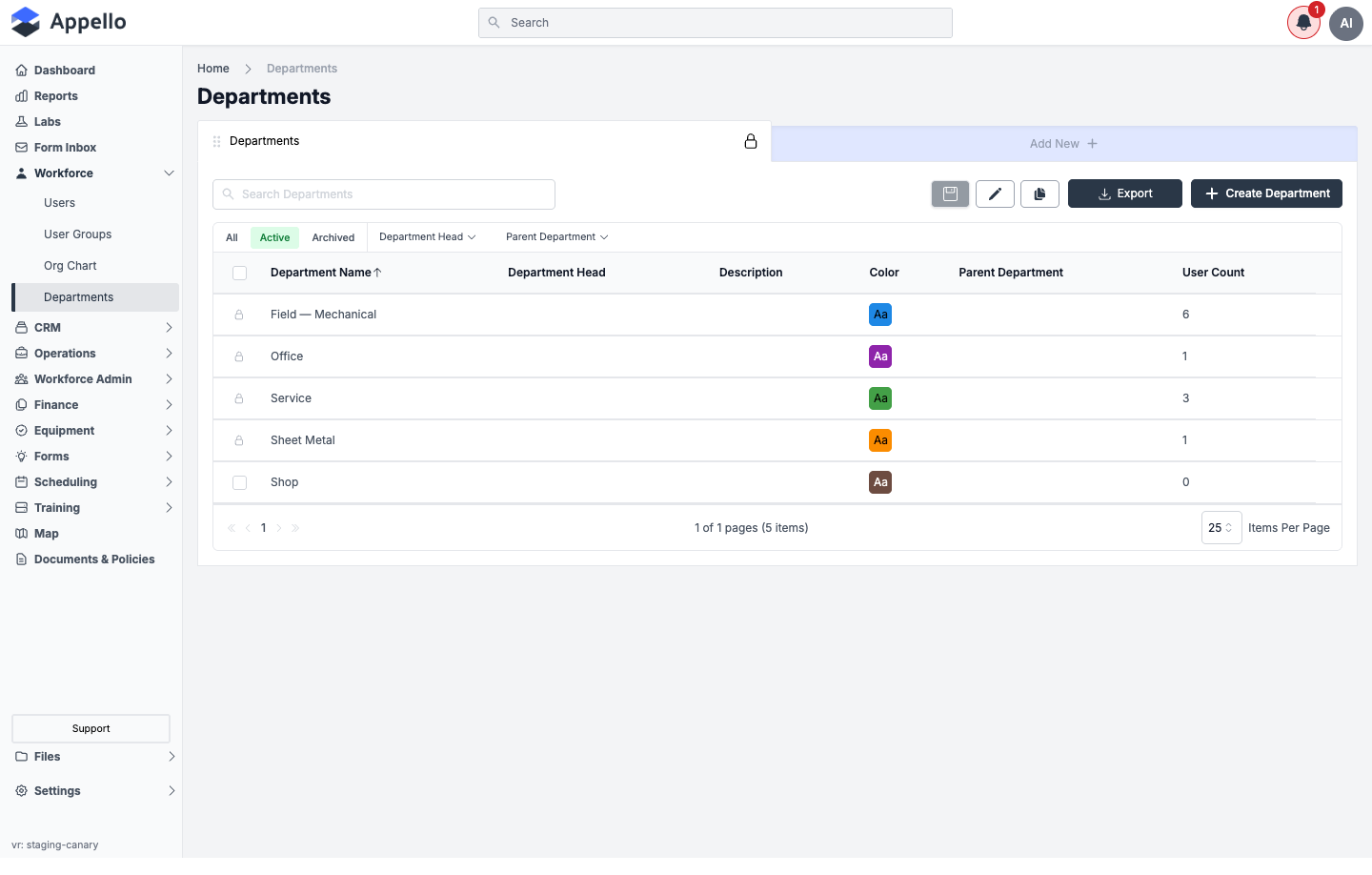
Columns
| Column | Description |
|---|---|
| Department Name | The department's name, linked to its detail page. Sortable -- the only sortable column. |
| Department Head | The user assigned as head of the department, if any. Blank if unset. |
| Description | The department's description text, if any. |
| Color | The color swatch assigned to the department, shown as an "Aa" chip. |
| Parent Department | The department this one is nested under, if any. |
| User Count | The number of active users currently assigned to this department. |
Quick tabs, search, filters, and sort
| Control | Behavior |
|---|---|
| All / Active / Archived | Quick tabs above the table. Active is the default. |
| Search Departments | Free-text search box above the table. |
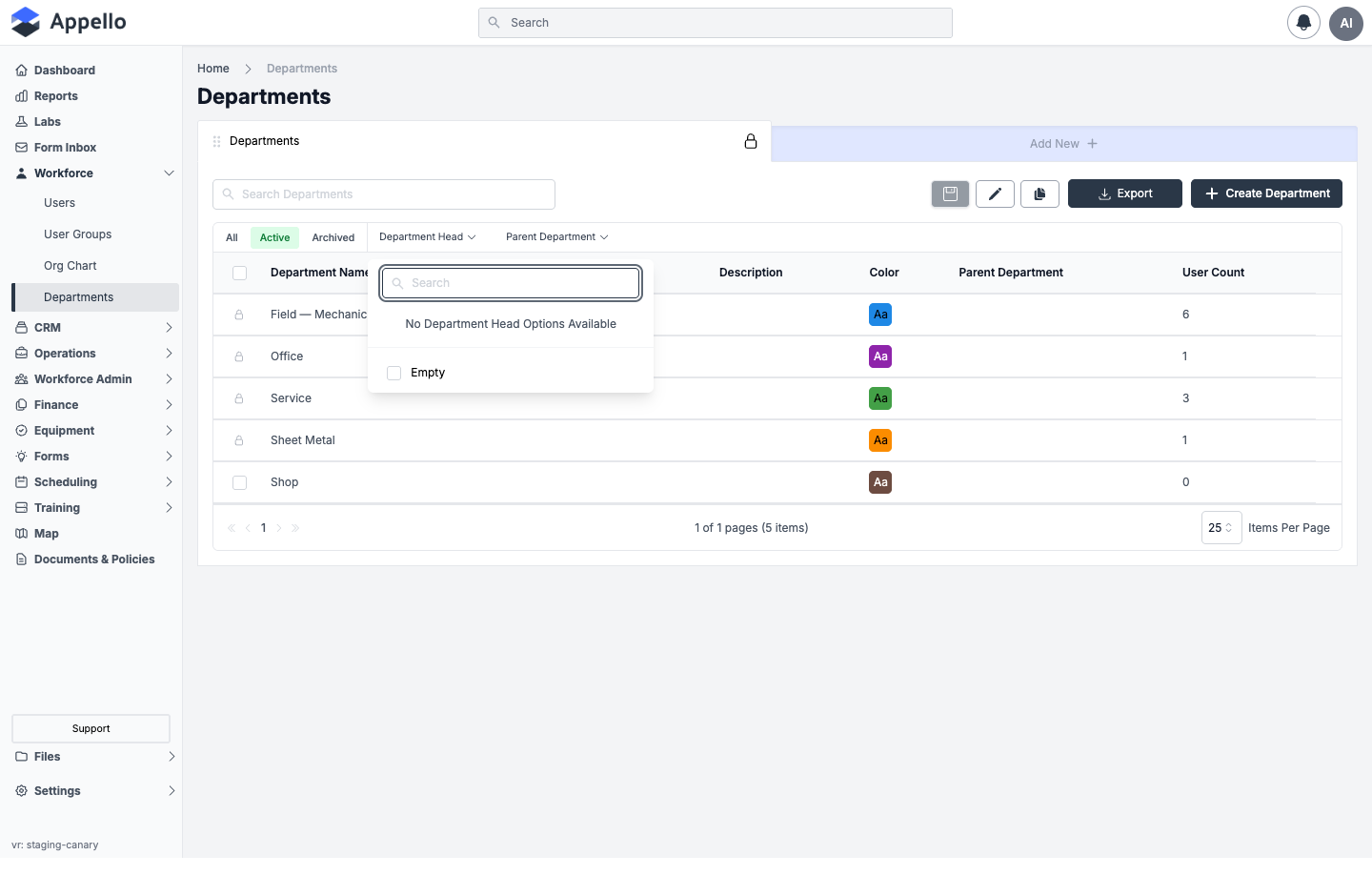
| Department Head | Searchable single-select filter, listing users who are assigned as a head of at least one department. |
| Parent Department | Searchable single-select filter, listing departments that are set as another department's parent. |
| Sort | Click the Department Name column header to sort by name; click again to reverse direction. |
On the demo instance, no department currently has a head assigned, so opening the Department Head filter shows its empty state:
Export
Export downloads the current view (respecting the active tab, search, and filters) as a CSV.
Creating a Department
Click Create Department in the top-right corner of the list to open the Department Create Form panel. Any custom property added under Property Settings → Departments also appears on this form alongside the fields below.
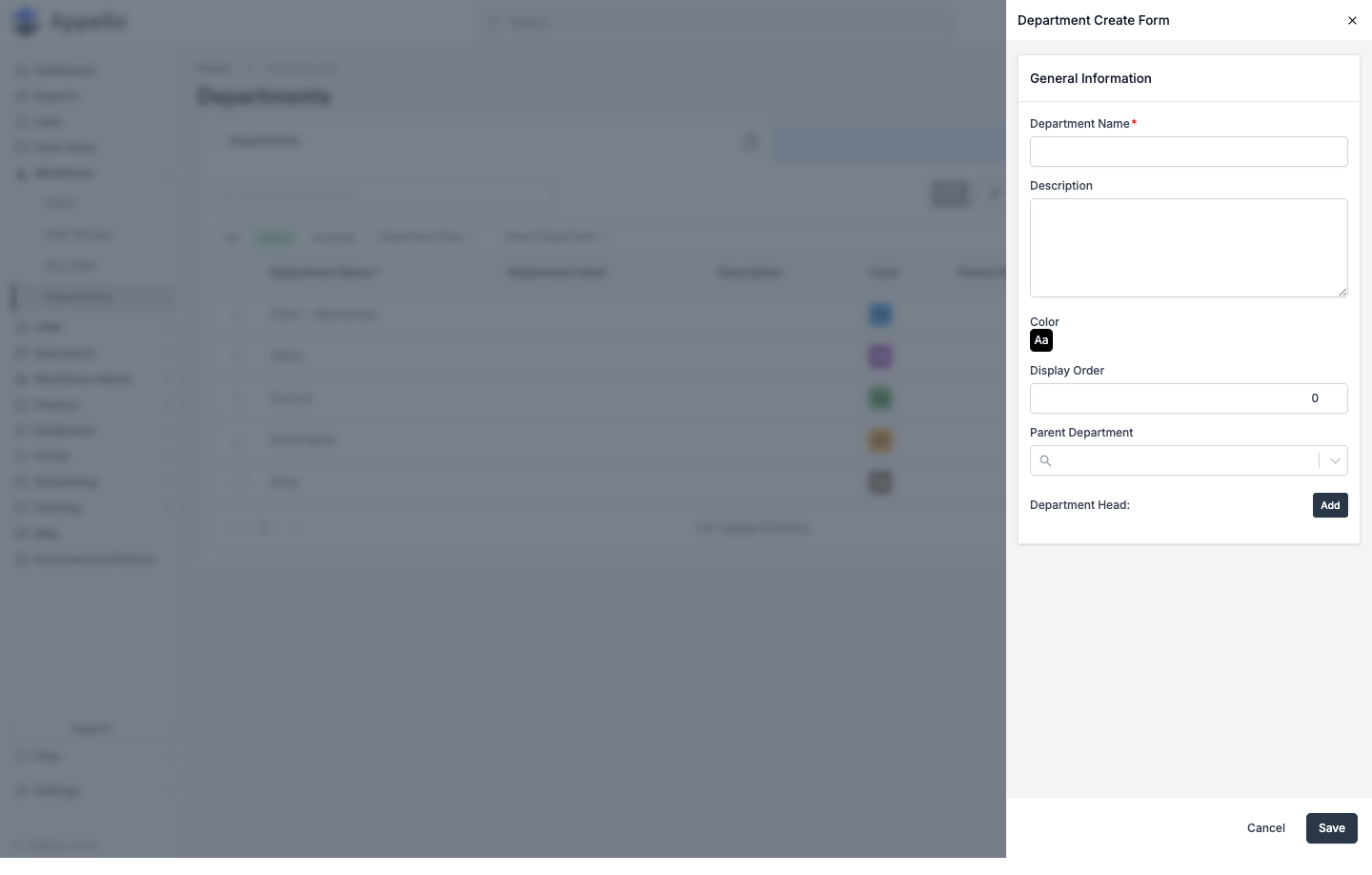
| Field | Required | Type | Effect |
|---|---|---|---|
| Department Name | Yes | Text | The department's name, shown throughout the app and on the org chart. |
| Description | No | Text (rich, up to 800 chars) | Free-text notes, shown on the Overview tab. |
| Color | No | Color picker | Shown as a swatch on the department list, the org chart, and this form. |
| Display Order | No | Number | Sort weight; defaults to 0. Lower values sort first wherever departments are listed by this order rather than by name. |
| Parent Department | No | Search/select | Search and select another department to nest this one underneath. |
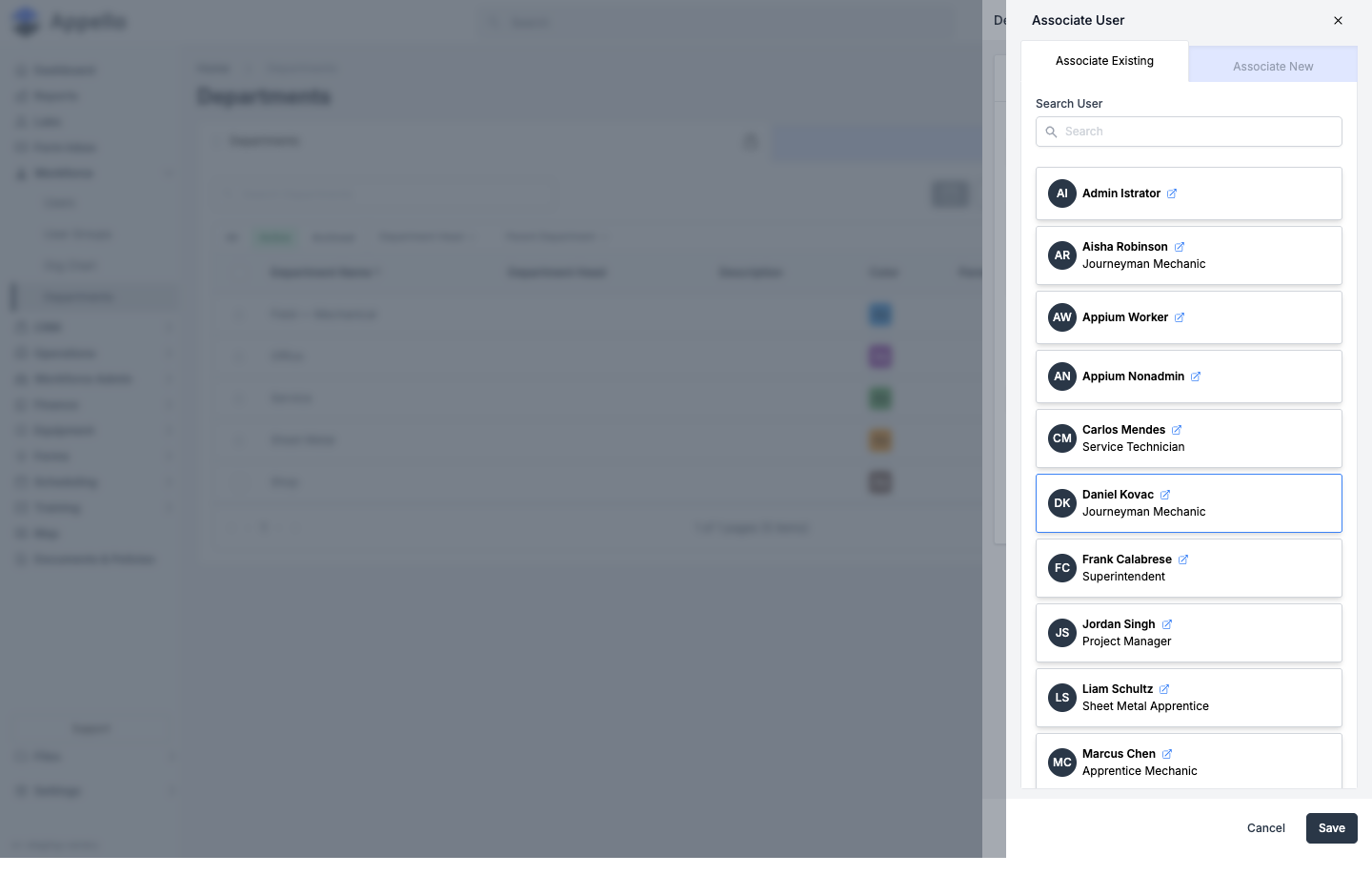
| Department Head | No | Associate User panel | Click Add to open an Associate User panel with Associate Existing and Associate New tabs -- search for and select a current user, or create a new one, then click Save in that panel. |
Steps
- Go to Workforce → Departments and click Create Department.
- Fill in Department Name and any of the optional General Information fields above, including any custom properties configured for Departments.
- Optionally click Add next to Department Head to assign one, as described above.
- Click Save. Appello redirects you to the new department's detail page, opened on the Overview tab.
An existing department's row (or its Overview tab, below) reopens the same form for editing.
Bulk actions: archive, delete, restore
Check the box on one or more rows on the Active or Archived tab to reveal a bulk-action bar:
| Tab | Action | What it does | Permission |
|---|---|---|---|
| Active | Archive | Archives the selected departments. Before archiving, Appello checks for related records and would warn you if any would be affected. | Department → Archive |
| Archived | Restore | Moves the selected departments back to Active. | Department → Restore |
| Archived | Delete | Permanently deletes the selected departments. | Department → Delete |
In practice the confirmation dialog never shows a related-record warning for a department, so don't rely on it to tell you what a department is still connected to -- check the department's Users tab first.
Deleting a department does not cascade-delete anything it's related to: any user whose Department field pointed to it has that field cleared (they become departmentless, not deleted), and any child department's Parent Department field is cleared the same way.
The department detail page
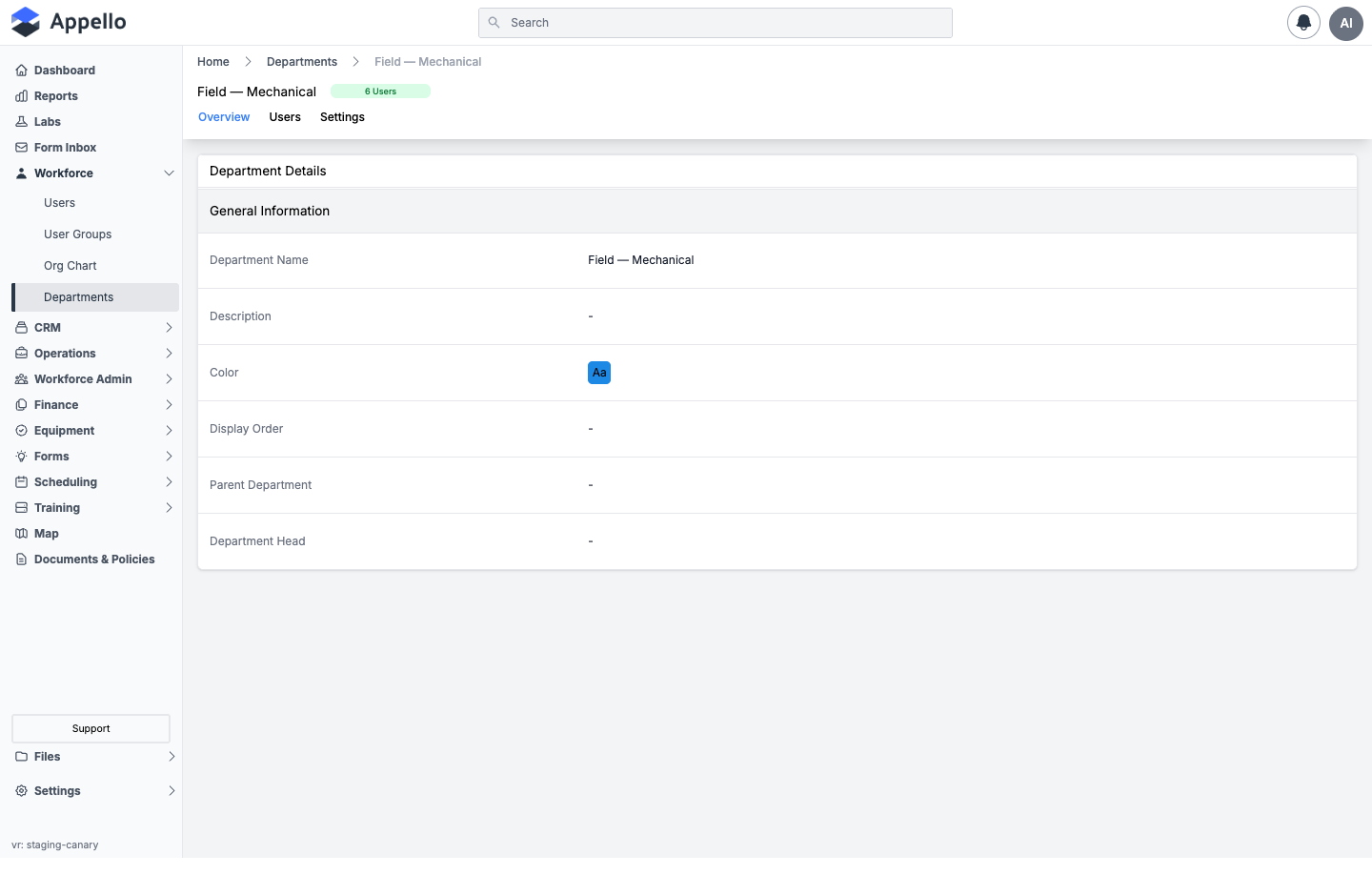
Opening a department shows three tabs: Overview, Users, and Settings.
Overview
Shows the same fields entered on the create form, as read-only detail cards, with an edit (pencil) action that reopens the Department Create/Edit Form described above.
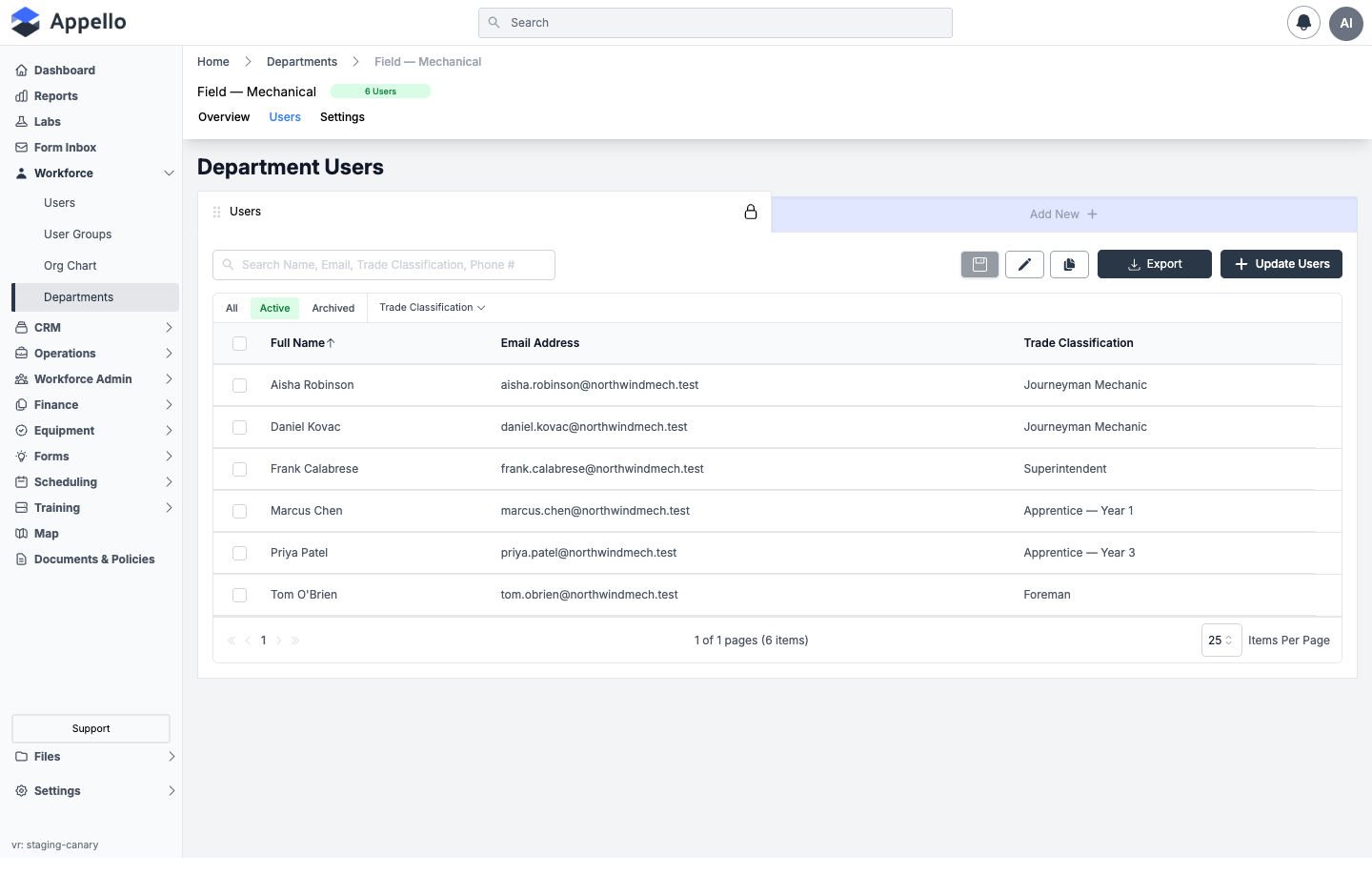
Users
Lists the department's members -- Full Name, Email Address, and Trade Classification -- with its own All / Active / Archived quick tabs, a Trade Classification filter, search, and Export.
Click Update Users to open a plain checklist of every user, with current members pre-checked:
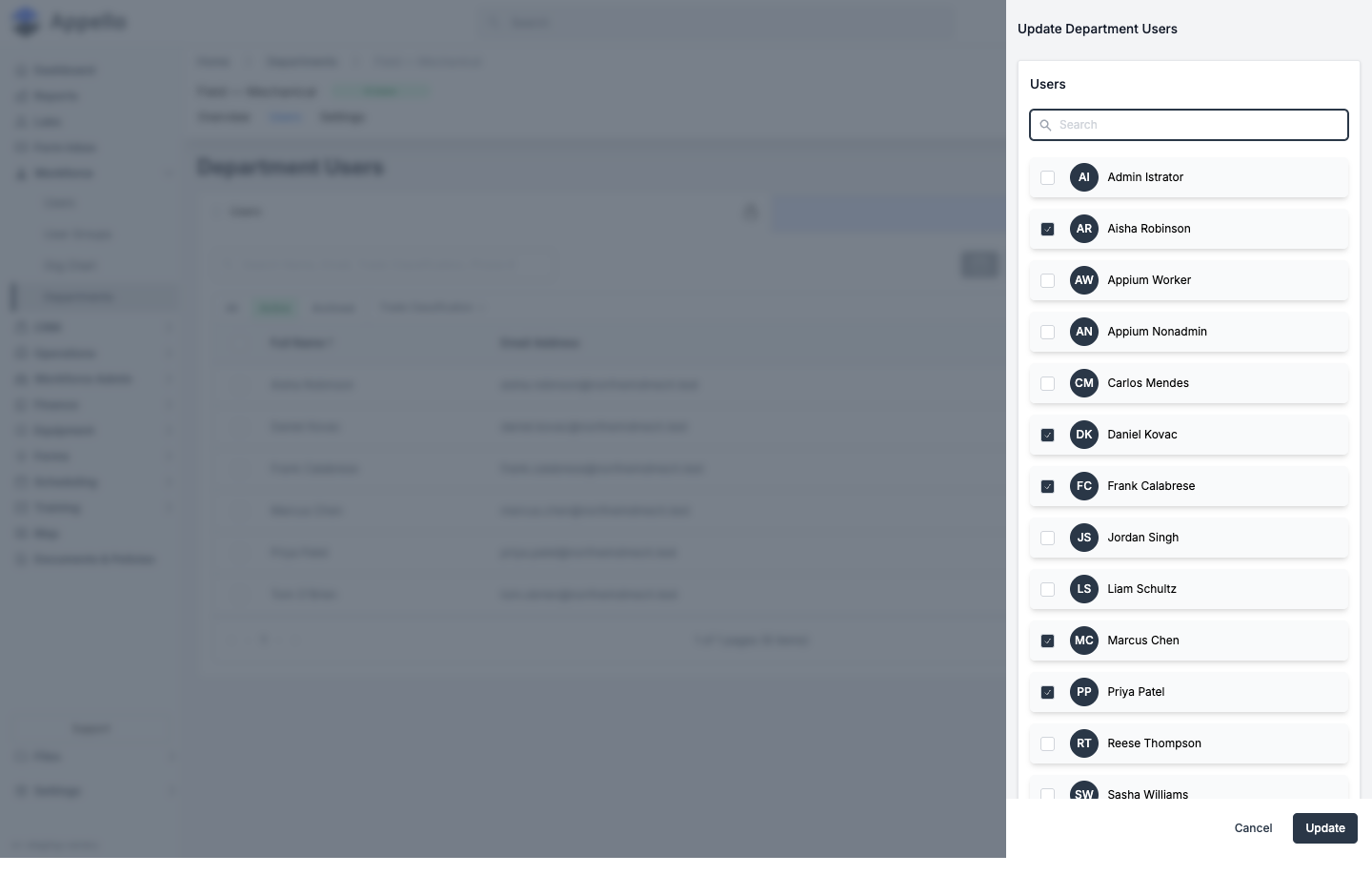
- Check a user to add them to the department, or uncheck a current member to remove them.
- Click Update.
- If any of the users you're adding already belong to a different department, Appello shows a confirmation naming them and their current department before reassigning them.
Membership changes from this panel take effect immediately -- there is no effective-date field on a Department's user assignment (unlike, for example, a Union Hall's member assignment).
Selecting rows directly in the table (instead of using Update Users) exposes a bulk action that removes the selected users from the department -- it does not archive or delete the user record itself, only the department relationship.
The Department → Assign permission controls all of the above, both from this tab and from the Update Users panel. The one exception: a user adding or removing only themselves does not need it.
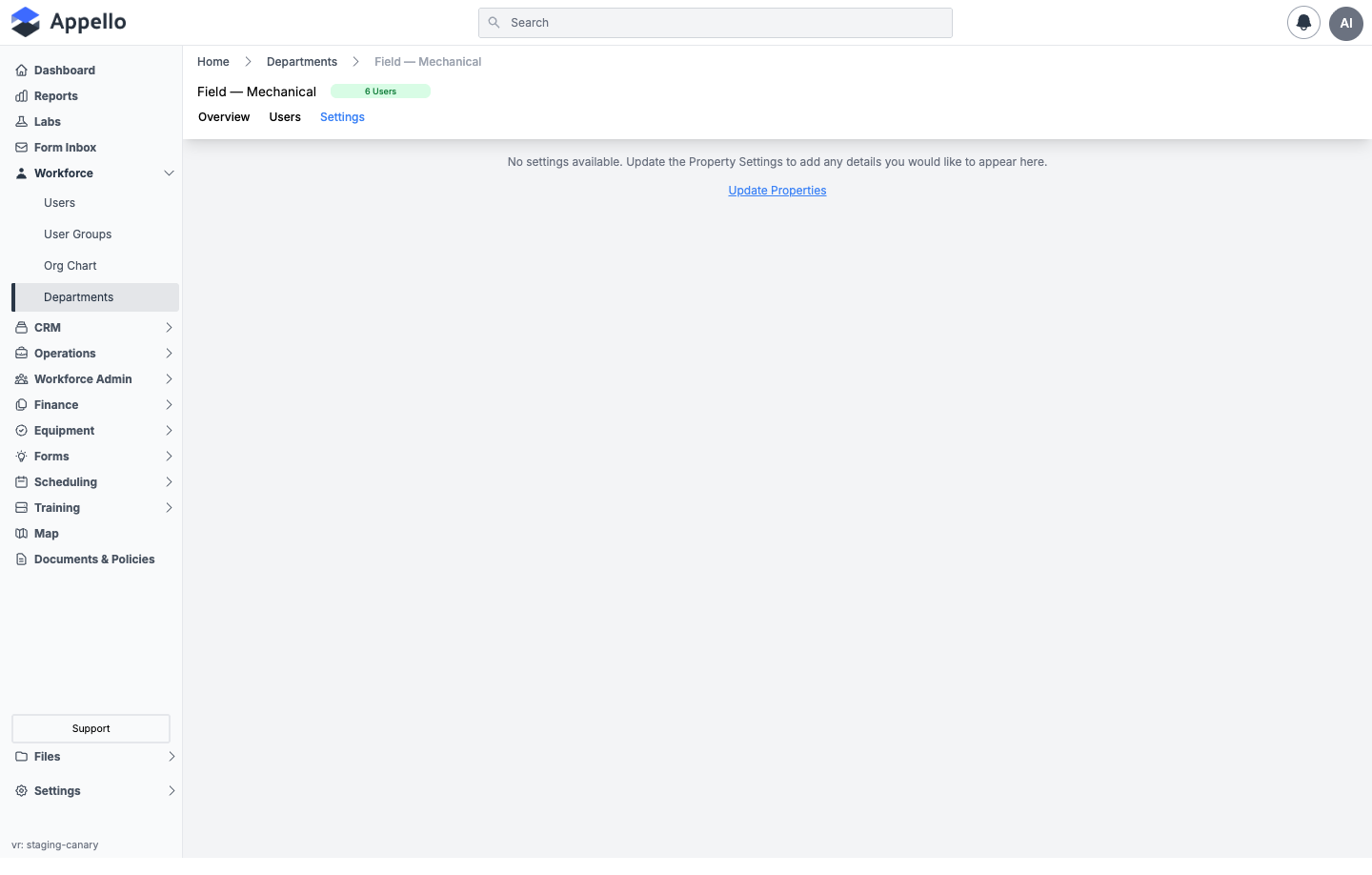
Settings
Custom properties and layout configured for the Department object, using the same mechanism available for other record types in the instance (Settings → Property Settings → Departments). On the demo instance no custom properties have been added to Departments yet, so this tab shows its empty state:
Assigning Workers to a Department
Each worker belongs to at most one department at a time. Set it from either side:
- From the user's profile -- open Workforce → Users, edit the user, and set the Department field in Employment Information, then save. See Users.
- From the department's profile -- open the department, go to the Users tab, and add or remove members directly, as described above.
Department, Trade Classification, and Employee Agreement are separate fields on a worker's profile. Department is not what drives wage calculations -- wage rates come from Trade Classification and Employee Agreement, covered on the Trade Classifications and Employment Agreements pages.
Department-Level Permissions
Roles & Permissions lets you scope many permission items to Department, so a user with that scope can only see or act on records belonging to that scope's user set -- for example Leave Request → View or User → View scoped to Department. This scope is available on a range of permission items, including timesheets, leave requests, files, and work order checklist items. See Roles & Permissions and Permission Matrix Deep Dive for the full list of scope values and how items combine.
The Department scope's user set for a given viewer is:
- Every user in the viewer's own department (their direct department only -- this does not include that department's child departments).
- Every user in any department the viewer is the Department Head of, plus -- recursively -- every user in that department's child departments (and their children, and so on).
A viewer who is not assigned to a department and does not head one resolves to an empty set under this scope (no access), unless another one of their roles grants a wider scope for the same permission item -- see How Multiple Roles Combine for that rule.
Not every object type offers a Department scope option -- some permission items are limited to a smaller set of scopes (for example, All / None / a project-based option). Check the specific permission item in Roles & Permissions to see which scopes it supports.
How Departments Connect to Other Features
| Feature | How Departments Are Used |
|---|---|
| Users | Each worker belongs to at most one department (see Users). |
| Org Chart | Nodes on the Org Chart are colored by the worker's department, and the chart has its own Department filter. |
| Permissions | Many permission items can be scoped to Department in Roles & Permissions -- see above. |
| Property Settings | Configure custom fields and layout for the Department object under Property Settings. |
| Filters across the app | Wherever Department is exposed as a field on another record (for example a user's profile), it's also available as a list column and filter on that record's list. |
| Notifications | Notifications can't be targeted at a department -- User Groups, not Departments, is the mechanism for sending forms, notes, and mandatory notifications to a named set of people. See User Groups. |
Related Pages
- Trade Classifications -- Worker skill levels, tracked separately from department.
- Union Hall Management -- Geographic dispatch locations.
- Org Chart -- Visualizes reporting lines, colored by department.
- Users -- Set a worker's Department field from their own profile.
- User Groups -- Reusable crews, separate from Departments, used for notification targeting.
- Roles & Permissions -- Configure department-scoped access.
- Property Settings -- Configure custom properties and layout for Departments.