User Groups
User groups let you define reusable groups of workers -- often called "crews" in the field -- so you can filter, notify, or route work to the same set of people without re-selecting them one at a time. A group is just a name, an optional description, a status, and a list of members.
Where it is
Sidebar → Workforce → User Groups. URL: /groups. The page requires the User Group
→ View permission -- without it, User Groups does not appear under Workforce
and the page is unreachable.
The User Groups list
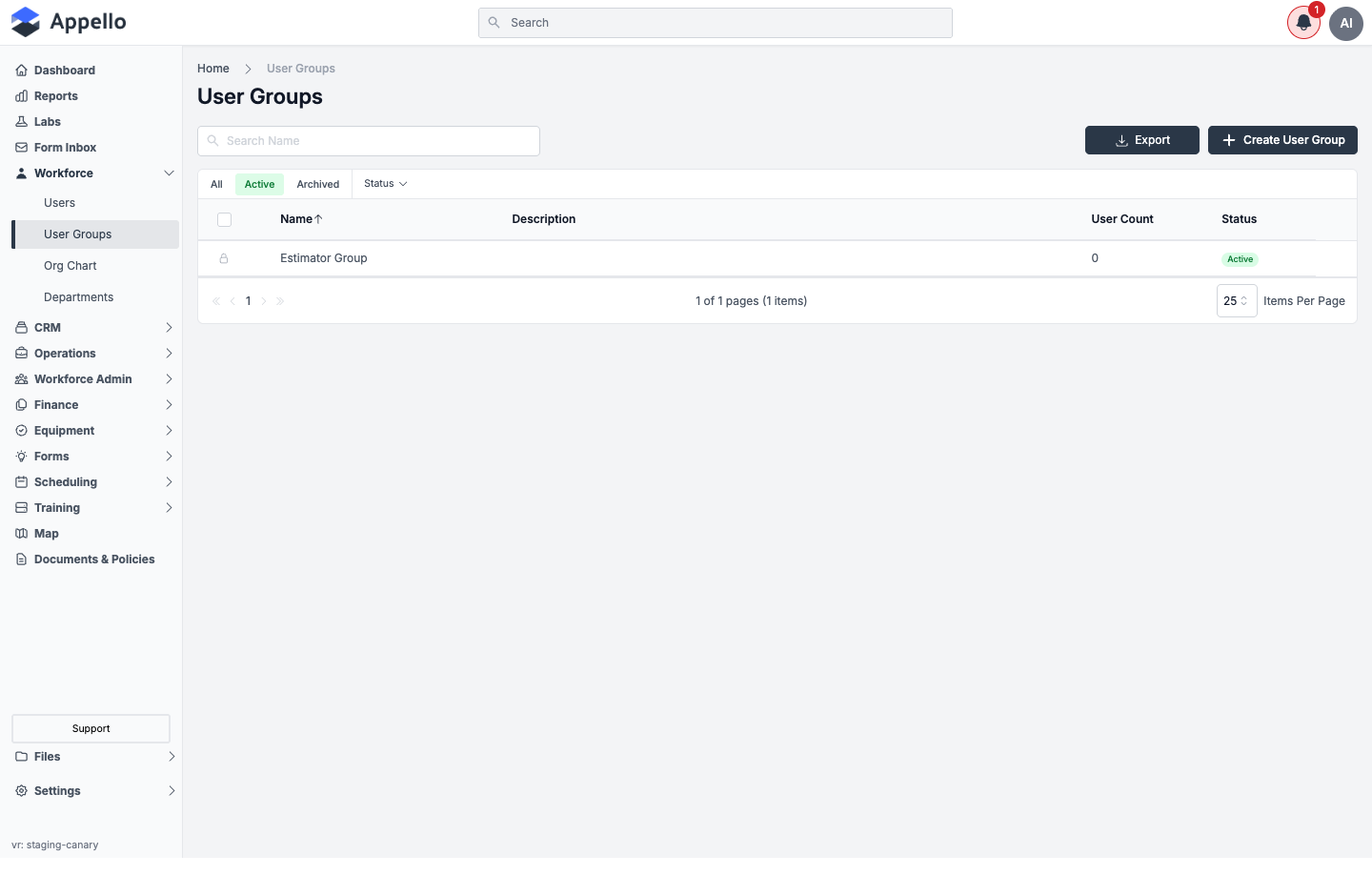
Columns
| Column | Description |
|---|---|
| Name | The group's name. Links to its detail page. Sortable -- the only sortable column, sorted ascending by default. |
| Description | The group's free-text description, if one was entered. |
| User Count | Number of active users currently in the group. |
| Status | Active, On Hold, or Terminated, shown as a coloured pill. |
A padlock icon in place of a row's checkbox marks a locked group -- it can't be selected for bulk Archive/Delete/Restore. This is the same mechanism used on the Roles & Permissions list; the demo instance's seeded "Estimator Group" is locked this way.
Search, filter, and quick tabs
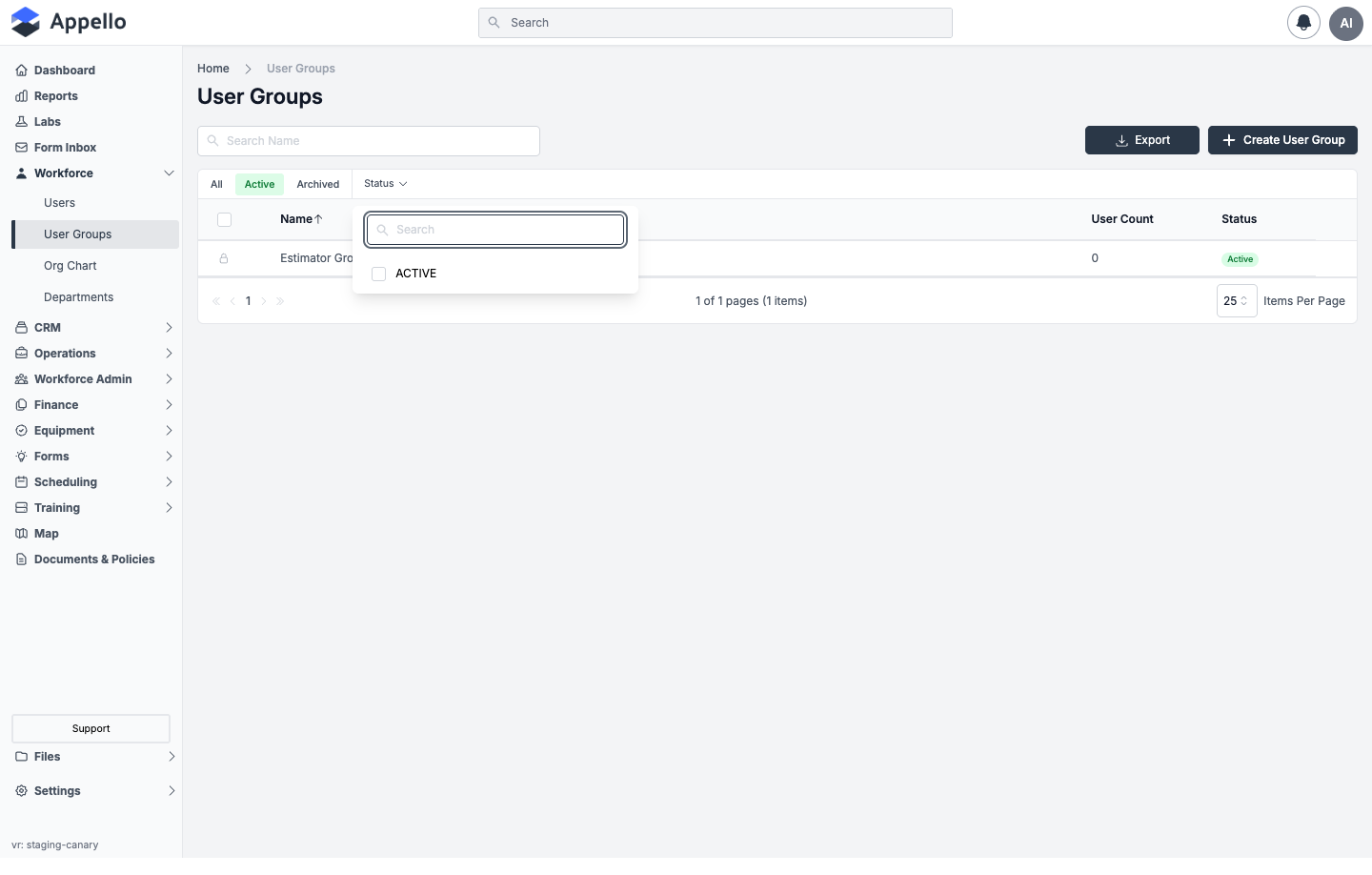
| Control | Behavior |
|---|---|
| Search Name | Free-text search against the group name only. |
| Status filter | Searchable checklist. Options are built from the statuses actually present on your groups -- on the demo instance that's just Active, since no group is On Hold or Terminated. |
| All / Active / Archived | Quick tabs that filter the list by archive status. |
| Sort | Click the Name column header to reverse sort direction; it's the only sortable column. |
Export
Click Export to download a CSV of the current view -- it respects the active tab, search text, and Status filter.
Create User Group
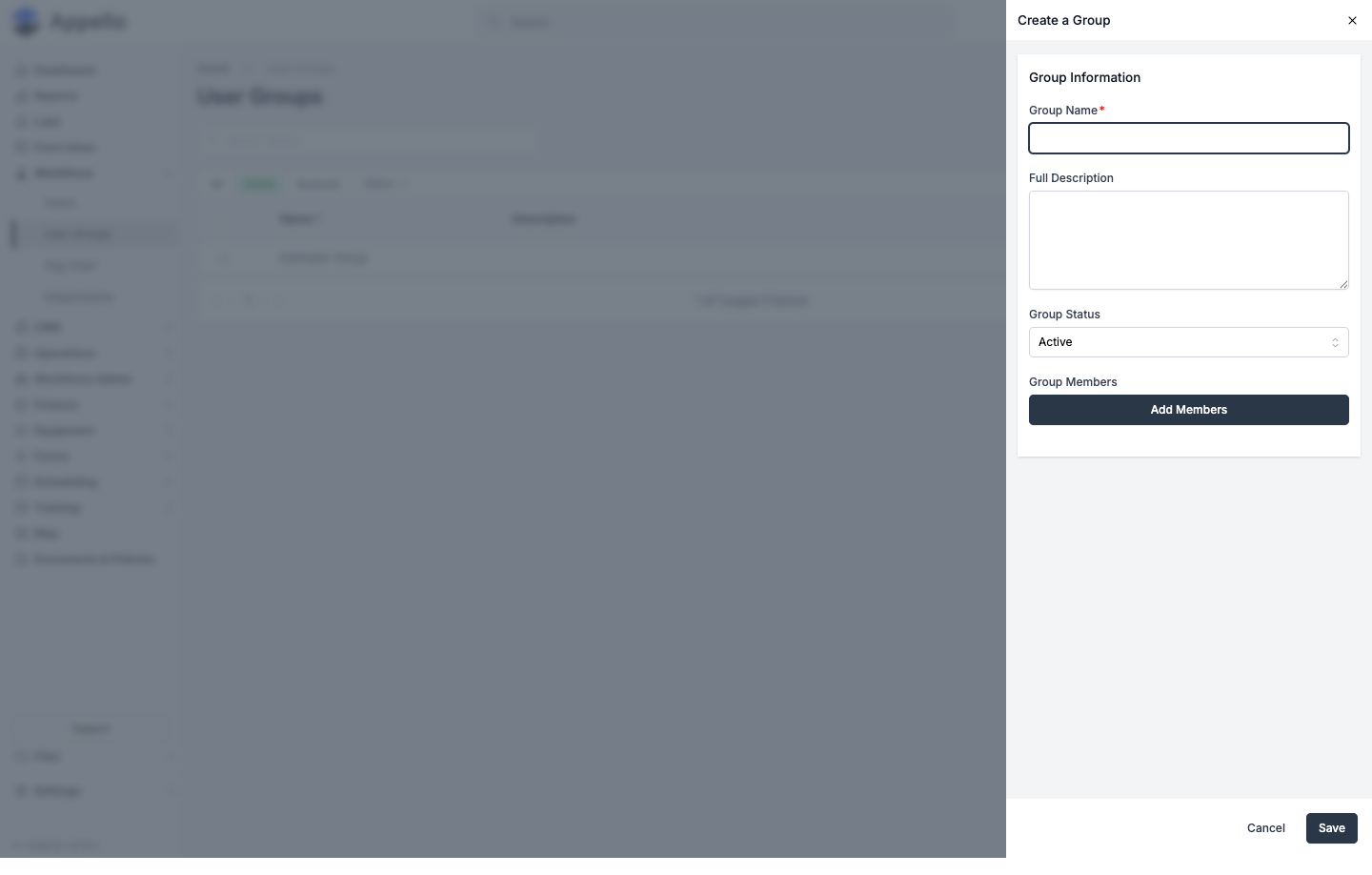
Click Create User Group at the top right of the list to open the create panel as a
flyout. The same form is also reachable as a standalone page at /groups/add
(not linked from navigation, but a valid route):
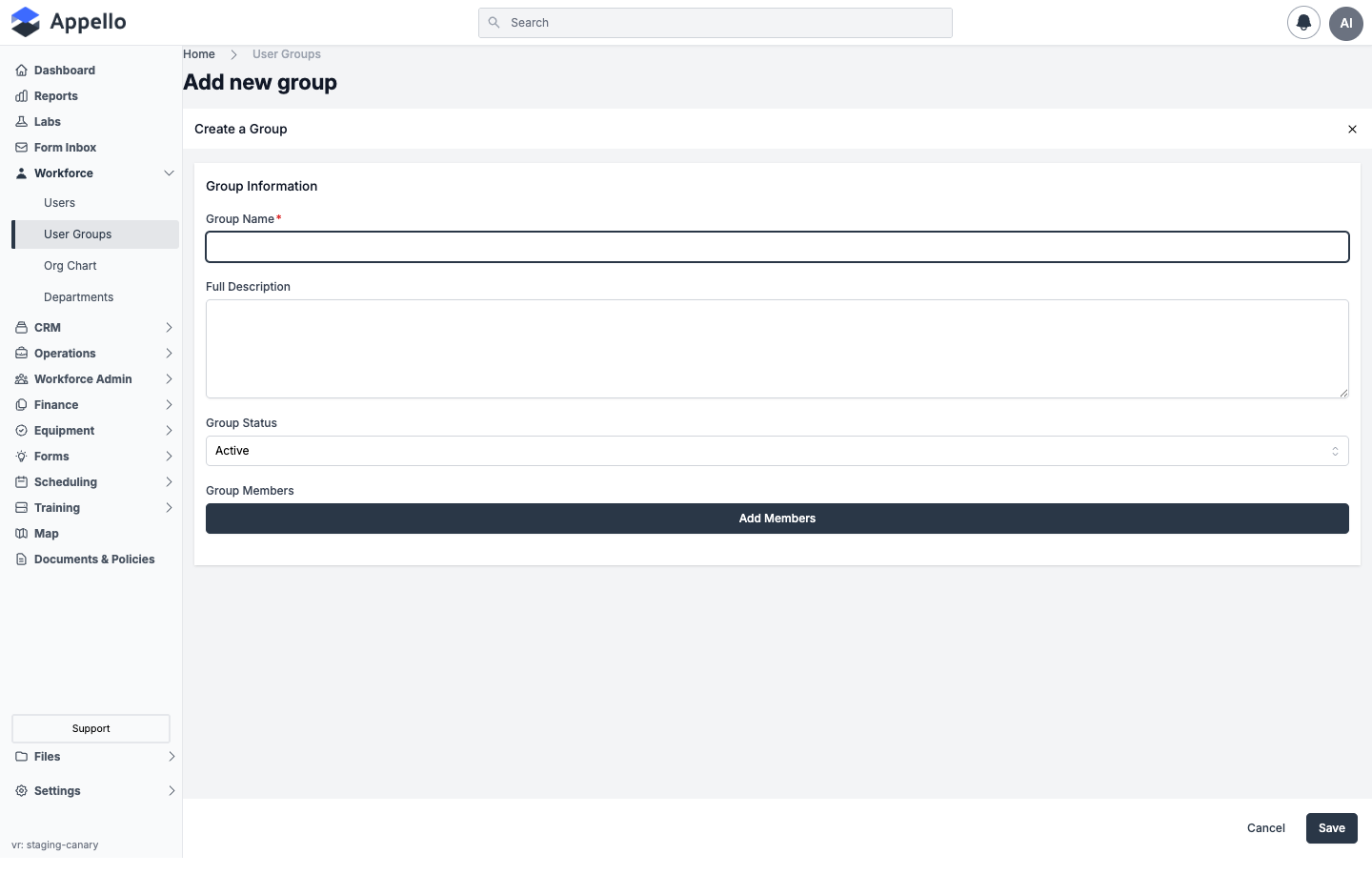
- Fill in Group Name (required).
- Optionally add a Full Description.
- Optionally change Group Status (defaults to Active).
- Click Add Members to open a searchable checklist of users, check the ones you want, and confirm.
- Click Save.
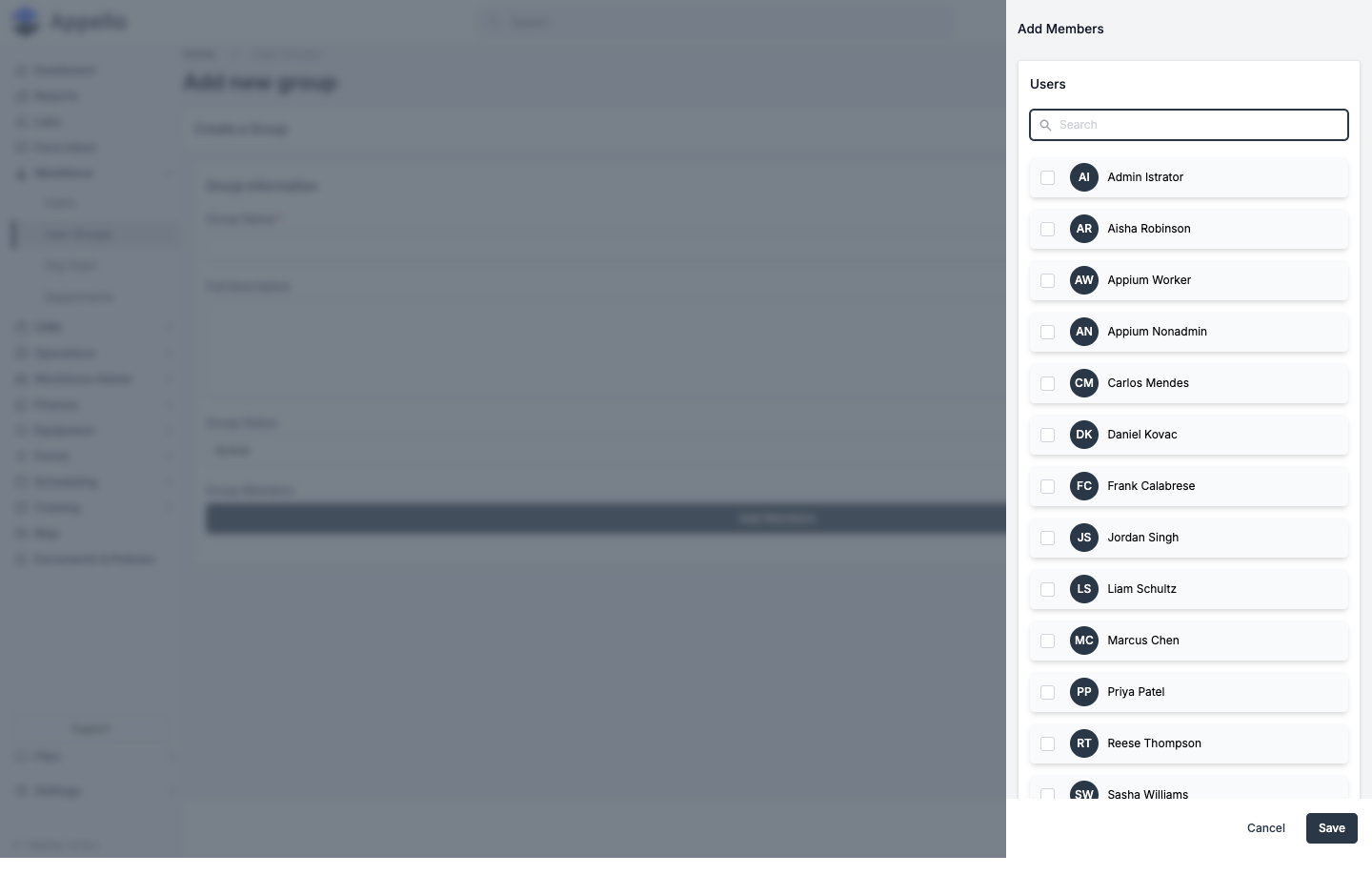
| Field | Required | Type | Effect |
|---|---|---|---|
| Group Name | Yes | Text (max 255 characters) | Sets the group's display name. |
| Full Description | No | Multi-line text | Free-text notes. Keep it under 800 characters -- the form will let you type a longer description, but anything past that limit can be rejected or cut off when you save. |
| Group Status | No | Select: Active, On Hold, or Terminated | Defaults to Active on create. |
| Group Members | No | Add Members button → searchable checkbox list of users | Connects the checked users to the group when you save. |
User Groups don't support custom properties -- there's no custom-properties field on the create/edit form, and User Group isn't one of the record types you can add a custom property to. What custom properties can do is point at a User Group -- see Where User Groups Are Used Elsewhere below.
Clicking Cancel on the standalone /groups/add page does nothing -- the URL and form stay
put. The same Cancel button on the list's flyout version works normally and closes the
flyout. Use the flyout (the Create User Group button) if you want a working Cancel.
Bulk actions
Check the box on one or more (unlocked) rows to reveal a bulk-action bar:
| Tab | Action | What it does |
|---|---|---|
| Active | Archive | Removes the selected groups from the Active view. Members and data are kept. |
| Archived | Restore | Moves the selected groups back to the Active view. |
| Archived | Delete | Permanently deletes the selected groups. |
Group detail page
Click a group's name (from the list, or from anywhere else it's linked) to open
/groups/[id]. The header shows the group's name and a Status badge; if the group has
one or more active members, a second email group badge appears next to it, linking to a
mailto: address listing every active member's email -- a quick way to message the whole crew
at once.
The breadcrumb trail on this page reads Home → System Settings → User Groups → (group name). Clicking System Settings goes nowhere useful: it tries to open the Settings panel to a User Groups tab under Human Resources, but no such tab exists there. The only working path to this feature is Workforce → User Groups in the main sidebar.
Two tabs: Overview and Group Members.
Overview tab
Permissions: User Group → View (tab visibility); User Group → Edit (the edit pencil).
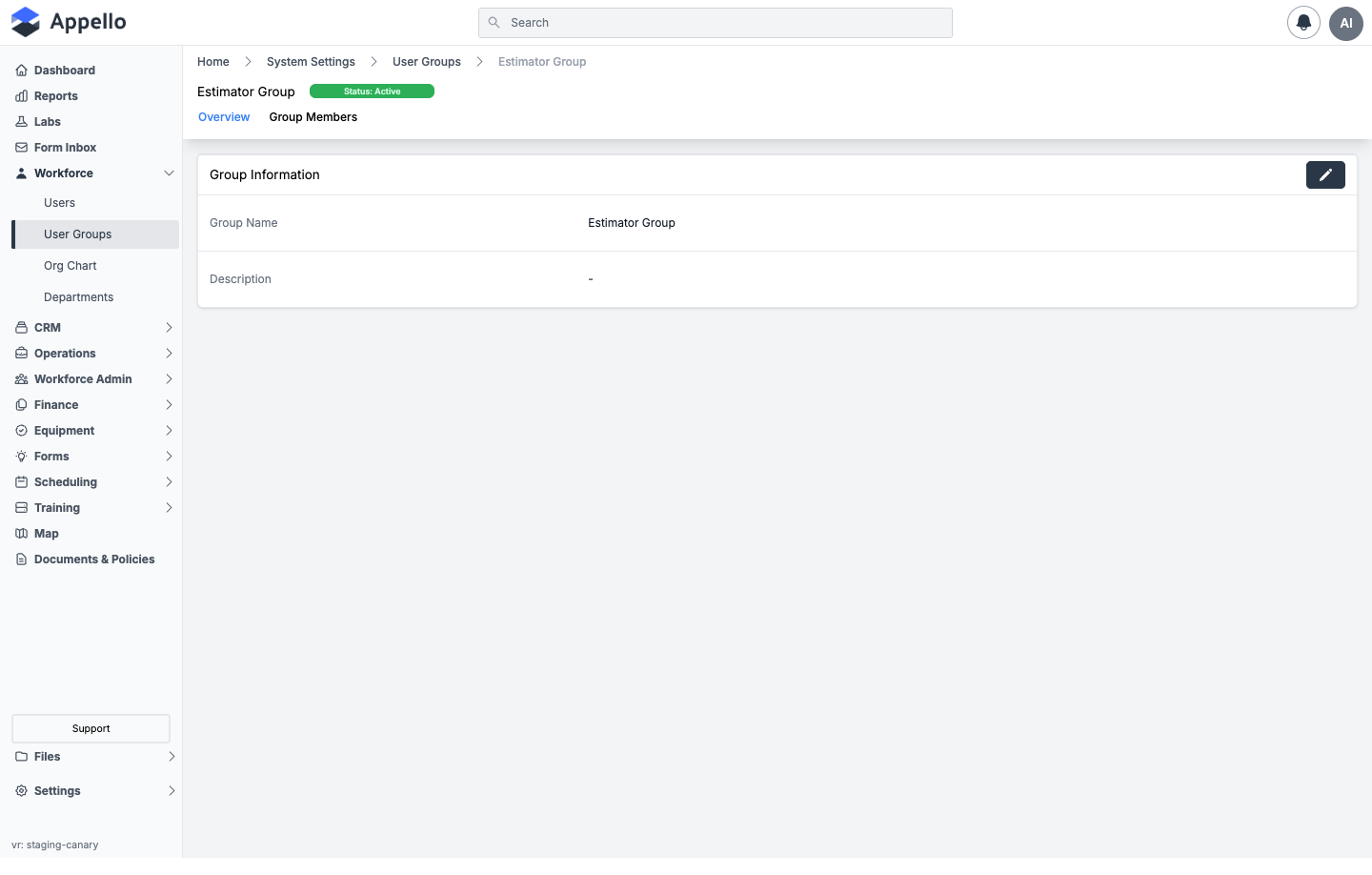
The Group Information card shows:
| Field | Notes |
|---|---|
| Group Name | |
| Description | Shown as - when the group has no description set (empty state). |
Click the pencil icon to reopen the same Create a Group flyout, pre-filled with the group's current name, description, status, and members. Saving applies both the detail changes and any membership changes you made in the same edit.
Group Members tab
Permissions: User → View (tab visibility); adding or removing members requires User Group → Assign.
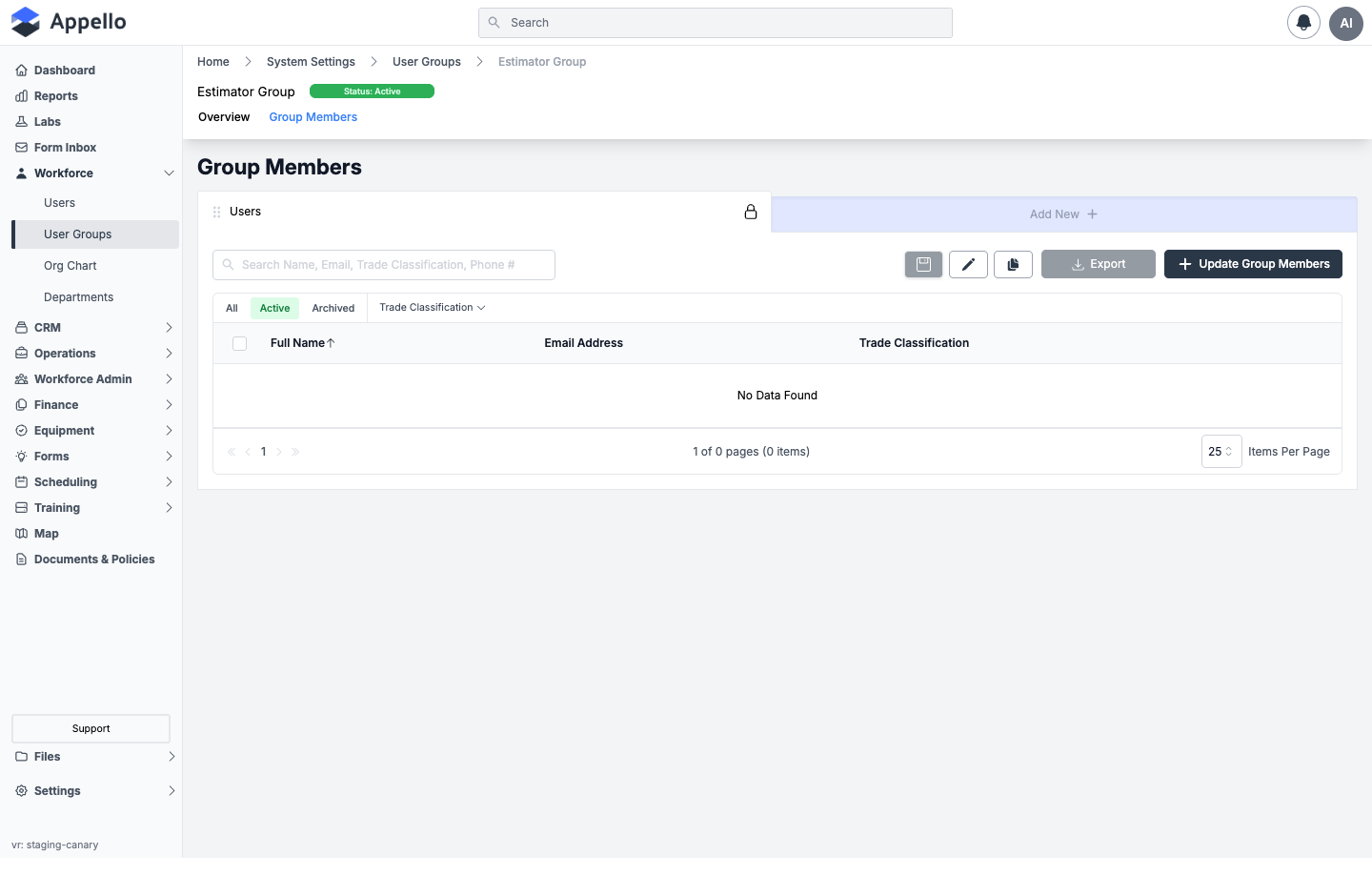
| Column | Description |
|---|---|
| Full Name | The member's name, linked to their user record. |
| Email Address | The member's email. |
| Trade Classification | The member's trade level, if one is set. |
| Control | Effect |
|---|---|
| Search | Searches Name, Email, Trade Classification, and Phone # across current members. |
| Trade Classification filter | Narrows the member list to one or more trade levels. |
| All / Active / Archived | Quick tabs, filtering by the member user's own active/deactivated status -- not the group's own status. |
| Export | Downloads the visible member list as a CSV. |
| Update Group Members | Opens the same searchable Add Members checklist, pre-checked with current members, so you can add or remove people in one save. |
The "Users" card above the search box is the generic saved-views control (lock / save / edit / duplicate / Add New) shared with other list pages -- see Users → View controls rather than repeating it here.
Selecting one or more member rows reveals a bulk toolbar whose action removes the selected users from this group -- it does not delete the user record. No screenshot is included: the demo instance's only group has zero members, so there's nothing to select.
Where User Groups Are Used Elsewhere
| Feature | Confirmed behavior |
|---|---|
| Form question targeting | A form's Person question type can be restricted to one or more User Groups, and a form's Assign Users / User Groups / Exclude Users / User Groups access-control fields accept groups alongside individual users. See Form Management. |
| Notification targeting | Every Assign Users / User Groups picker in the Application and Mandatory notification systems (and geofence notifications on a job's Settings tab) accepts a group as a recipient. See Notification Control. |
| Scheduling filters | User Group is a filter on the Daily Schedule and Calendar Schedule grids (not on the plain User Schedule). See User & Workforce Schedule. |
| Custom property targeting | A custom property with Linkable Object set to User can be narrowed to a specific User Group, restricting the picker to that group's members instead of every user. See Property Settings. |
| Recipients (Safety Forms, Projects, mandatory notifications) | Safety Forms and Projects can be sent to a group as a recipient, and mandatory app-notification types can be assigned to (or excluded for) a group in System Settings. |
| Permissions | Managing groups is itself controlled by the User Group permission (View / Edit / Assign) on the acting user's role -- being a member of a group does not grant that group's members any permissions. |
Groups vs. Departments vs. Roles
These three are easy to conflate. They answer different questions:
| Concept | Answers | Membership | Grants permissions? |
|---|---|---|---|
| User Group | "Who do I filter/notify/assign together?" | Any user can belong to any number of groups. | No. |
| Department | "What organizational division is this person in?" | Typically one primary department per user, with a head and a color. | No. |
| Role | "What can this person see and do?" | Every user has one or more roles. | Yes -- roles are the entire permission model. |
Permissions
| Permission | Controls |
|---|---|
| User Group → View | Whether User Groups appears in the sidebar; access to the list and a group's Overview tab. |
| User Group → Edit | The Create User Group button, the list's row-edit action, and the Overview tab's edit pencil. There is no separate "create" permission -- creating and editing share the Edit setting. |
| User Group → Assign | Adding or removing members, from either the Group Members tab's Update Group Members panel or its bulk-remove action. |
| User Group → Archive / Delete / Restore | The list's bulk Archive / Delete / Restore actions, following the same operation vocabulary as every other record type -- see Roles & Permissions → Permission Operations. |
| User → View | Required for the Group Members tab to appear at all. |
Group membership isn't what drives a field worker's own schedule in the mobile app -- their schedule and assignments come from the jobs they're individually scheduled to.
Keep group names consistent with how your team refers to them on site. If everyone calls it "Crew A," name it "Crew A" -- not "Insulation Team Alpha."
Example: Naming Crews by Trade
Appello doesn't require or template any particular group structure -- these are just example names an ICI insulation contractor might use, to illustrate how you could organize groups around trade and function:
| Example Group Name | Illustrative Purpose |
|---|---|
| Crew A -- Pipe Insulation | Piping insulation crew, filtering/notifications |
| Crew B -- Vessel & Tank | Equipment and vessel insulation crew |
| Estimating Team | Estimators and takeoff specialists |
| Safety Committee | JHSC members, for form and notice distribution |
Related Pages
- Departments -- Organizational divisions your groups' members belong to
- Trade Classifications -- Worker skill levels shown on the Group Members list
- Roles & Permissions -- What a user can do, as opposed to who they're grouped with
- User Detail Page → Groups tab -- The reverse view, from a single user's own record
- Form Management -- Using groups to target form questions and access control
- Notification Control -- Using groups as notification recipients
- User & Workforce Schedule -- Where the User Group scheduling filter actually lives (Daily/Calendar Schedule)
- Property Settings -- Narrowing a User-linked custom property to one group