Contacts
Maintain the people associated with your CRM companies -- billing contacts, site representatives, property managers, and other stakeholders. A contact can be linked to one or more companies and referenced from estimates, projects/jobs, and guest portal accounts.
Where it is
Sidebar → CRM → Contacts
URL: /contacts (the list); clicking a row opens that contact's detail page
Both require the Contacts → View permission.
What it is for
The Contacts page is the searchable, filterable list of every person recorded against your CRM companies -- billing contacts, site reps, property managers, and anyone else you need to reach. It is the entry point for creating a new contact and for bulk archive/delete/restore housekeeping on existing records.
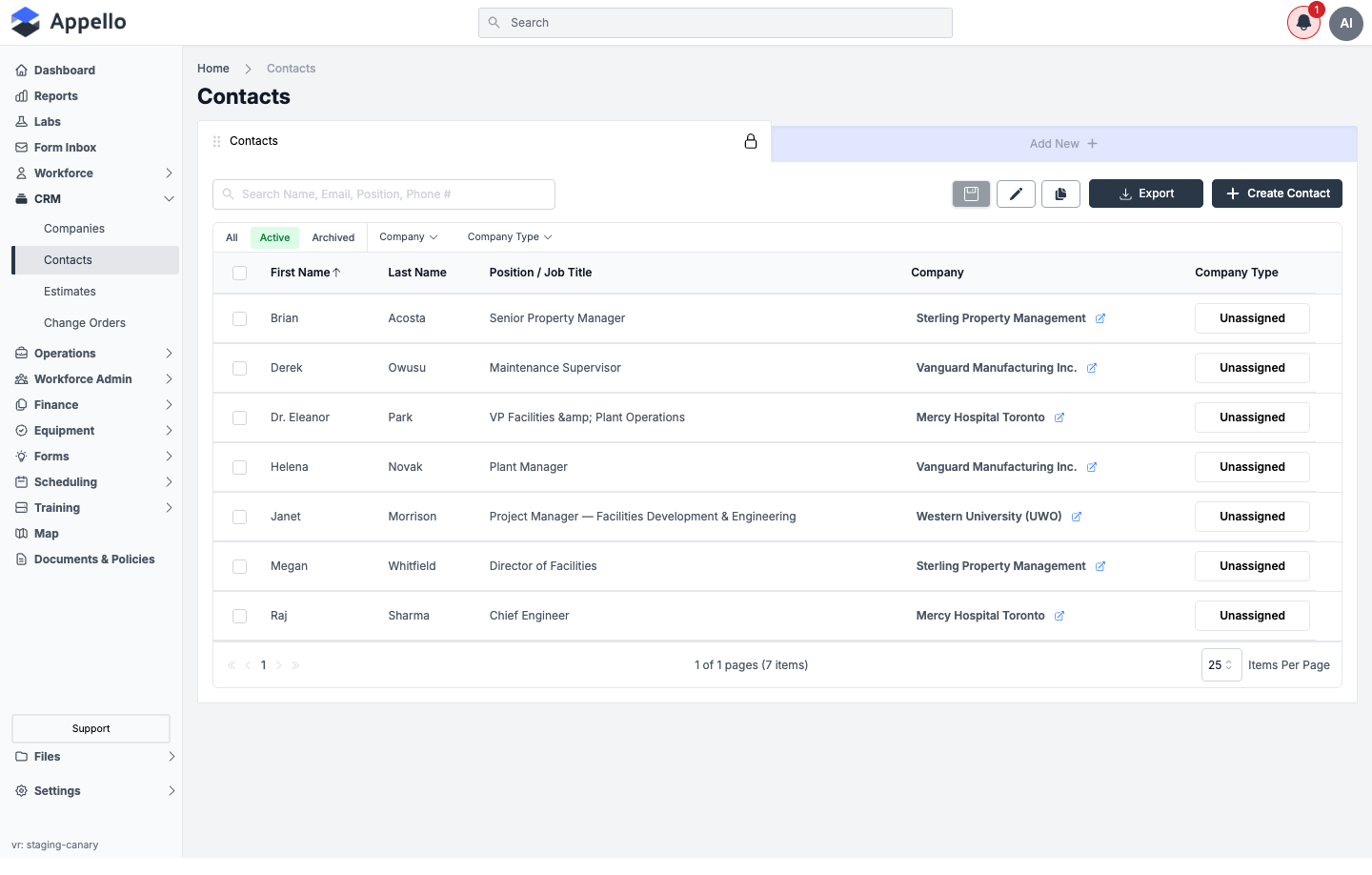
Columns
Contact uses the same configurable list as Company -- any column below can be added to a view; the five marked below are what the demo instance shows by default.
| Column | Shown by default | Notes |
|---|---|---|
| First Name | Yes | — |
| Last Name | Yes | — |
| Position / Job Title | Yes | The column header and the create/edit form both read "Position / Job Title" |
| Company | Yes | The contact's current company, linked. See Company vs. Companies below for how this differs from the Companies tab |
| Company Type | Yes | The Company Type of the contact's current company, not a property of the contact itself |
| Email Address | No | Searchable from the list search box even though it isn't a default column |
| Last Guest User Invite | No | Timestamp of the most recent guest-portal invite sent to this contact |
| QuickBooks Online Sync Status | No | Only meaningful on instances with the QuickBooks Online integration connected |
| All Companies | No | Every company linked to this contact -- broader than the single Company column |
| Created At / Updated At | No | Standard record timestamps |
Gender, Location, and Industry are excluded from the column list entirely -- they cannot be added to any view, even though a Location can still be attached to a contact behind the scenes.
Quick tabs, filters, and search
| Control | Type | Effect |
|---|---|---|
| All / Active / Archived | Quick tabs | Filters by the record's archived state. Active is selected by default |
| Company | Filter chip | Filters by the contact's current company |
| Company Type | Filter chip (multi-select, searchable) | Filters to contacts whose current company's Company Type matches one or more checked values |
| Search Name, Email, Position, Phone # | Search box | Free-text search across name, email, position/job title, and phone number, per the placeholder |
| Column header click (e.g. First Name) | Sort | Toggles ascending/descending sort on that column |
The list's underlying default sort is Last Name, ascending, even though First Name is the leftmost column and carries the sort-arrow indicator in the current view.
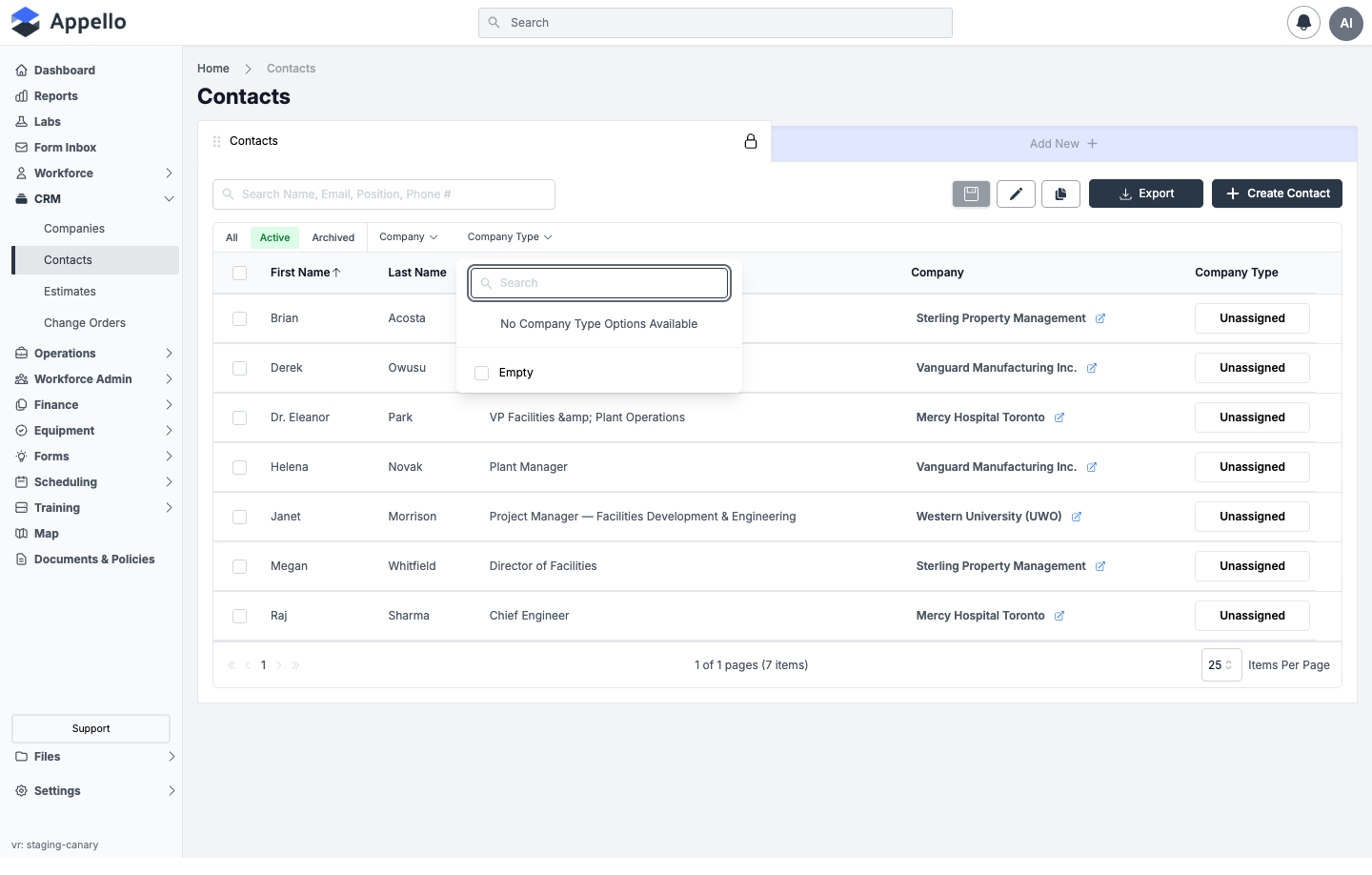
On the demo instance no Company Type values are configured yet, so the filter shows only No Company Type Options Available and Empty. Confirmed against the demo instance on 2026-09-08.
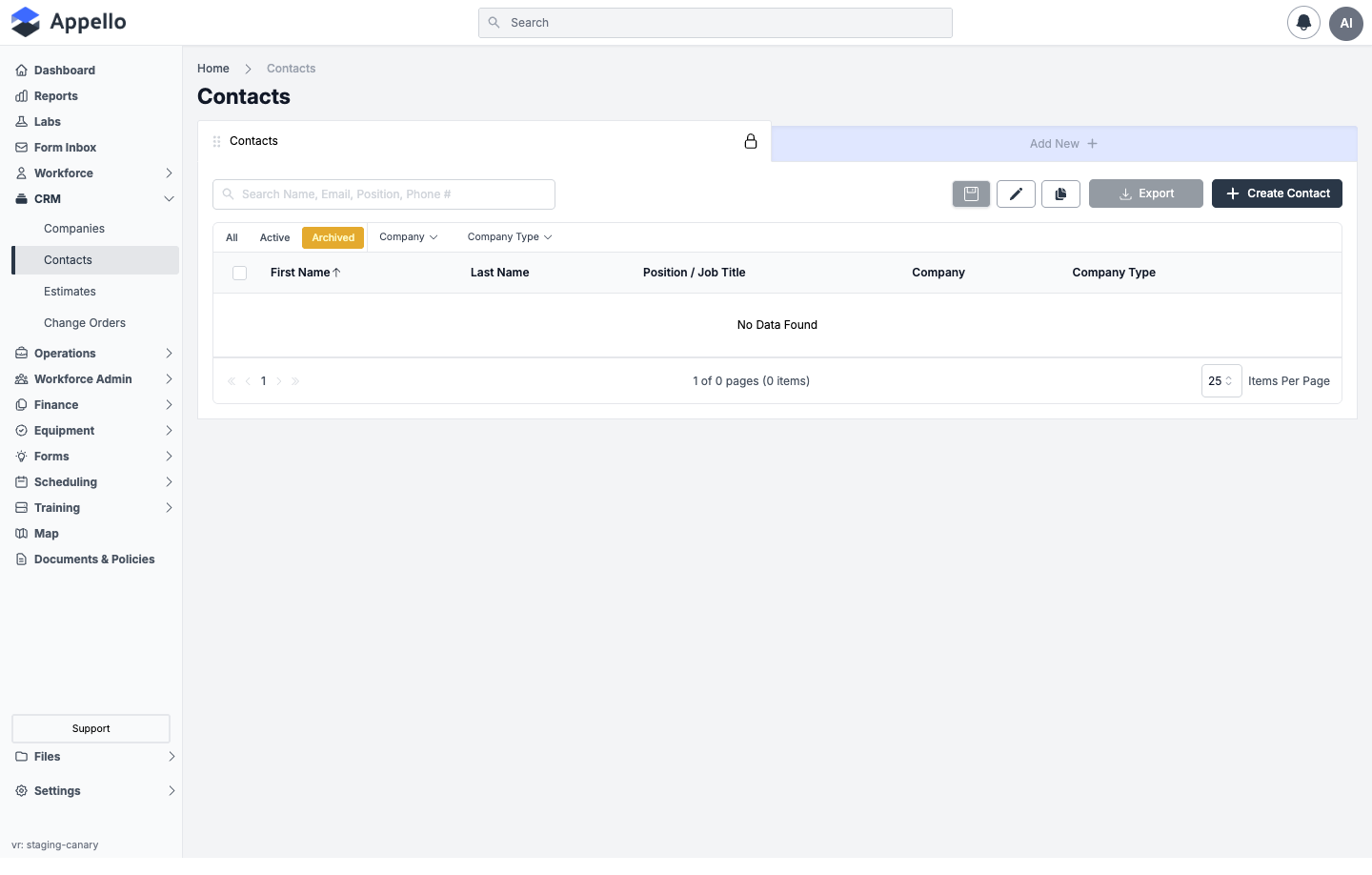
Export
Click Export to download the current view as CSV or PDF, reflecting the columns, sort, filters, and any selected rows at the time of export -- the same mechanism documented on Companies → Export. It is disabled when the active tab has zero rows (for example, an empty Archived tab, as shown above).
Bulk actions
Select one or more rows with the row checkboxes to reveal a bulk-action bar:
| Tab | Action | Permission | Effect |
|---|---|---|---|
| Active | Archive | Contacts → Archive | Archives the selected contacts. If any have related records, a confirmation lists the affected counts |
| Archived | Restore | Contacts → Restore | Returns the selected contacts to Active |
| Archived | Delete | Contacts → Delete | Permanently deletes the selected contacts. The confirmation lists related-record counts and requires typing the total count to confirm |
On a Company's own Contacts tab (documented below), the same list renders in a "detach" mode -- the bulk action reads Detach instead of Archive/Delete and only removes the link between the contact and the company, gated by Contacts → Assign rather than Archive/Delete.
Import
There is no CSV/bulk import for contacts, unlike some other Appello list pages.
Creating a Contact
- Click Create Contact in the top right (or Add New).
- In the Contact Create Form flyout, fill in First Name and Last Name (both required).
- Optionally fill in Position / Job Title, Email Address, Phone Work, Phone Extension, Phone Mobile, and LinkedIn URL.
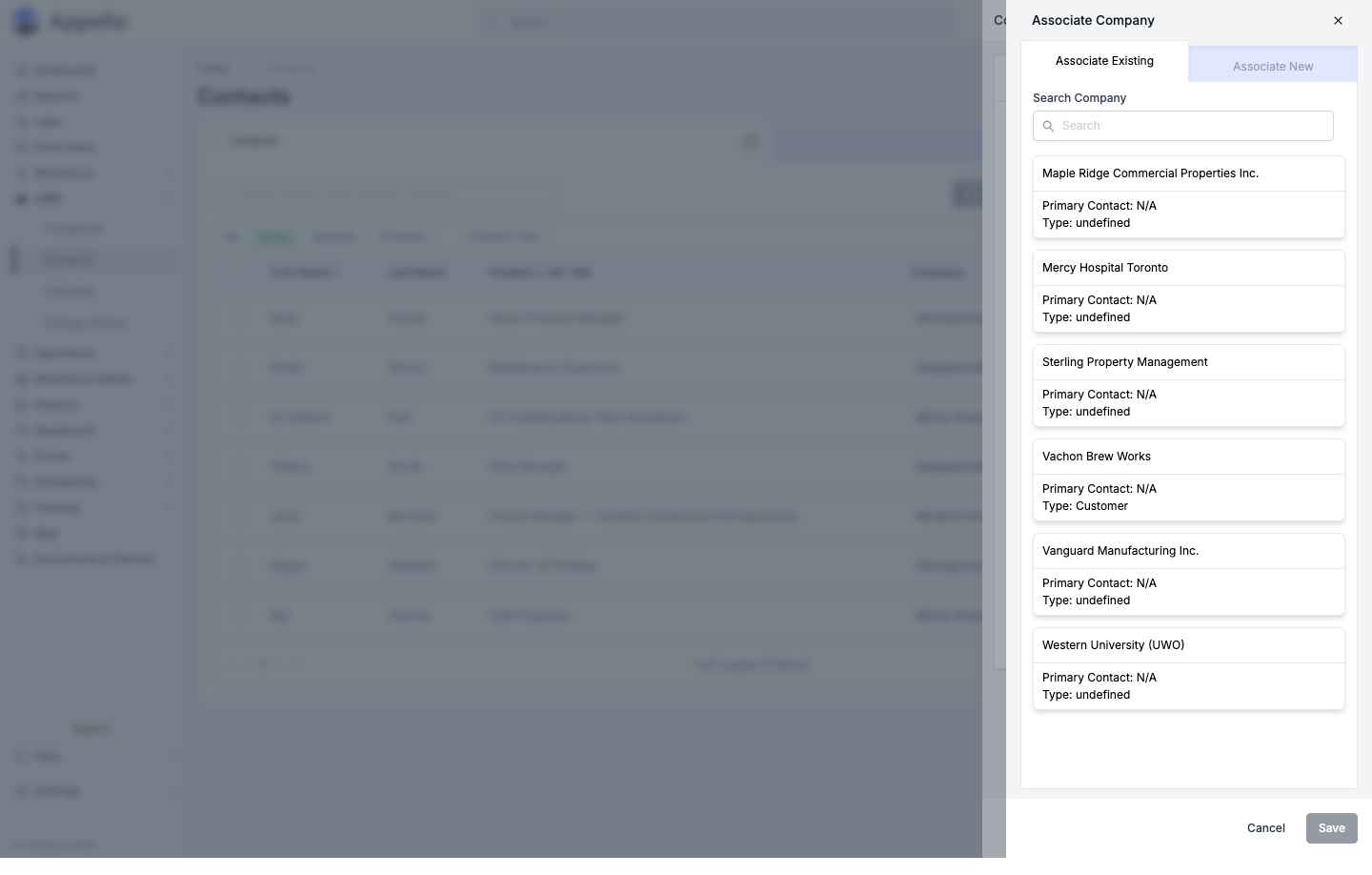
- Under Company, click Add to open the Associate Company panel. Use Associate Existing to search for and select one or more companies already in your CRM, or switch to Associate New to create a company inline and link it in the same step.
- Click Save. Cancel closes the panel without saving.
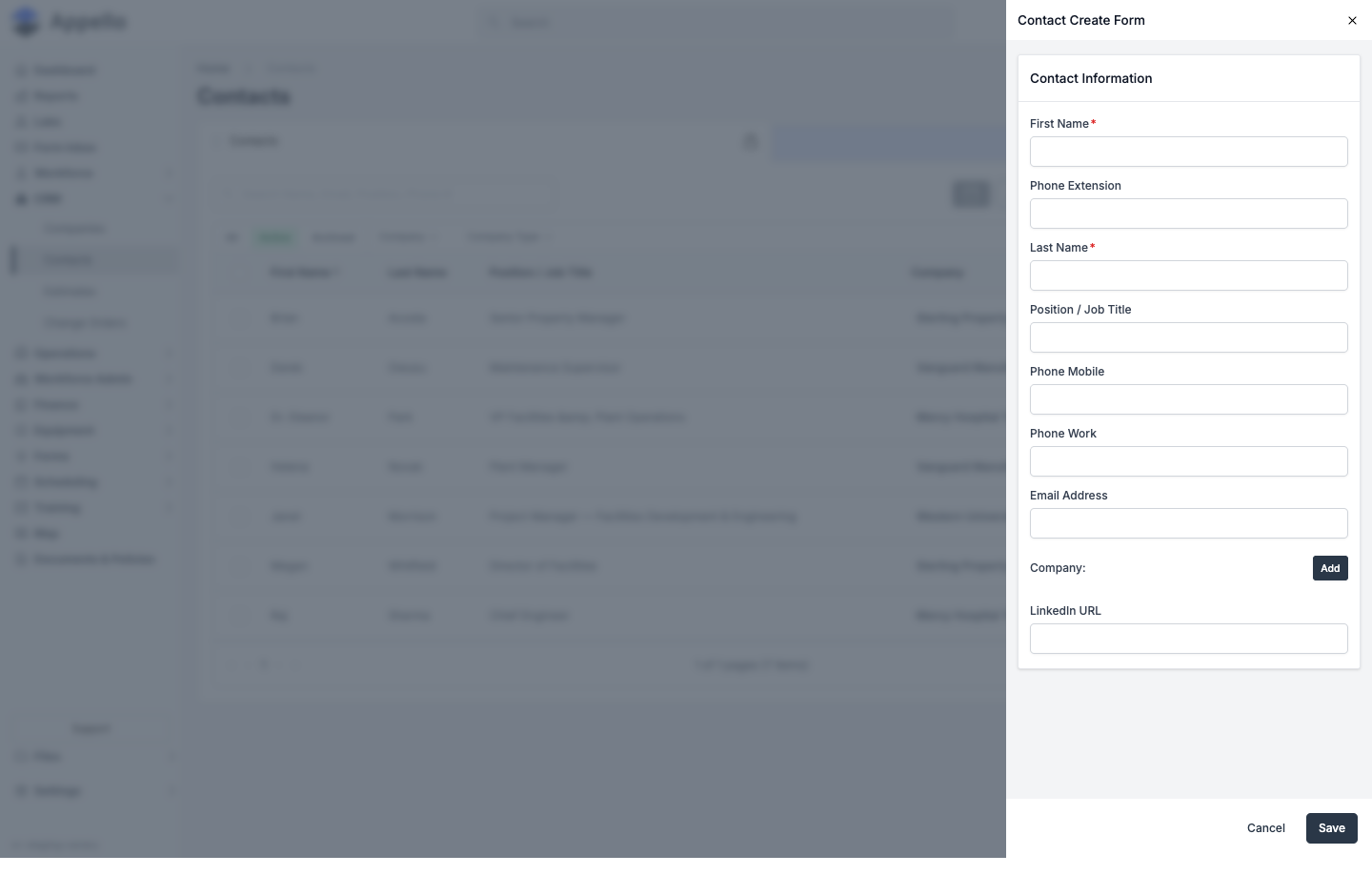
Contact Create Form fields
Like Company, this panel is configuration-driven -- Appello builds it from the Contact model's field setup, so the exact fields, order, and which are required can differ per instance. What appears is configured in Property Settings (Contacts → Manage Forms / Detail View Layout). The fields below are what the demo instance shows today, in the order the form renders them.
| Field | Required | Type | Effect |
|---|---|---|---|
| First Name | Yes | Text | The contact's given name |
| Phone Extension | No | Text | Extension for Phone Work |
| Last Name | Yes | Text | The contact's surname |
| Position / Job Title | No | Text | Shown as a badge on the contact's detail-page header when present |
| Phone Mobile | No | Text | — |
| Phone Work | No | Text | — |
| Email Address | No | Text | Required before Guest User Access can be enabled (see below); must be unique across contacts |
| Company — Add | No | Associate-company picker | Opens the Associate Company panel (Associate Existing / Associate New) shown above, setting the contact's current company |
| LinkedIn URL | No | Text | — |
There is no street-address, gender, or tag field on the create/edit form on the demo instance, even though a contact can carry a location, a gender, and tags behind the scenes. None of the three appeared as a form field, list column, or detail-page field during this review. An instance could expose a location or a tag-style custom property by adding it in Property Settings, but no such field exists on the demo instance today. Confirmed against the demo instance on 2026-09-08.
Contact Detail
Click a contact row to open their detail page. It has three tabs: Overview, Companies, and Settings.
Download a PDF of the contact
The header above the tabs carries one action: a down-arrow Download icon button. It produces a one-record PDF of this contact -- a different thing from the CSV/PDF Export on the list above, which uses a fixed column set. Which fields the PDF contains is decided by a Download Template for Contacts, set up under Settings → Download Templates (see Templates → Download Templates).
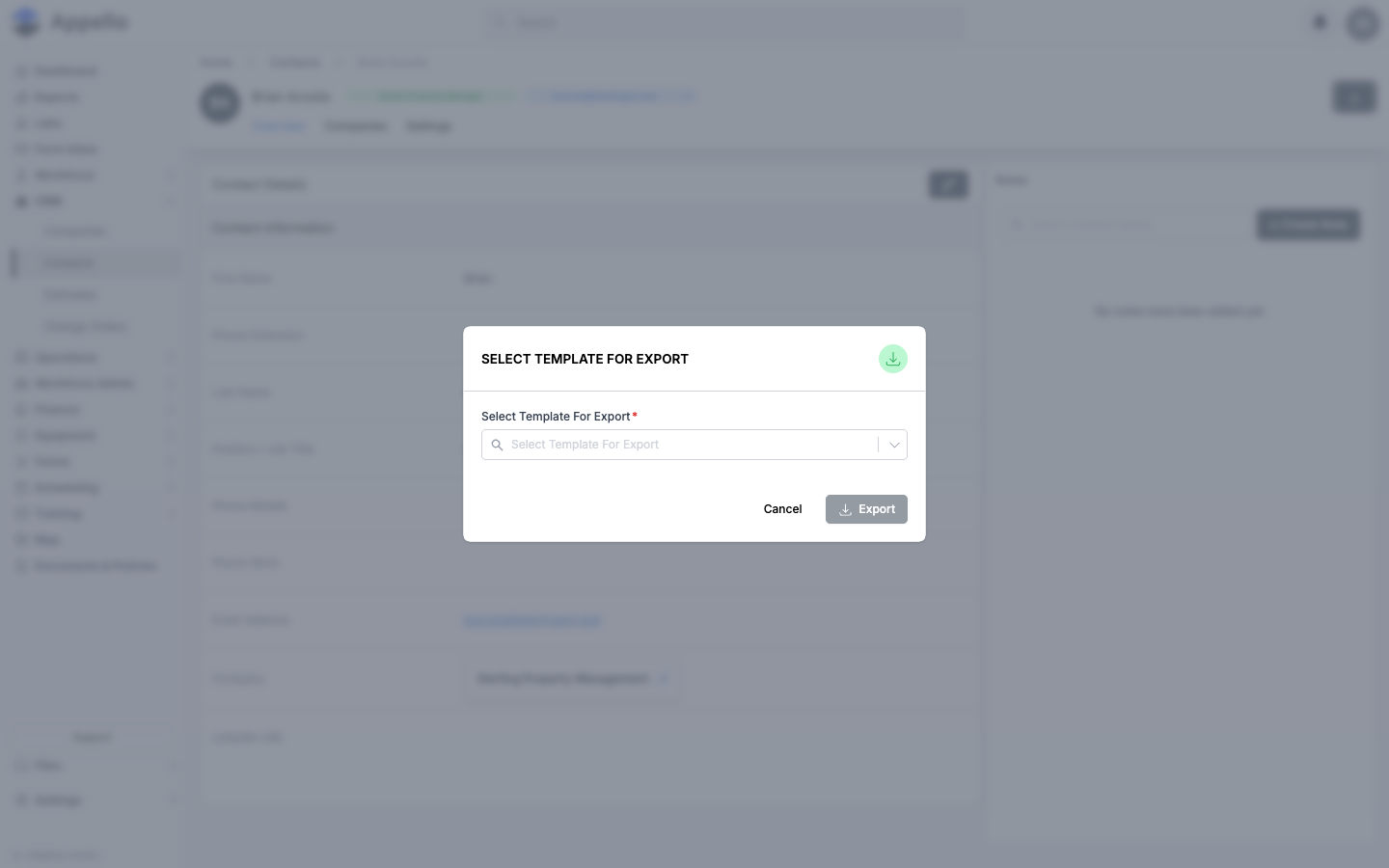
- Click the Download icon in the header.
- In the Select Template For Export picker, choose a template. Only templates created on the Contacts sub-tab of Download Templates are listed. Export stays disabled until one is chosen.
- Click Export. The PDF is generated from the fields that template has toggled on and
downloads as
<Company Name>_Contact Details_<date>_<time>.pdf. Cancel closes the picker without generating anything.
There is no separate permission for this button; anyone who can open the contact page can use it.
Confirmed from source (pages/contacts/[id]/index.tsx, components/ConfirmTemplate/TemplateSelectionModal.tsx,
and the contactDetail case in pages/api/pdf-export.ts) and on the canary demo instance on
2026-09-08; the picker was opened and dismissed without clicking Export. The shared behavior
of this picker is documented in
Exports, Imports and Bulk Actions → Downloading a record with a download template.
Overview tab
Gated by Contacts → View.
| Card / field | Contents |
|---|---|
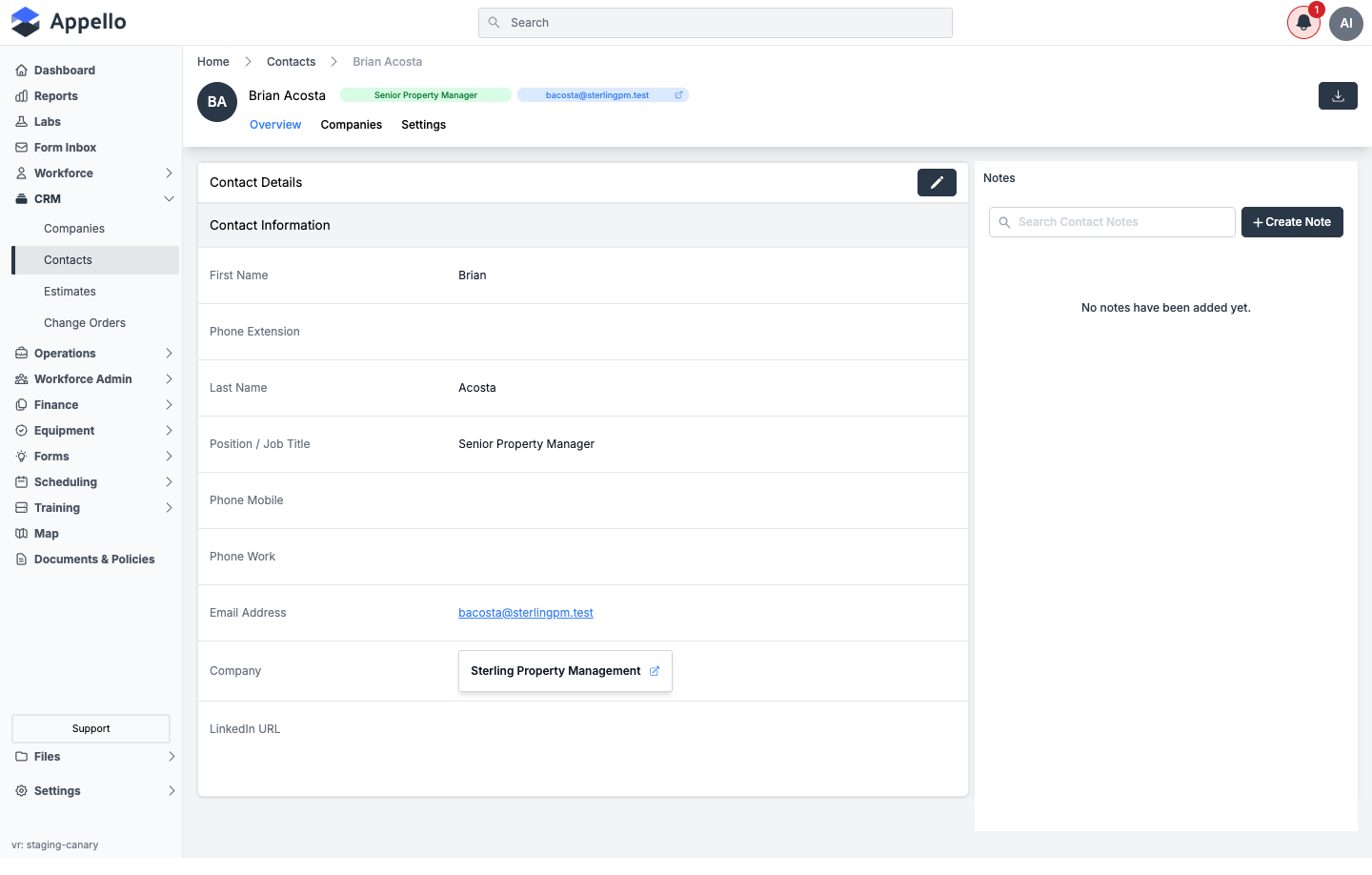
| Contact Details | Every field from the Contact Create Form above, read-only with a pencil-icon Edit button that reopens the same flyout |
| Notes | A chronological note feed for this contact -- Create Note and Search Contact Notes |
The Company field here (the contact's "current" company) and the list on the Companies tab are not always the same set. In the demo, a contact showed a current Company on Overview while its Companies tab read "No Data Found." Treat Company as the contact's primary/current company and Companies as the full list of companies this contact has been explicitly added to. Confirmed against the demo instance on 2026-09-08.
Companies tab
Gated by the Certifications → View permission -- not a Contacts or Companies permission. Treat this as a known quirk rather than a rule to design around.
Every company this contact is linked to, narrowed to two columns -- Company Name and Company Type -- with All / Active / Archived and Company Type filters, the same list behavior as the standalone Companies page.
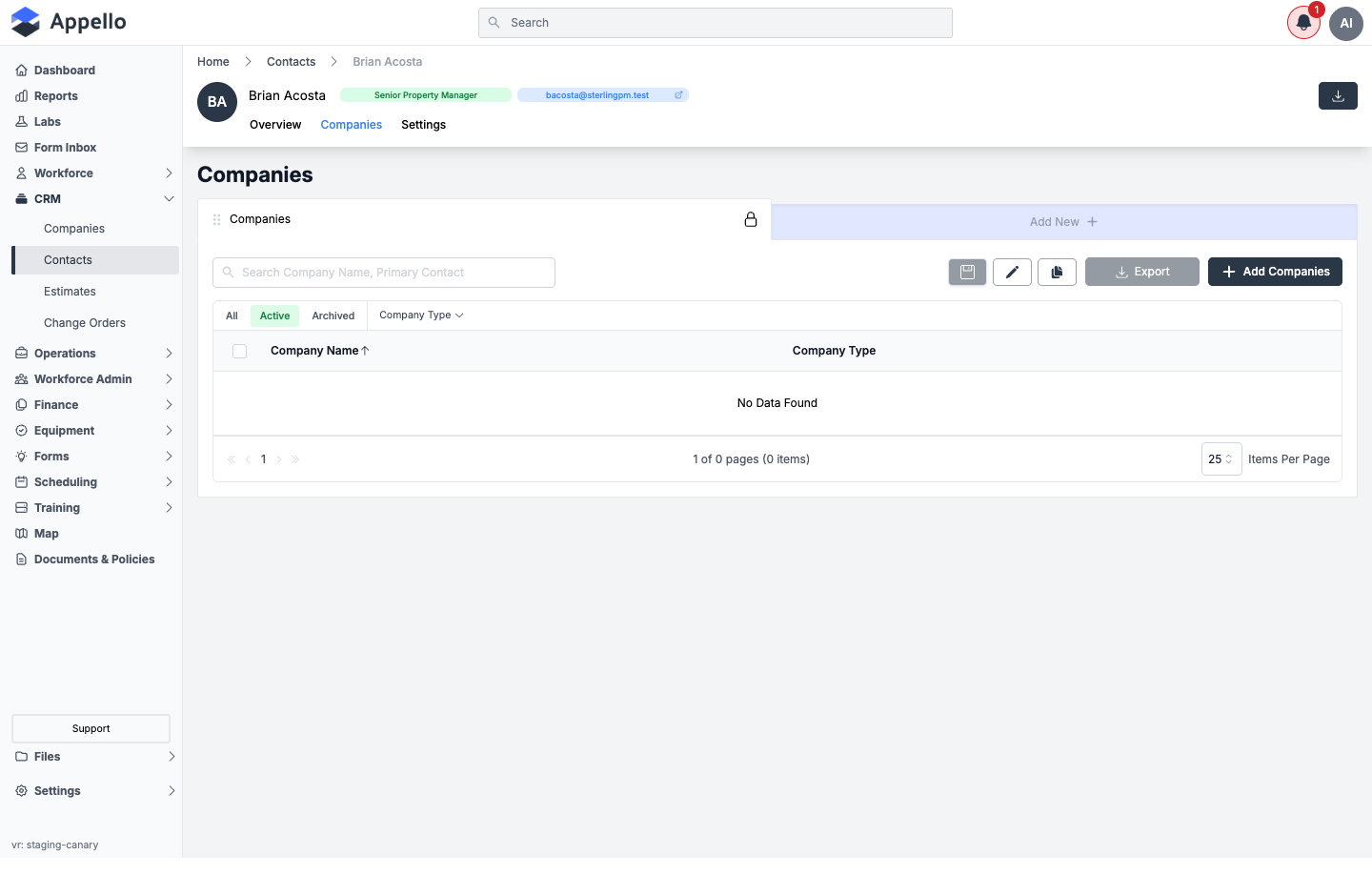
Add Companies opens an Associate Company panel -- the reverse direction of the Associate Contact flyout covered below: here you're picking companies to add to this contact, with Associate Existing and Associate New tabs, matching the picker on the Create Contact form. Selecting one or more companies and saving links them to the contact; removing a company from this list unlinks it.
Settings tab
Gated by Contacts → Edit.
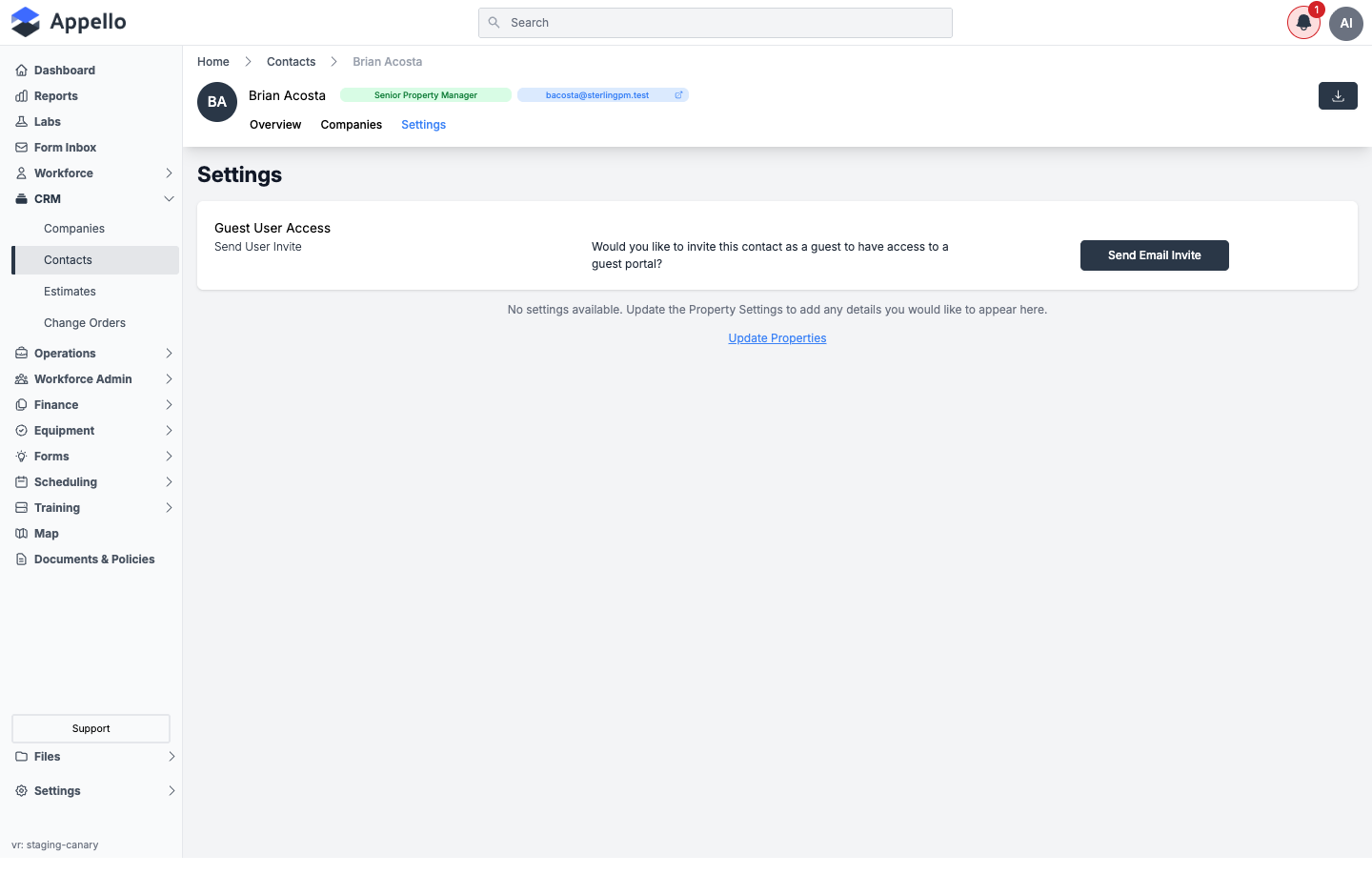
| Section | Contents |
|---|---|
| Guest User Access | Invite this contact to a guest portal login -- see below |
| Custom properties | Any custom properties configured for the Contact model render here as additional fields/cards. When none are configured, the tab shows "No settings available" with an Update Properties link |
Update Properties goes to Property Settings → Contacts, where the Contacts model's assigned fields and layout are configured -- the same generic Detail View Layout / Manage Forms / custom-properties system used across every Appello model.
Guest User Access
A contact with an email address can be invited as a Guest User, giving them a login to a limited company portal:
- On the contact's Settings tab, click Send Email Invite.
- Once invited, the card shows the account as Invited on [date] until the person signs up, then Active after their first login. From here you can Resend Email Invite or Reset Password.
- For a guest account, a Portal Access toggle turns the login on or off, and an Associated Companies section lists every company the guest's contact record is linked to, each with its own Portal Access toggle and an expandable panel of that company's projects and standalone jobs -- toggle individual projects/jobs on or off to control exactly what the guest can see within that company. The contact's current company can't be hidden from the portal.
Guest User Access requires an email address on the contact -- the Send Email Invite button is disabled without one. Confirmed against the demo instance on 2026-09-08.
Primary, billing, and receivable contacts
A company record -- not the contact record -- designates which of its linked contacts is the Primary Contact, and which is used for accounts payable / accounts receivable. See Companies for how those are set. A contact does not carry its own "is primary" flag; the same person can be the primary contact for one company and simply a contact on another.
Associate Contact
Wherever a form needs to attach one Contact to another record, Appello opens the same Associate Contact flyout, with Associate Existing (search and pick) and Associate New (an inline Contact Create Form) tabs -- the mirror image of the Associate Company panel described above.
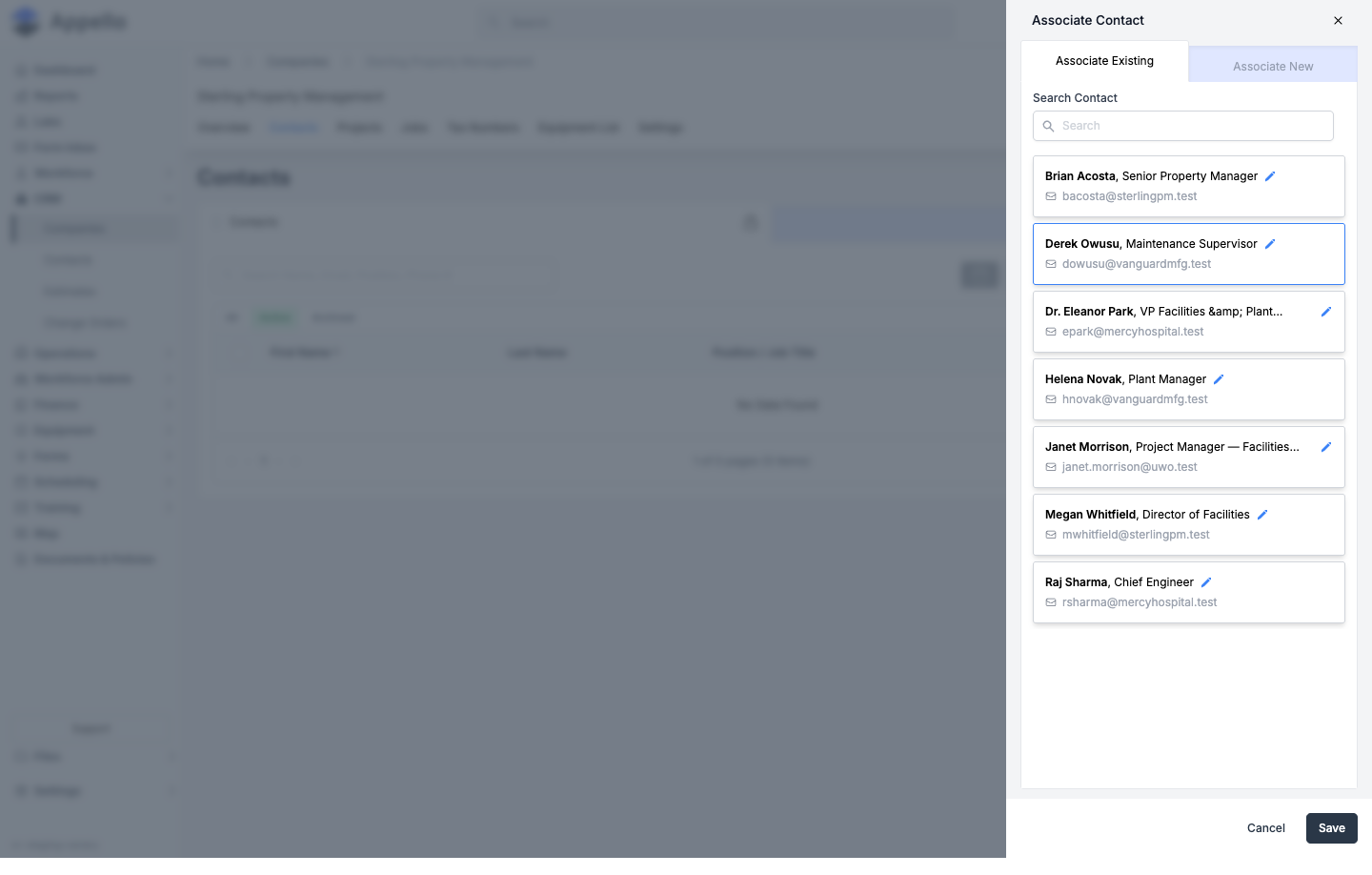
| Launched from | What it sets |
|---|---|
| Company detail → Contacts tab → Add Contacts | Links one or more contacts to that company |
| Company Create/Edit form → Primary Contact / Accounts Payable Contact / Accounts Receivable Contact → Add | Sets that single named contact field on the company. See Companies |
| Project create/edit form → Project Contact → Add | Sets the project's site contact, which a standalone Job inherits when created from that project |
| Job create/edit form → Primary Contact → Add | Sets the job's own contact field for jobs not tied to a project, or to override an inherited one |
| Estimate / Change Order detail → recipient contact | Sets the single Contact an estimate is addressed to -- see Estimate report |
In every case above the picker is the same control, which is why it always looks and behaves identically regardless of which screen opened it. All of these are cancel-safe -- closing the flyout or clicking Cancel attaches nothing.
Where contacts are used elsewhere
- Companies -- a company designates one linked contact as its Primary Contact, and optionally separate contacts for accounts payable and accounts receivable; any contact can also simply be listed on a company's Contacts tab. See Companies.
- Projects and Jobs (site contact) -- a Project's Project Contact field (and a standalone Job's own Primary Contact field) names a single site-level point of contact, set through the same Associate Contact flyout described above.
- Estimate recipients -- an estimate can have a single Contact attached as its recipient, set via the Add button on the estimate. See the Estimate report page.
- RFIs and Work Orders -- neither RFIs nor Work Order line items carry a direct contact field. An RFI's printed PDF instead pulls its "Contact" block from the RFI's linked Company's Primary Contact rather than from a contact assigned to the RFI itself.
- Guest portal accounts -- a contact with an email address can be turned into a guest-portal login, scoped to specific companies and their projects/jobs. See Guest User Access above and Guest Portal.
- Notification recipients for forms -- contacts can be added as email notification recipients on Projects and Safety Forms, so people outside your own workforce (a property manager, a GC's site contact) are copied on the relevant activity. See Form Management.
Appello can also associate notification recipients with Jobs behind the scenes, but this review did not find a corresponding control on the Job editor screen, so it is not documented here as a user-facing feature.
Permissions
| Permission | Gates |
|---|---|
| Contacts → View | The Contacts list and a contact's Overview tab |
| Contacts → Create | Create Contact / Add New and the Associate New tab of every Associate Contact flyout |
| Contacts → Edit | Editing an existing contact's fields, and access to its Settings tab |
| Contacts → Archive | The Archive bulk action on the Active tab |
| Contacts → Restore | The Restore bulk action on the Archived tab |
| Contacts → Delete | The Delete bulk action on the Archived tab |
| Contacts → Assign | Linking/unlinking companies to a contact (Add Companies / Detach, and the reciprocal Add Contacts on a company) |
Related Pages
- Companies -- Company records contacts are linked to, including Primary/AP/AR contact assignment
- Estimate report -- Where an estimate's recipient contact is set
- Projects -- Projects where contacts serve as the site contact or notification recipients
- Guest Portal -- The limited login a contact can be invited into via Guest User Access
- Form Management -- Where contacts are added as notification recipients on forms
- Property Settings -- Configures the Contact model's form fields, layout, and any custom properties